EasyManua.ls Logo

Asus VivoTab Note 8 - Page 26

Asus VivoTab Note 8
76 pages
Print Icon
To Next Page IconTo Next Page
To Previous Page IconTo Previous Page
Loading...
26
VivoTab Note 8 E-Manual
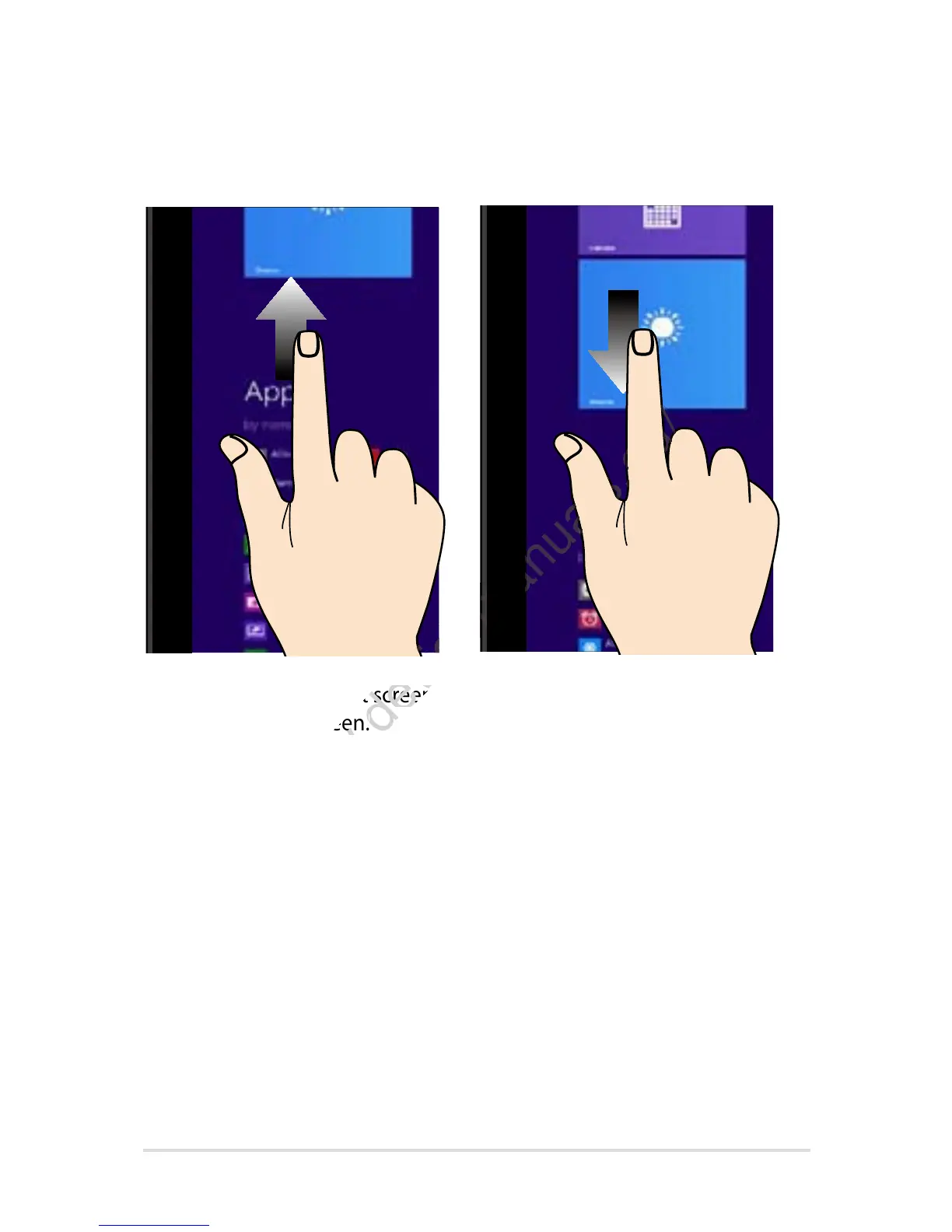
Swipe up Swipe down
Swipe up from the Start screen to
launch the Apps screen.
Swipe down from the Apps
screen to return to the Start
screen.
www.devicemanuals.eu/
Swipe up from the Start screen to
www.devicemanuals.eu/
Swipe up from the Start screen to
launch the Apps screen.
www.devicemanuals.eu/
launch the Apps screen.
www.devicemanuals.eu/
www.devicemanuals.eu/www.devicemanuals.eu/
www.devicemanuals.eu/
www.devicemanuals.eu/www.devicemanuals.eu/
www.devicemanuals.eu/

Table of Contents

Other manuals for Asus VivoTab Note 8

Related product manuals