10
ASUS Xonar D2X
3.4 Connecting CD/DVD-ROM Drive (with the analog
header)
1.
If you would like to use the physical playback buttons on your CD-ROM drive
to control audio CD playback on your PC, you need to connect the analog
cable between the CD-ROM drive and the audio card. Otherwise, you can
just skip this section and use ordinary digital CD playback on Windows.
2. Connect the CD-IN 4-pin header to the analog output on the back of your
CD/DVD-ROM drive with the audio CD cable which is usually included with
CD/DVD-ROM drive.
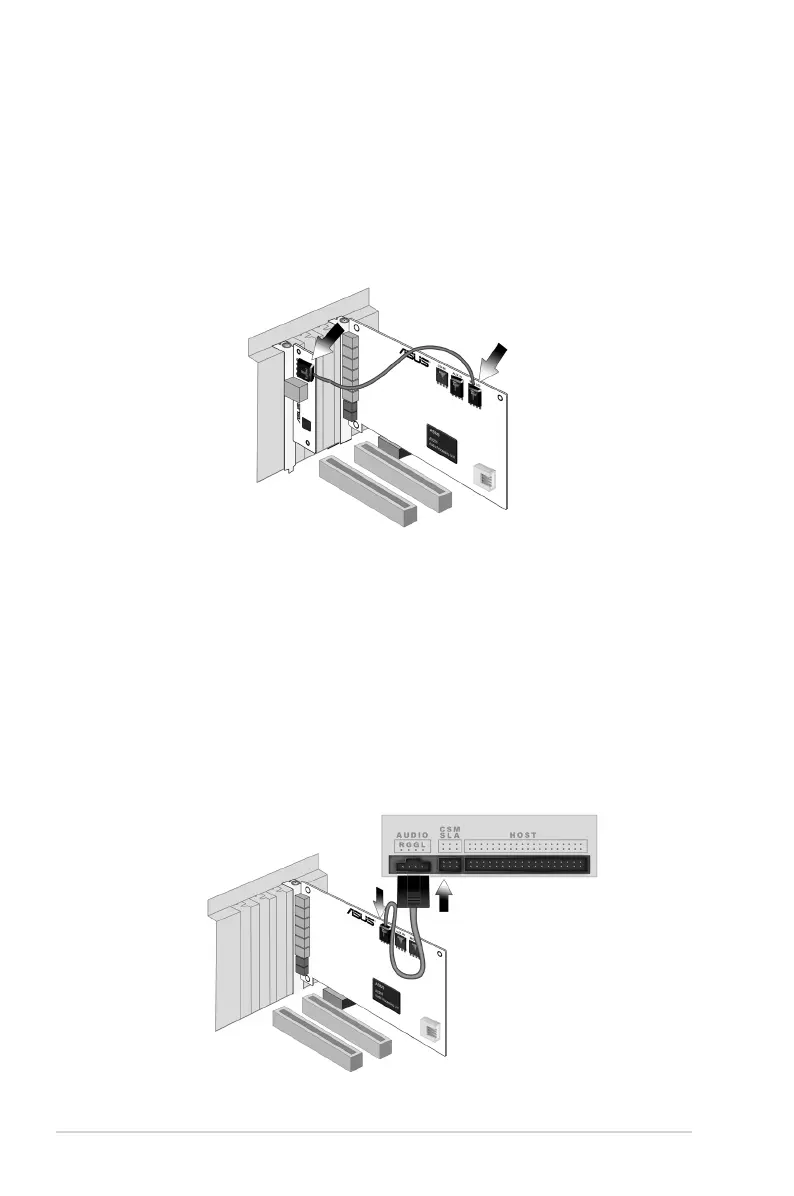
3.3 Installing the MIDI board
1. Secure the MIDI bracket to another slot on the back of your computer case.
2. Connect the 4-pin MIDI header on the audio card to the MIDI bracket with the
MIDI cable as the figure below.



 To Next Page