28
ASUS Xonar D2X
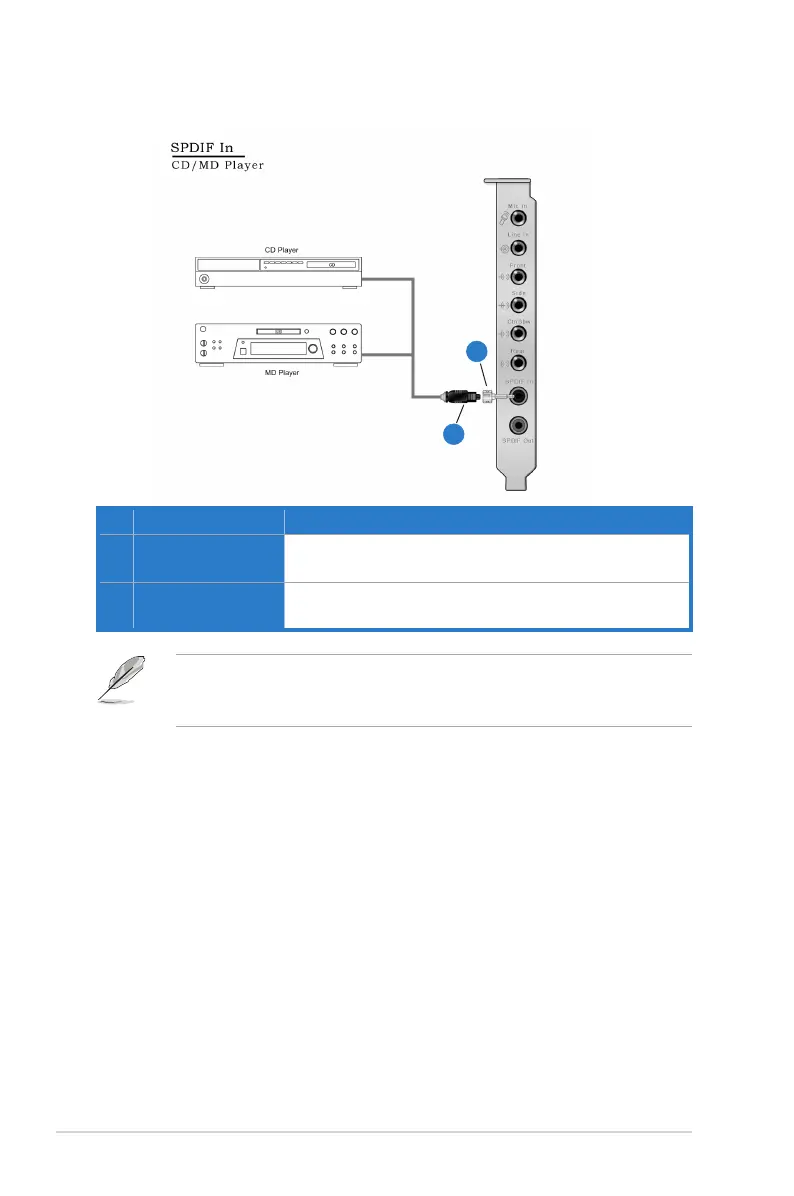
5.6 Connecting Digital Audio Sources
You can also use a coaxial cable for a S/PDIF digital connection. Just plug the
coaxial RCA male connector to the S/PDIF-In combo jack and connect the other
end into the coaxial S/PDIF output on the player.
No Item Description
1 Optical adaptor
Plug the optical TOSLINK adaptor into the S/PDIF-In combo
connector
2 Optical cable
Connect your MD/CD/DVD player’s S/PDIF out port to the
optical adaptor with the TOSLINK optical cable
1
2



 To Next Page