31
Chapter 2: There’s no place like Home
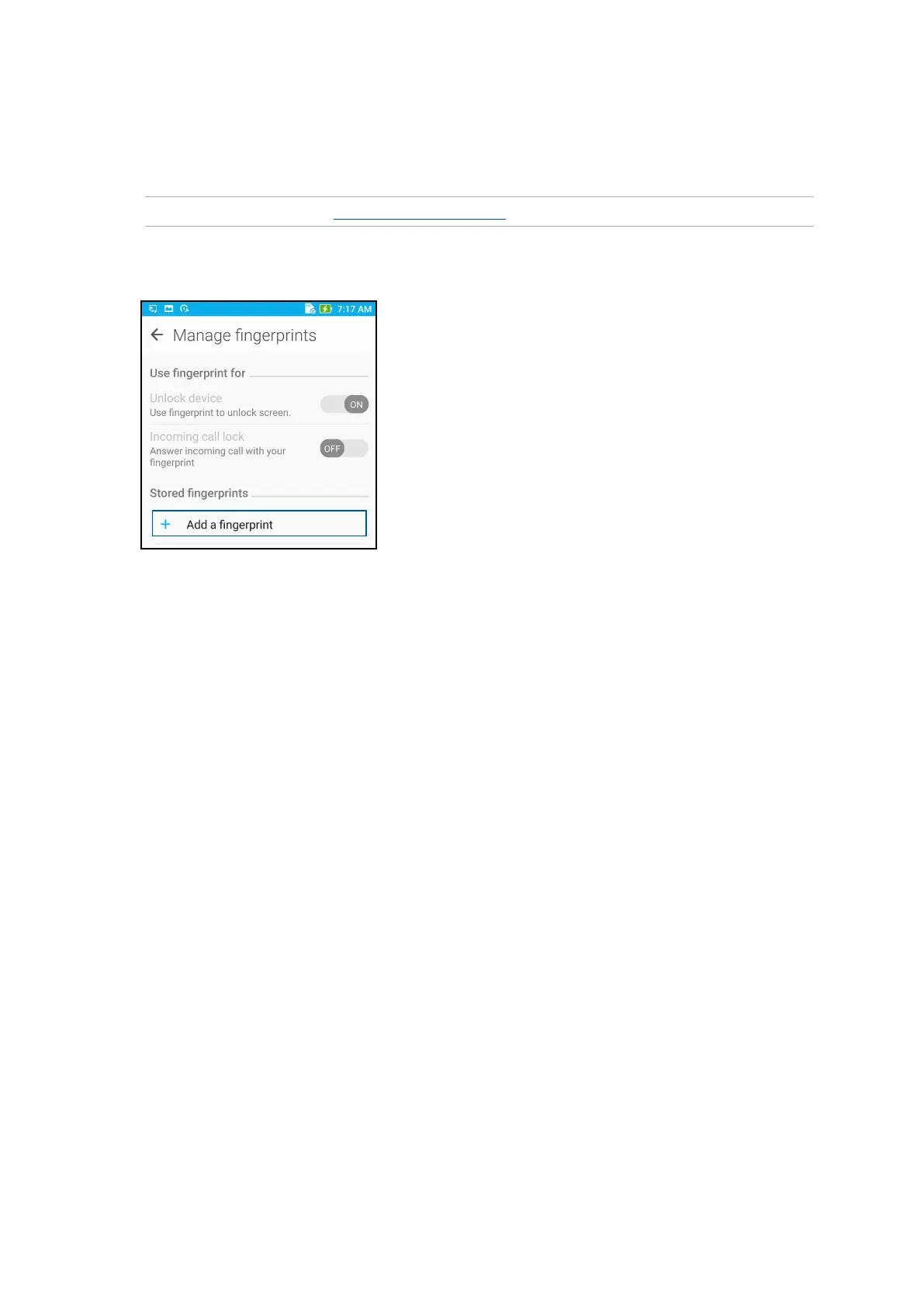
5. Tap Manage Fingerprints and select the screen lock option you would like to use, and follow
the on-screen instructions to set up the screen lock function.
NOTE: For more details, see Securing your ASUS Phone.
6. Click Add a ngerprint.
6. ClickNEXTontheLocate nger print scanner page.
7. Repeatedly place-and-lift your nger on the scanner until your ngerprint is captured.
8. Click NEXT to complete the setup.








 To Next Page