64
Chapter 6: Your precious moments
NOTES:
• YoucandownloadphotostoyourASUSPhonefromyourcloudaccountandusethemasyour
wallpaper.
• Fordetailsonusingphotosorimagesasyourwallpaper,seeWallpapers.
IMPORTANT! Internet connection is required for viewing photos and videos under Asus HomeCloud,
Social Gallery - Omlet, and My cloud.
Using the Gallery
View images and play videos on your ASUS Phone using the Gallery app.
This app also allows you to edit, share, or delete image and video les stored in your ASUS Phone.
From Gallery, you can display images in a slideshow or tap to view the selected image or video le.
To launch Gallery, tap ASUS > Gallery.
Viewing les from your social network or cloud storage
By default, your Gallery displays all the media les on your ASUS Phone according to their album
folders.
To view the media les from other locations accessible via your ASUS Phone:
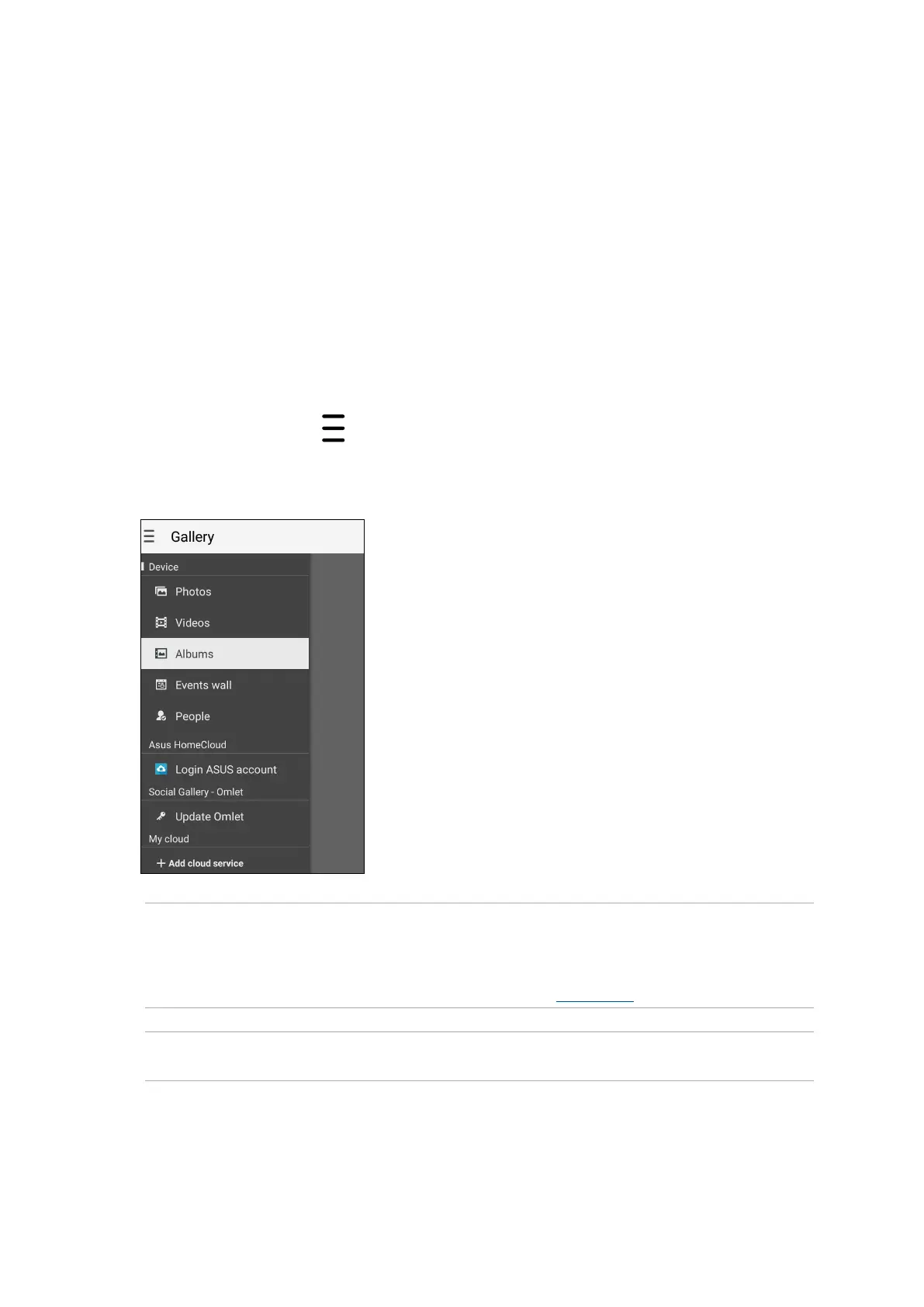
1. From the main screen, tap
.
2. Tap any of the following source locations to view their respective media les.















 To Next Page