76
Chapter 8: Travel and Maps
Timer
You may set multiple timer options for your ASUS Phone. To do this, follow the steps below:
Setting the timer
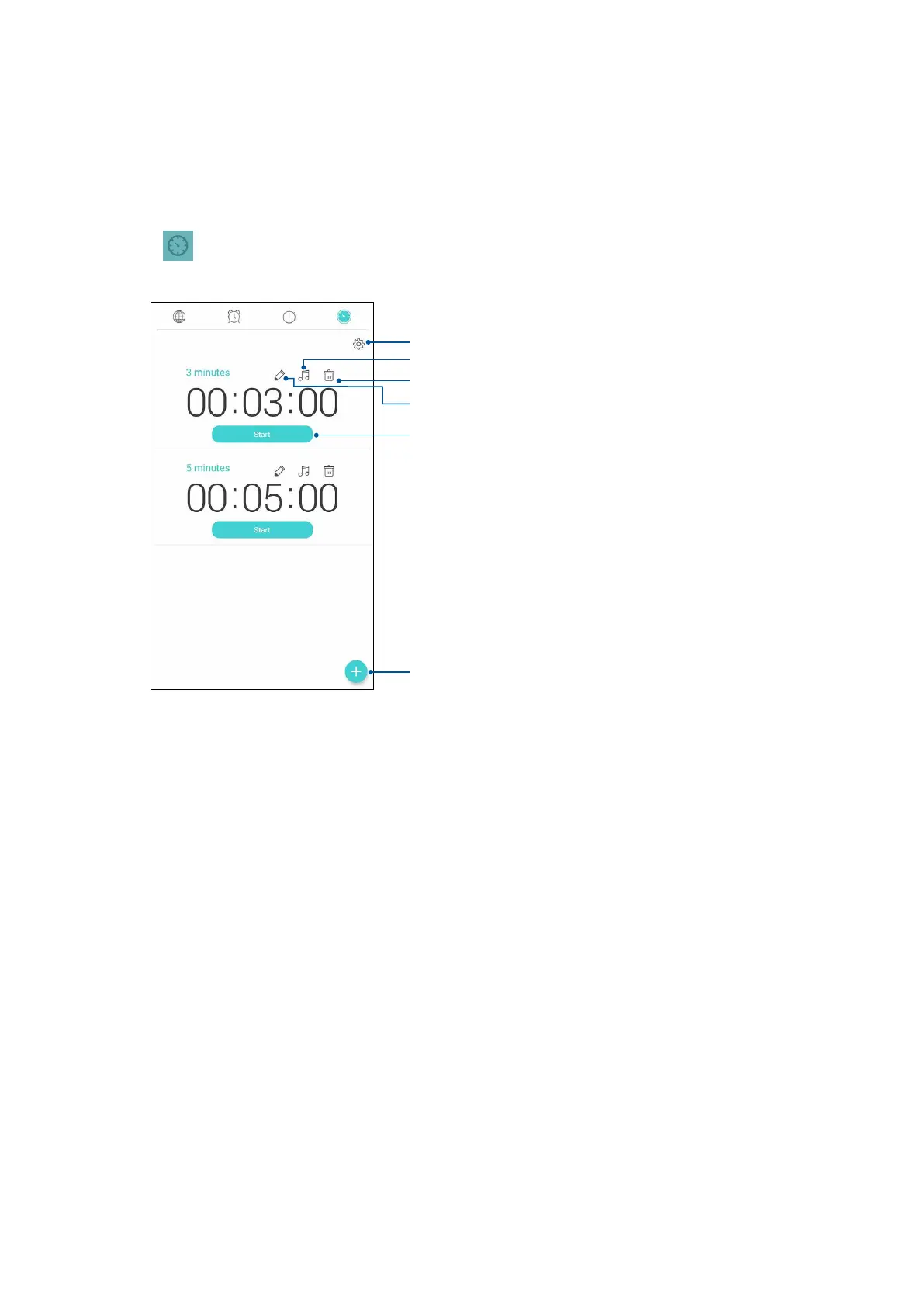
1. Tap to access the timer feature of your ASUS Phone.
Tap this to set a new timer
Tap this to access the settings of the timer feature.
Tap this to delete the preset timer.
Tap to set the ringtone for the timer.
Tap this to edit the preset timer.
Tap this button to start running the timer.















 To Next Page