74
Chapter 8: Travel and Maps
Clock
Customize the time zone settings of your ASUS Phone, set alarms, and use your ASUS Phone as a
stop watch using the Clock app.
Launching Clock
Launch the Clock app using either of the following options:
• Tap
> Clock.
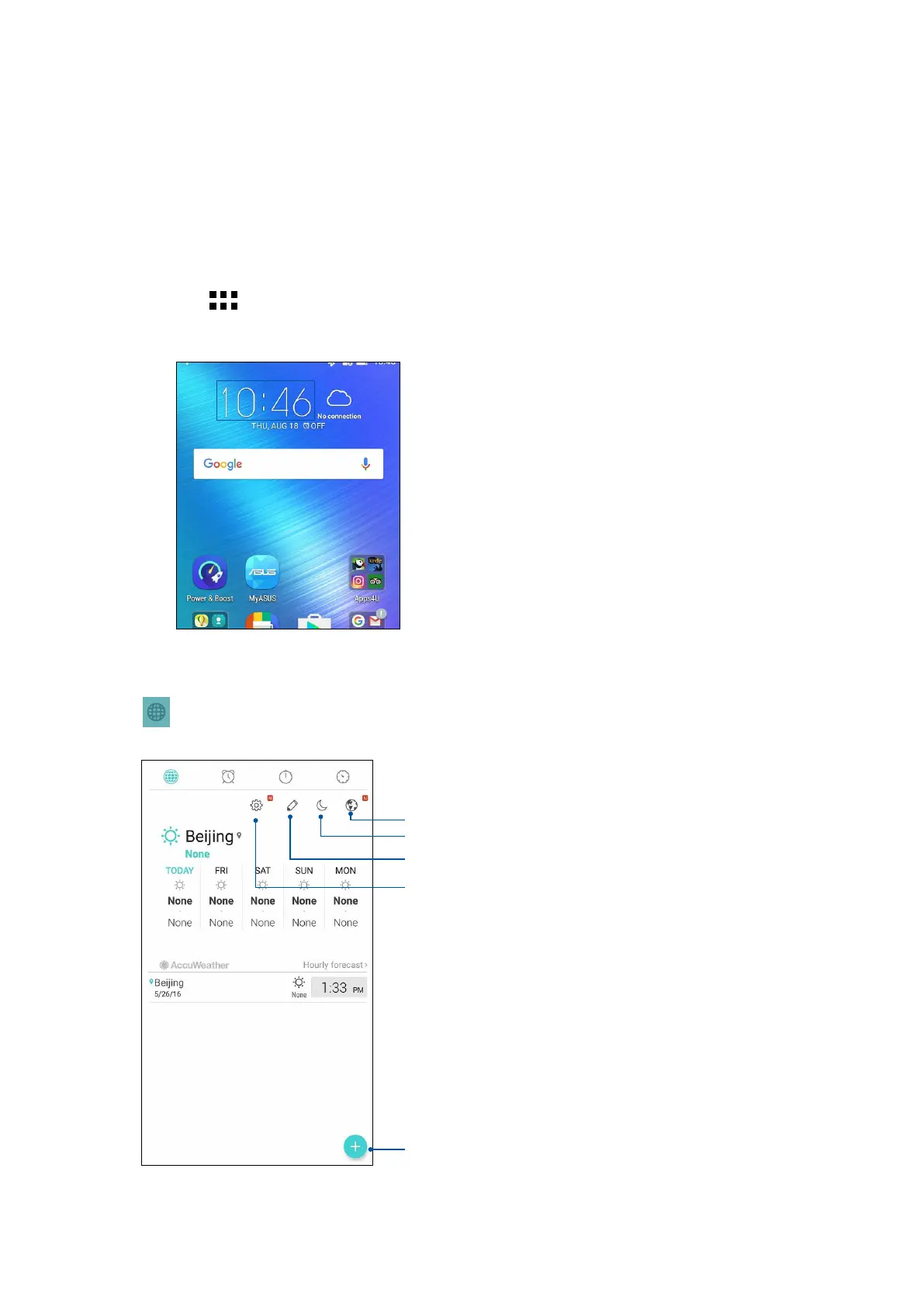
• From your ASUS Phone’s home screen, tap the digital clock display.
World Clock
Tap to access the world clock settings of your ASUS Phone.
Tap this to set your clock on night mode.
Tap this to edit the cities marked on your world clock.
Tap this to add a new city to mark on your world clock’s map.
Tap this to access the Clock app settings.
Tap to get your location update.















 To Next Page