9
Chapter 1: Basics
Installing a Nano SIM / micro SIM card
A Nano subscriber identity module (Nano SIM) or micro-subscriber identity module (micro SIM)
card stores information, such as your mobile phone number, contacts, messages and other data
that gives you access to a mobile network.
Your ASUS Phone comes with Nano SIM and micro SIM card slots that allow you to set up and use
two mobile network services without having to carry two mobile devices at the same time.
CAUTION!
• Thisdeviceisdesignedforusewithamobilecarrier-approvedNanoSIMormicroSIMcardonly.
• WedonotrecommendtheuseoftrimmedSIMcardsintheNanoSIMcardormicroSIMcardslot.
• TurnoyourdevicebeforeinsertingaNanoSIMormicroSIMcard.
• BeextracarefulwhenhandlingaNanoSIMormicroSIMcard.ASUSisnotresponsibleforanylossor
damage incurred to your Nano SIM or micro SIM card.
• DonotinsertamemorycardintotheNanoSIMcardormicroSIMslot!Ifamemorycardhappens
to be inserted into the Nano SIM or micro SIM slot, send your device to an ASUS-qualied service
personnel.
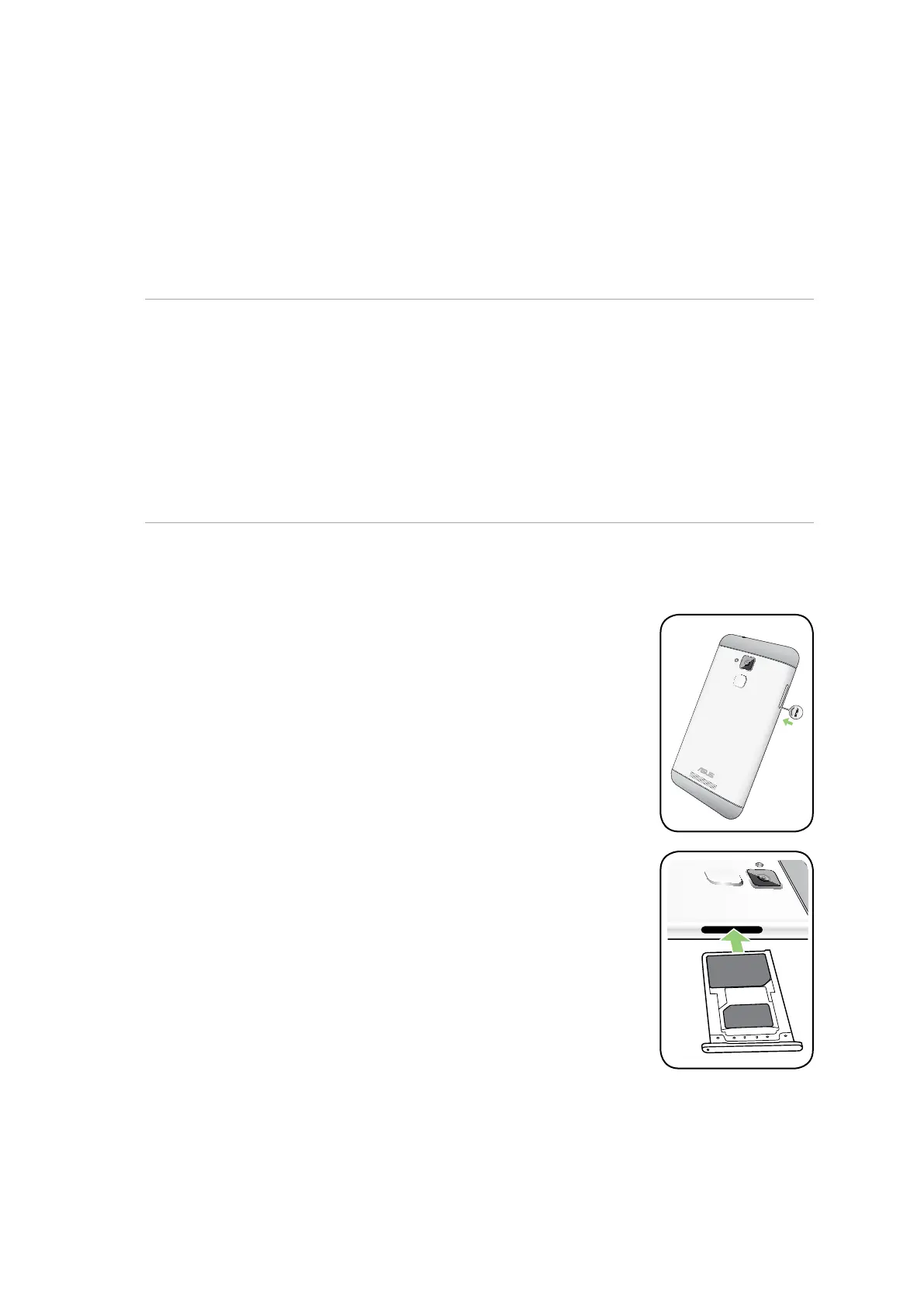
To install a Nano SIM / micro SIM card:
1. Turn o your device.
2. Push the bundled eject pin into the hole on the card slot to eject the tray
out.
3. Insert the Nano SIM or micro SIM card into the appropriate slot.















 To Next Page