5
NT2508 / NT2504 / NT1308 / NT1304 / NT4004
English
4.3 CONNECTIONS
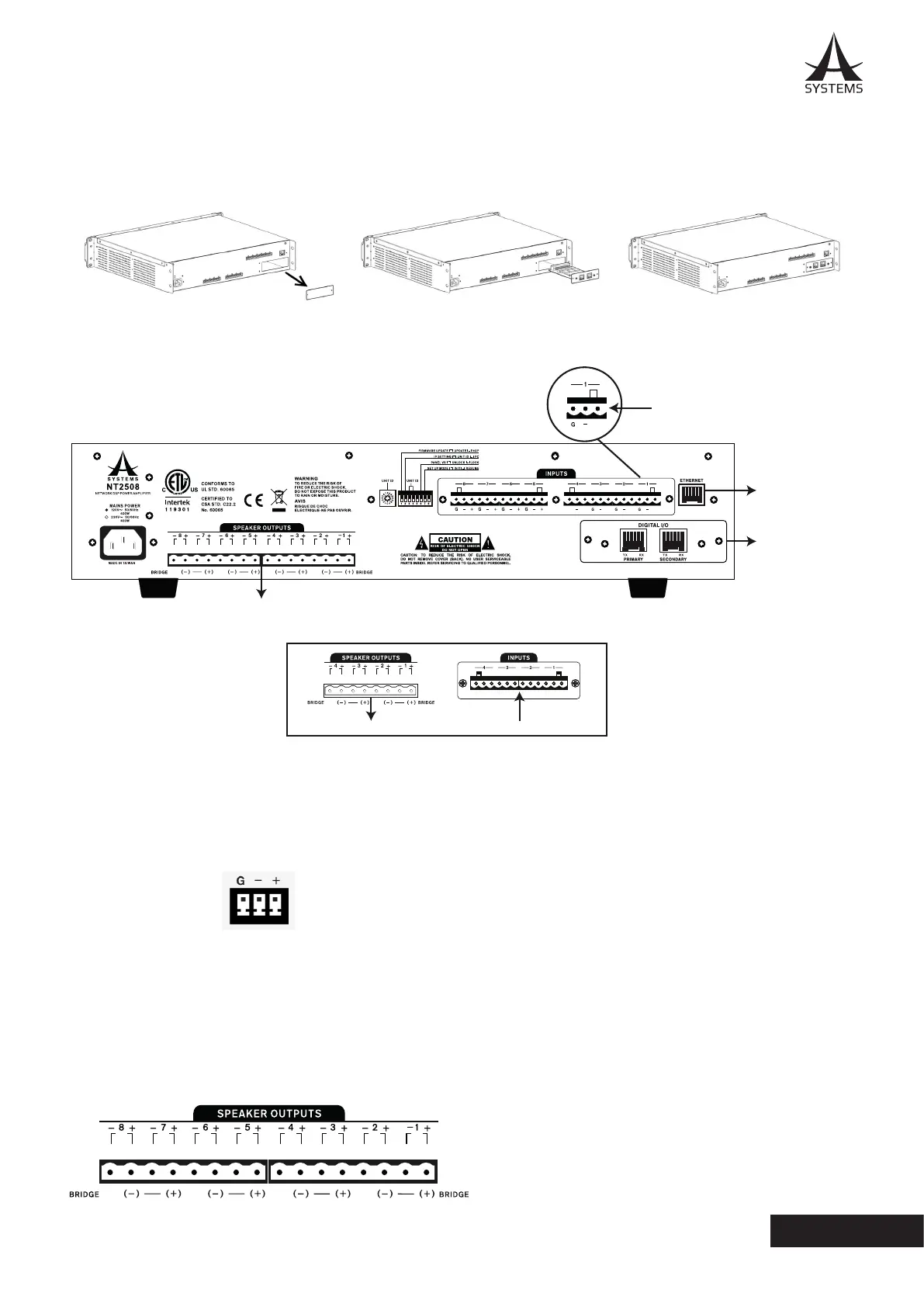
Connect all necessary input and output devices�
Audio In
To PC/Internet/
Intranet
Additional NT
Series
++++
G
+
NT2504 / NT1304 / NT4004
Amplified Out
Euroblock Connectors
Balanced
PIN 1: Shield/Ground
PIN 2: Cold (-)
PIN 3: Hot (+)
Unbalanced
PIN 1: Shield/Ground
PIN 2: Link to PIN 1
PIN 3: Hot (+)
AUDIO INPUT
Input can be achieved through correctly wiring the
Euroblock connectors.
AUDIO OUTPUT
These euroblock outputs are used to connect speakers,
either in low-impedance or distributed lines depending
on your model. Amplied outputs are wired like so:
PIN 1: Cold (-)
PIN 2: Hot (+)
Each pair of amplied output channels can be bridged
into one channel. This combines the output power of
both channels creating a single channel with twice as
much power�
To bridge channels, just wire the “+” pin of an odd-
numbered channel to the “+” pin of the next even
channel. When bridged, the “+” pin of the even channel
becomes the “-” pin of the bridged new output.
When activating bridge mode, be sure to go into the
Control Panel menu of the NT software and click the
corresponding “Bridged” button.
4.2 INSTALLING THE DANTE NETWORK CARD
To install the optional Dante networking card, simply remove the 2 screws from the network port, then slide the DT44 or
DT88 networking card into the network port. Replace the 2 screws to secrure it rmly into place.



 To Next Page