7
NT2508 / NT2504 / NT1308 / NT1304 / NT4004
English
4.5 REMOTE SOFTWARE CONNECTION
NT2508, NT1308, NT2504, NT1304 and NT4004 can be controlled via a connected Windows-based PC. The instructions
below assume users have already set their unit’s IP address as described on the previous page.
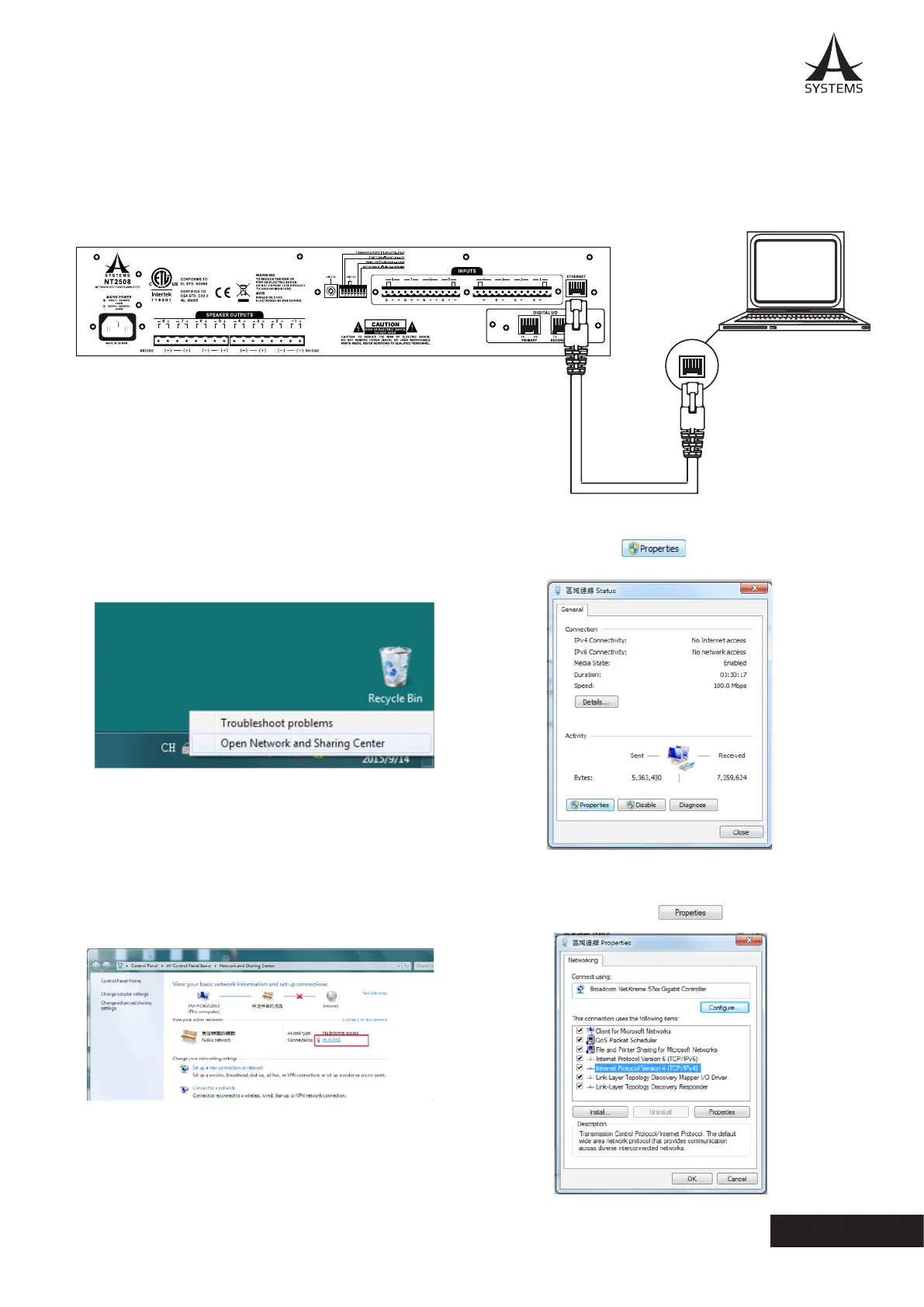
1. Connect the Ethernet port of the NT network amplier to the Ethernet port of your computer with a CAT5 RJ-45
Ethernet cable.
2. On your PC, right click your network icon and select
“Open Network and Sharing Center”�
4. Click “Properties” button.
3. Double click your main connection located next to the
“Connections”.
5. Select “Internet Protocol Version 4 (TCP/IPv4)” and
then click the “Properties” button.
++++
G



 To Next Page