Appendix
77
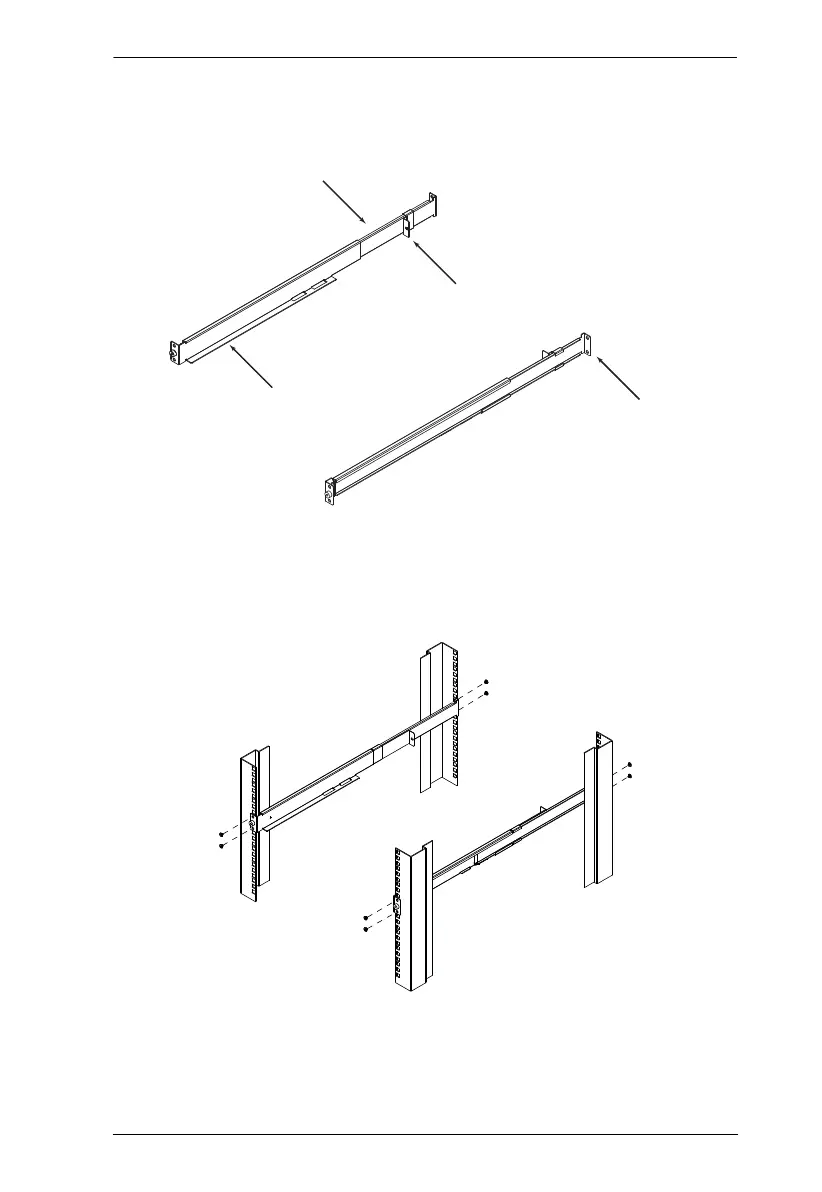
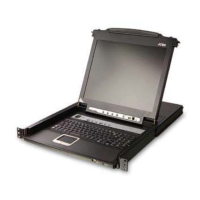
2. Attach the left and right easy-installation mounting rails to the inside of
the rack. The flange that supports the switch will be to the inside.
a) Screw the front flanges to the rack first.
b) Slide the bars with the rear flanges toward the rack until the flanges
make contact with the rack, then screw the rear flanges to the rack.
(Continues on next page.)
Support
Flange
Rear Flange
Slide Bar
Rear Attachment
Sliding Bracket
Rear Flange
LEFT
RAIL
RIGHT
RAIL



 To Next Page