13
If the screen is not illuminated, just press any key to turn it on.
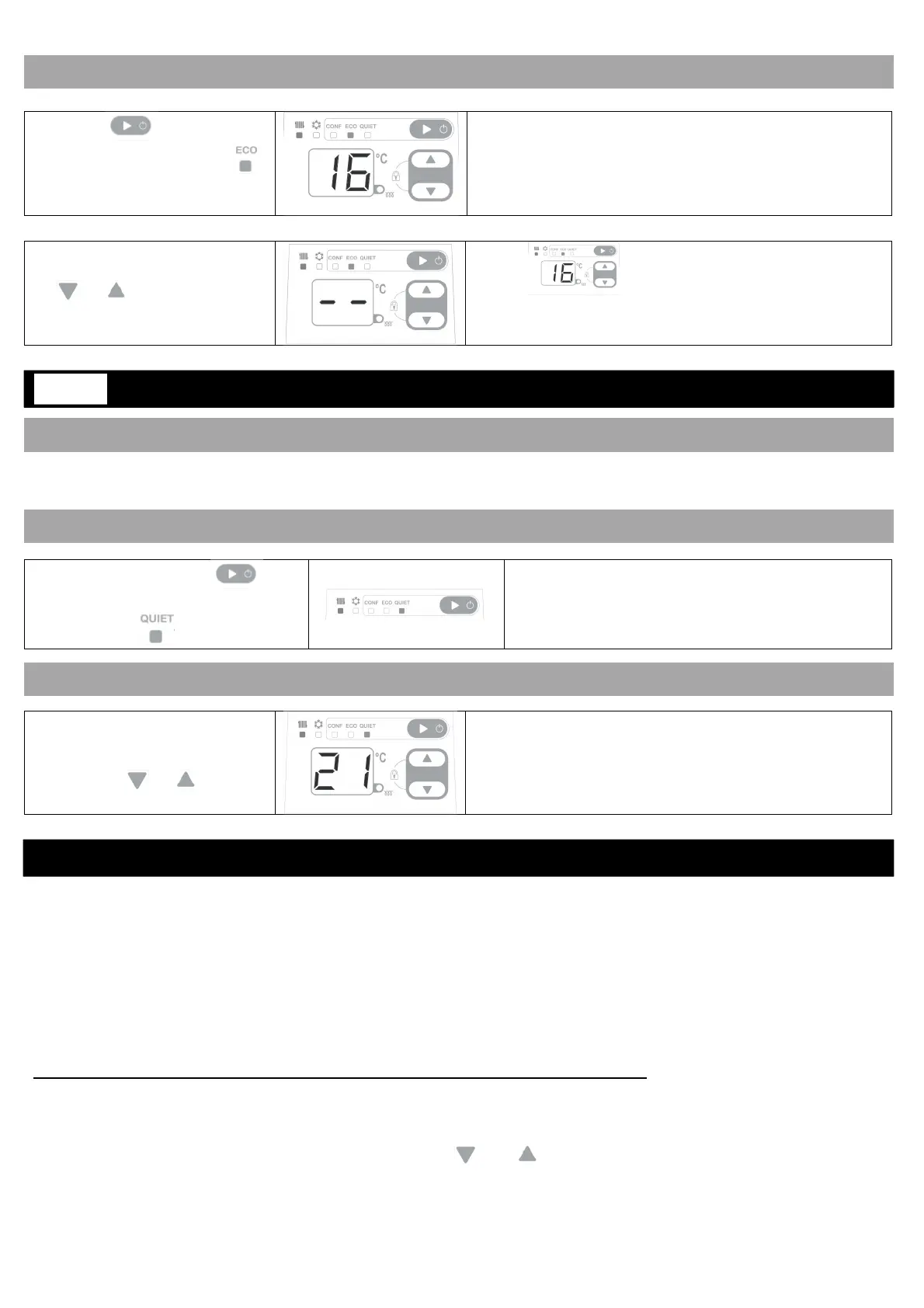
Press on until the
arrow is on the ECO mode .
The temperature set in Eco mode corresponds to the
Comfort temperature lowered by 3°C.
The screen then goes to sleep.
Press again on one of the buttons to see the
temperature.
The Eco temperature cannot
be changed. When you press
on or the display will
blink.
The Eco temperature will be displayed and the screen
goes to sleep.
It is recommended to use this mode when you want to limit the operating speed of the fan. According to the
required temperature, the time necessary to reach it will be longer than in COMFORT mode.
Press several times on
until the selection arrow is on the
QUIET mode
The temperature set in Comfort mode will be
displayed.
The screen then goes to sleep.
If you want, you can change
the displayed temperature by
pressing on or
The selected temperature will be displayed on the
screen. The screen then goes to sleep.
During the heating cycle and in Comfort mode only.
Using the programming via the pilot wire, you can adjust your device settings according to your lifestyle. By
connecting the pilot wire to a programming control unit, a timer or a controller, or on your generator having a
compatible pilot wire output, you can program your COMFORT and ECO temperature periods (refer to the your
programming unit manual).
It is possible to connect multiple devices on a programming unit.
Pilot wire programming of the device is only available when it is in Comfort mode.
The Stop command is available during the Heating and Cooling cycles.
The COMFORT mode temperature set with the buttons and is the basic temperature which will be the
reference for the desired temperature according to the programming.
OW TO ACTIVATE THIS MODE?
USING YOUR DEVICE IN SILENT MODE: QUIET MODE
HOW TO ACTIVATE THIS MODE?
HOW TO CHANGE THE DESIRED TEMPERATURE?
PROGRAMMING YOUR HEATING PERIODS: USING THE PILOT WIRE
QUIET






 To Next Page