EasyManua.ls Logo

Atlantic Panama A - User Manual

Atlantic Panama A
127 pages
Go to English
Print Icon
To Next Page IconTo Next Page
Loading...
www.atlantic.fr
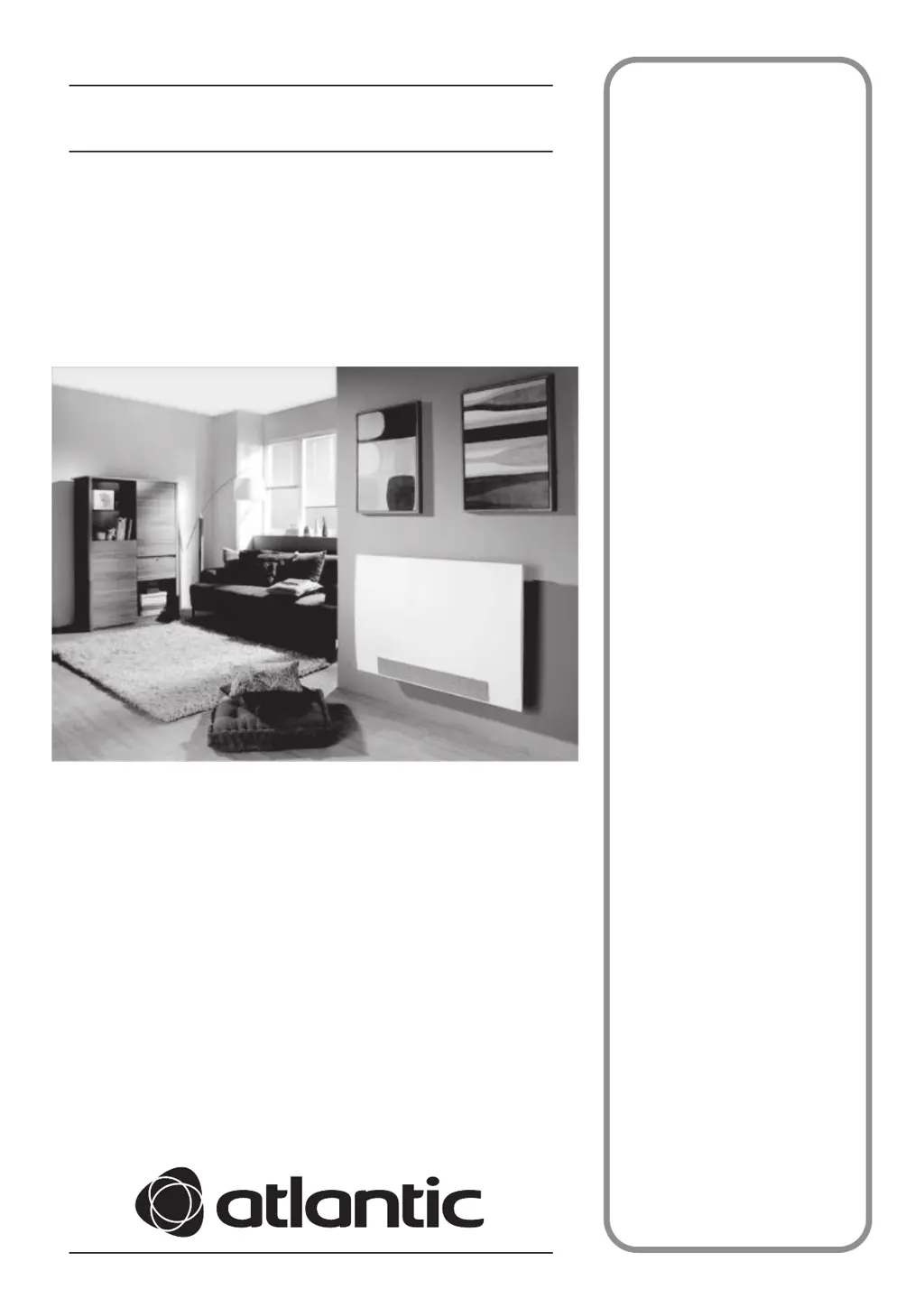
Panama A
Radiateur Dynamique
Panama 500A : 080480
Panama 1000A : 080484
Notice d’installation
et d’utilisation
destinée au professionnel
et à l’utilisateur
à conserver par l’utilisateur
pour consultation ultérieure

Table of Contents

Questions and Answers

  • L
    Linda WalkerAug 16, 2025
    Why is my Atlantic Heater not heating?
    • B
      Brandon GriffinAug 16, 2025
      If your Atlantic Heater isn't heating, first, ensure the COMFORT mode is activated. Next, check that your installation circuit breakers are on and that a load-shedding device (if you have one) hasn't cut power to the heater. Finally, verify the room's air temperature; if it's already high, the heater might not activate.
  • H
    hcarlsonAug 19, 2025
    What to do if my Atlantic Panama A Heater is not working and the light indicators are off?
    • J
      Justin MartinAug 19, 2025
      If your Atlantic Heater's light indicators are off and the device isn't working, try these steps: First, ensure the power is on by checking the circuit breaker. Then, attempt to turn on the device by pressing the power button. Also, make sure the power switch is turned on. If none of these steps work, contact customer service or your installer.
  • B
    Brian JonesAug 22, 2025
    How to fix an Atlantic Panama A Heater that is not heating or cooling enough?
    • R
      Robert NewmanAug 22, 2025
      If your Atlantic Heater isn't heating or cooling sufficiently, ensure it's in COMFORT mode and that it's only heating the intended room by keeping the door closed. Check for any obstacles blocking the device and remove them. Also, verify that the thermostat isn't set too high for cooling or too low for heating; adjust the temperature accordingly. If the filter beneath the device is missing, contact customer service or your installer. For persistent issues, consider having your installer check the automatic water temperature regulator.
  • A
    Alexander RobinsonAug 26, 2025
    Why is the light indicator blinking on my Atlantic Panama A?
    • A
      Andrew NguyenAug 26, 2025
      If the light indicator on your Atlantic Heater is blinking, the set temperature may not be compatible with the current operation of the heat pump. If the installation has just started, the water in the pipes might not be warm or cold enough, so please wait. Alternatively, there could be a problem in the house water system, such as a lack of water flow or pressure loss; contact your installer. If the problem continues, contact your installer or customer service.
  • N
    Noah MillerAug 28, 2025
    What to do if my Atlantic Panama A is emitting smoke or an unpleasant odor?
    • A
      Angela FordAug 28, 2025
      If you notice smoke or an unpleasant odor coming from your Atlantic Heater, it could indicate a component failure, power surge, or electrical overload. Immediately turn off the power to the device and contact customer service.
  • A
    Angela ReedAug 31, 2025
    Why is my Atlantic Heater so noisy?
    • A
      Alyssa MartinAug 31, 2025
      If your Atlantic Heater is noisy, first check and clean the air filter, as it might be dirty. Also, ensure there are no obstructions in front of the device. Note that water circulation noise is normal and doesn't indicate a malfunction. If the ventilation is always at maximum or the water isn't warm or cold enough, ask your installer to check the water temperature regulator settings. If the noise persists, contact customer service.
  • M
    Madeline BrownSep 3, 2025
    Why does the room temperature not match the display on my Atlantic Heater?
    • T
      Tyler KhanSep 3, 2025
      If the room temperature differs from what's displayed on your Atlantic Heater, allow at least two hours for the temperature to stabilize. If the issue persists, you can calibrate the displayed temperature.
  • B
    Brandy JohnsonSep 6, 2025
    Why is my Atlantic Heater heating constantly?
    • D
      dfisherSep 6, 2025
      If your Atlantic Heater is heating constantly, ensure it's not in an airstream and that the temperature setting hasn't been inadvertently changed. There may be a hazard in the electrical system. Try turning off the power to the device (fuse, circuit breaker) for about 10 minutes, then turn it back on. If the problem occurs frequently, have your power supply inspected by your utility company.
  • C
    cervantesisabelSep 9, 2025
    What does it mean when the light indicators are blinking on my Atlantic Heater?
    • C
      Christopher StaffordSep 9, 2025
      If the light indicators on your Atlantic Heater are blinking, it could mean the device is in a neutral zone because the water temperature in the pipes is between 20 and 25°C, especially if the installation has just started and the water hasn't reached the right temperature yet; please wait. It could also indicate that the heat pump is operating in warm water mode for sanitary use; wait for this mode to finish. Another possibility is that the heat pump is in defrosting mode, and the light should turn off shortly. A problem in the house water system, such as lack of water flow or too much pressure loss, could also be the cause; in this case, contact your installer. If the problem persists, contact your installer or customer service.
  • J
    josephderekSep 12, 2025
    Why are there dirt spots on the wall around my Atlantic Panama A?
    • K
      Kayla HansenSep 12, 2025
      If dirt spots appear on the wall around your Atlantic Heater, it's likely due to poor air quality in the room. Check the room's ventilation, air intake, and air cleanliness. Avoid smoking inside. Note that this type of dirt does not warrant a device replacement under warranty.

Summary

Safety and Warnings

General Hazard Precautions

Covers heat, children, electrical, water, blocking openings, hot materials, objects, standing, cold air hazards.

Installation and Environmental Safety

Addresses installation risks, odor, disposal, and altitude considerations for safe operation.

Technical Data

Performance and Acoustic Specifications

Details power, water flow, pressure losses, acoustic levels, and airflow for device operation.

Installation Dimensions and Operational Limits

Provides device dimensions, weight, operational limitations, and protection rating.

Device Identification

References of the Device

Explains the meaning of various labels and codes found on the device for identification.

Installation: Location and Wall Mounting

Locate Water and Electrical Connections

Guidance on finding suitable locations for water and electrical connections within the room.

Secure the Fixing Bar on the Wall

Instructions for accurately positioning and securely mounting the device's fixing bar.

Installation: Device Securing

Secure the Device on the Fixing Bar

Step-by-step instructions for attaching and securing the main device body to the wall bracket.

Installation: Connections

Connect Device to Power Supply

Procedure for safely connecting the device to the electrical power supply, including wiring diagrams.

Water Connections

Details on connecting the device to the hot water system, including inflow and outflow pipes.

Installation: System Draining

Drain Air and Water from the System

Instructions for draining air and water from the system after installation for proper operation.

Operating the Device: Overview

Control Box Features

Explanation of the control box buttons, display, LEDs, and operational mode indicators.

Turning the Device On

Step-by-step guide on how to power on the device and what to expect on the display.

Using the Device: Modes and Settings

Standby Mode and Cycle Selection

How to set the device to standby and choose between Comfort, Eco, and Quiet operating modes.

Heating Your Room: Comfort Mode

Detailed guide on activating Comfort mode for heating and adjusting the desired room temperature.

Using the Device: Eco, Quiet, and Programming

Eco and Quiet Mode Operation

Instructions for using Eco mode for energy saving and Quiet mode for reduced fan noise.

Programming with Pilot Wire

Information on using the pilot wire for programming heating periods and device settings.

Using the Device: Cooling and Pilot Wire Commands

Cooling Your Room: Comfort Mode

Guide to activating Comfort mode for cooling and setting the desired room temperature.

Pilot Wire Commands and Lowering Options

Explanation of different pilot wire commands (Comfort, Eco, Frost Protection, Turned Off) and their effects.

Control Box Features: Locking and Adjustment

Locking the Control Box

Procedure to lock the control box to prevent accidental changes to settings.

Adjusting the Temperature Calibration

How to calibrate the displayed temperature to match the actual room temperature.

Maintenance and Sustainability

Maintenance and Servicing Procedures

Instructions for cleaning the device, filter, and condensate tray for optimal performance.

Sustainable Development and Recycling

Information on the device's recyclability and proper disposal as electrical waste.

Troubleshooting Guide

Common Problems and Solutions

Addresses issues like temperature inaccuracies, heating/cooling failures, noise, and odors.

Indicator Lights and Error Codes

Explains the meaning of indicator lights (SF, blinking, E1, E2) and troubleshooting steps.

Warranty Terms and Conditions

Contractual Warranty Details

Outlines the terms, duration, coverage, and exclusions of the manufacturer's warranty.

Warranty Validity and Complaint Process

Specifies conditions for warranty validity and the procedure for submitting a complaint.

Atlantic Panama A Specifications

General IconGeneral
BrandAtlantic
ModelPanama A
CategoryHeater
LanguageEnglish

Related product manuals