3-3
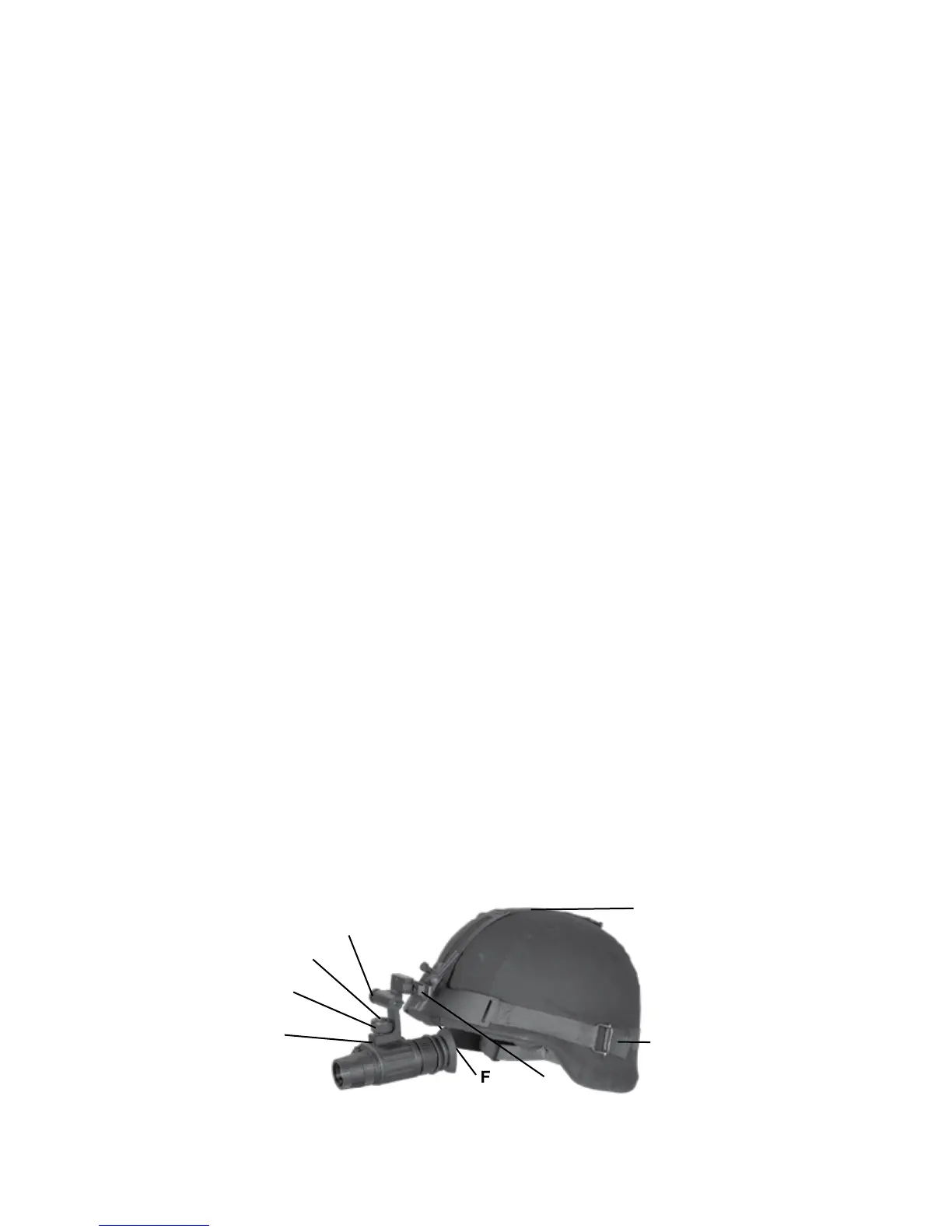
Attachment of ATN NVM-14 to a range of ballistic helmets. The Hel-
met mount fits securely onto helmet via a rugged strapping device
-
tioned directly in front of user’s eyes or flipped up out of viewing
position.
1. Install the mount onto helmet as shown on the picture.
2. Tighten and fixate the straps (A)
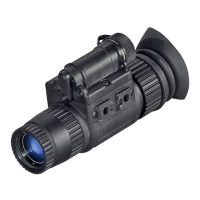
3. Attach the monocular to the rail.
4. Loosen screw (C). Push button (B) and insert the bracket of
the NVM-14 into rail (D) of the helmet mount.
5. Place the helmet with NVM-14 onto head.
6. Loosen the screw (C) and move the your unit for proper eye
relief adjustment.
7. The NVM-14 helmet mount has a flip-up mechanism. Push the
button (E) on the side of mount and lift the unit up until the unit
top/up position it will turn off automatically.
8. Push the same button (E) to lower NVM-14 to viewing position.
Turn the device on for continuation of the operation.
9. The NVM-14 can be placed before the right or left eye. In
order to re-adjust the monocular for use with another eye,
take the unit off the helmet mount, turn the unit to other side
(for 180º) and mount it on the mount through the rail on this
side. Push the button (E) and move the device along the
slide-rail (G) for comfortable position.
F
B
A
A
C
D
E
G


 To Next Page