6-9
6.4. HEADMOUNT MAINTENANCE
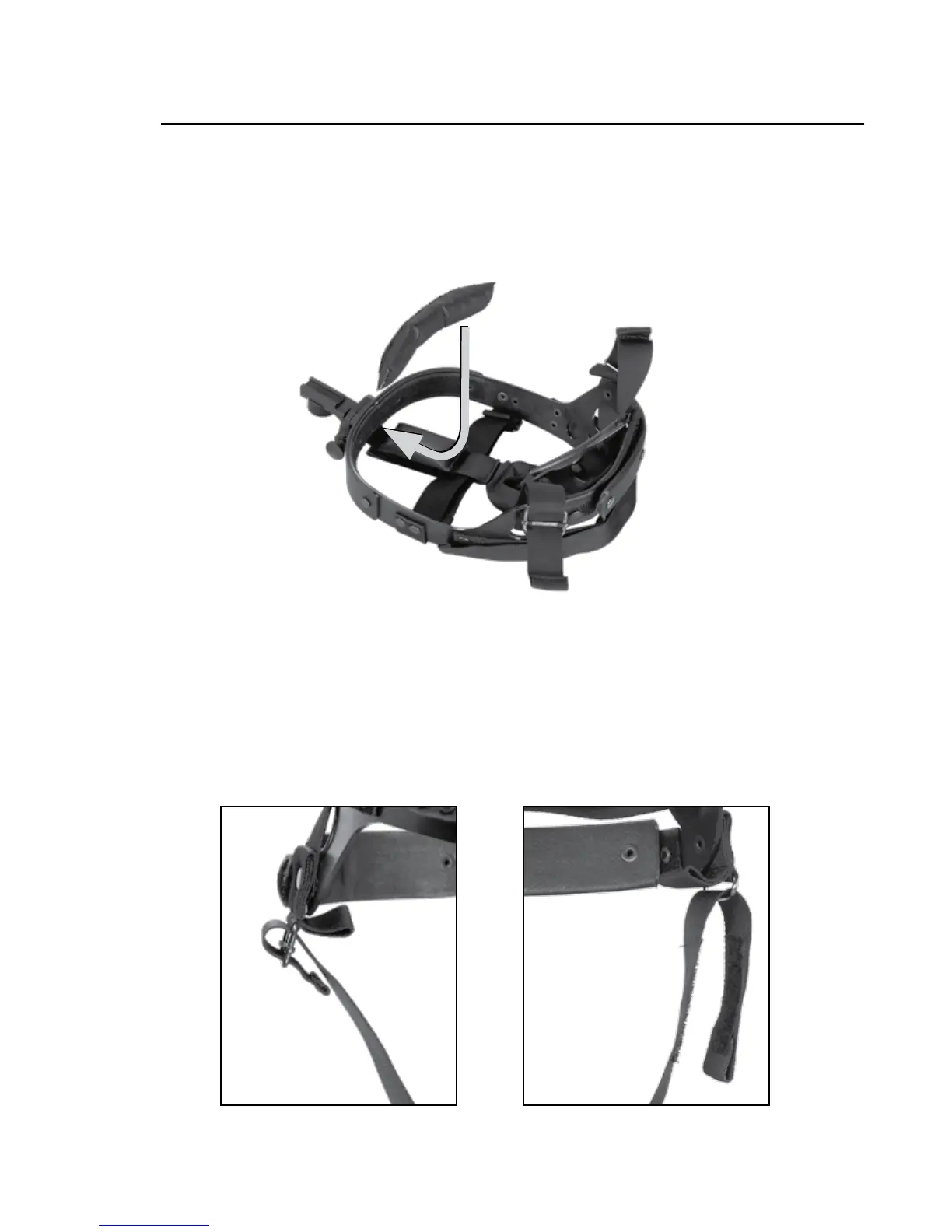
A. REMOVAL AND INSTALLATION OF BROWPAD
1.
Remove old browpad (Figure 6.1) by grasping the headband.
2. Replace the browpad by gently pressing on the new browpad
and smoothing out any wrinkles in new browpad.
B. REMOVAL AND INSTALLATION OF CHINSTRAP
1. Remove the chinstrap (Figure 6.2) by unsnapping the
Velcro tape from the left side of the headband. Unbuckle the
chinstraps from narrow strap assembly.
FIGURE 6.1. REMOVAL AND INSTALLATION OF BROWPAD


 To Next Page