6 -11
REPLACEMENT
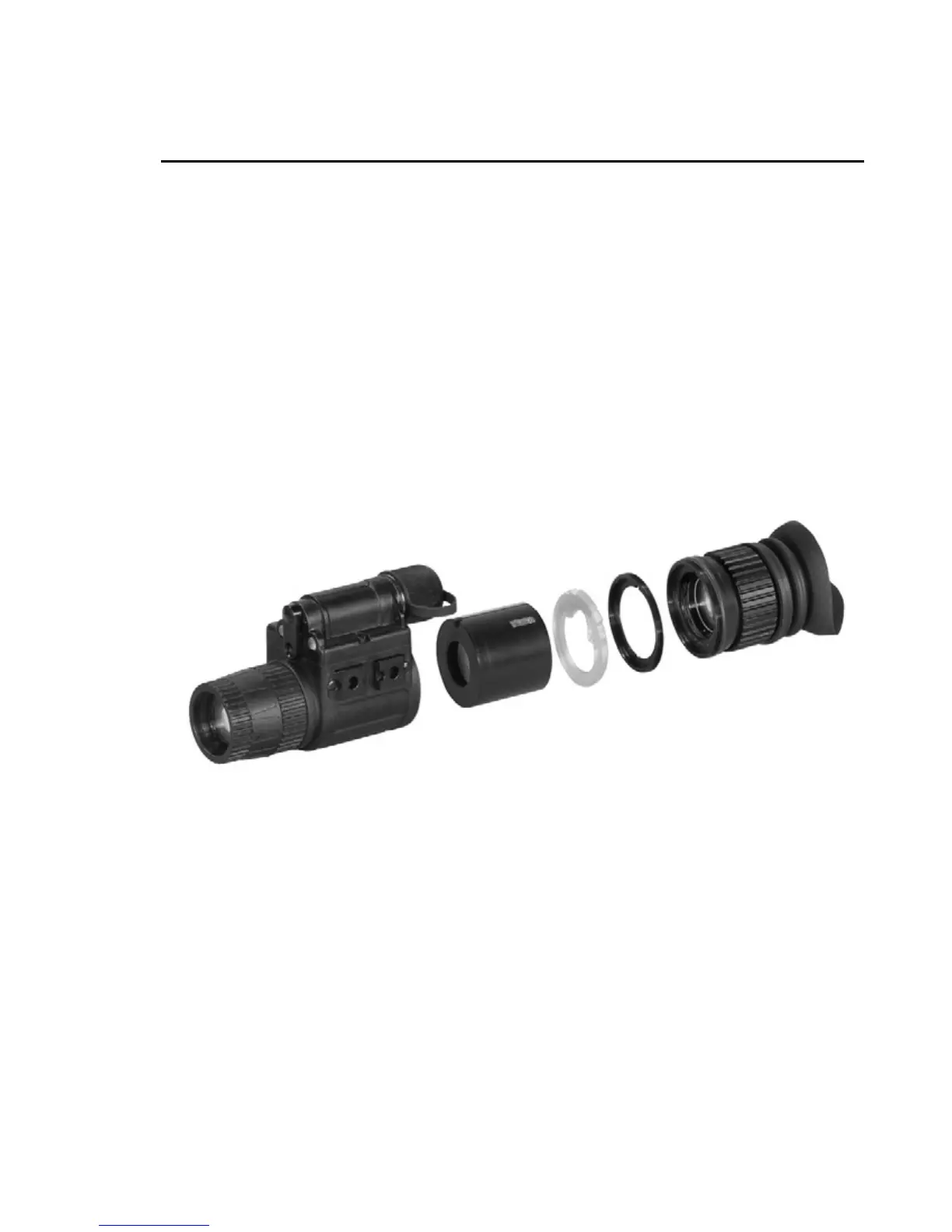
1. Unscrew the eyepiece (E) from the case of device (A).
2. Unscrew the lock ring (D) from the case of device.
3. Extract the light guide (C) from the case of device.
4. Extract the tube (B) to be replaced from the case of device (A).
5. Introduce the new tube (B) into the case of device (A).
6. Set the light guide (C) onto the place in the case.
7. Screw the lock ring (D) into the case of device.
8. Screw the eyepiece (E) into the case of device (A).
A
B
C
D
E


 To Next Page