6-4
ITEM
NO.
LOCATION ITEM
VICE
PROCEDURE
NOT FUNCTION
ING AT OPTIMAL
LEVEL IF
11 Socket
Inspect for dirt, dust, or cor-
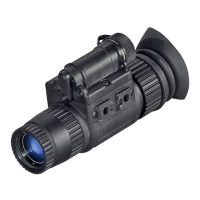
rosion. Insert the rail of ATN
NVM-14 into socket to verify
secure attachment of ATN
NVM-14 to headmount. If
necessary, clean socket with
water.
Damaged, latch
won’t work or
too loose.
12 Socket
Press the socket-release but-
ton and check for free motion.
Inspect for damage.
Binding,
damaged or
non-operational
slide mecha-
nism.
13
Headmount /
Helmet Mount
Adapter
Inspect for dirt, dust, or corro-
sion. Insert adapter into head-
mount or helmet mount socket
to verify secure attachment.
Damaged,
will not latch
securely.
14
Inspect for dust, dirt, or cor-
rosion.
Damaged, will
not mount to
ATN NVM-14 or
will not mount to
weapon mount
rail.
CAUTION
cleaned while wet or cleaned with wet lens paper. Clean only
when the demist shield is dry and only use dry lens paper.
15 Demist Shield
Inspect for dirt, dust, scratches
or damage. If necessary, clean
when shield is dry with dry lens
tissue only.
Damage or
scratches hinder
vision with ATN
NVM-14 on.


 To Next Page