PACPC1 Installation Instructions
6
Installing Conditioner
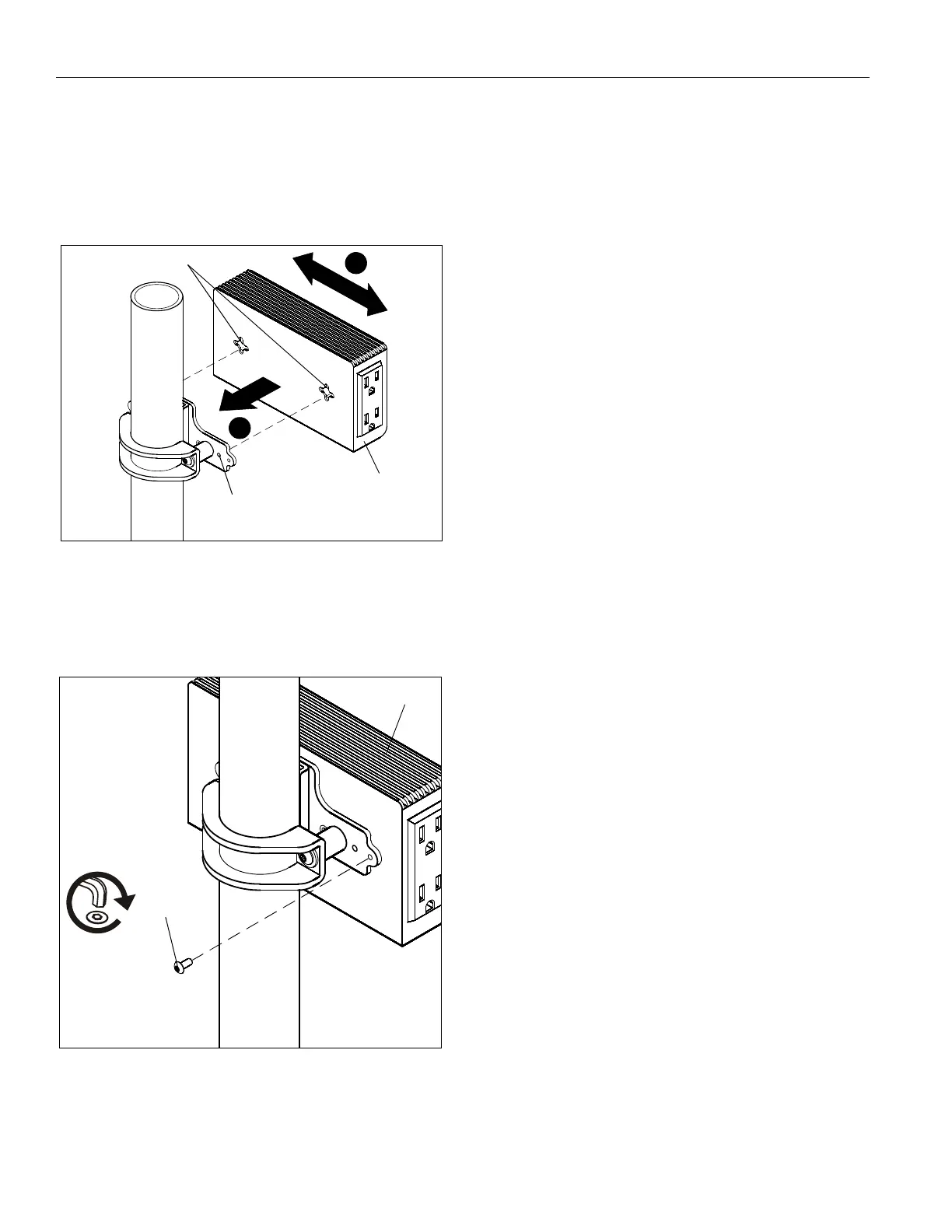
1. Insert conditioner slots onto Phillips screws in bracket.
(See Figure 5)
2. Slide conditioner left or right. (See Figure 5)
3. Remove conditioner to adjust Phillips screws in bracket as
necessary for desired tension in mount.
Figure 5
4. OPTIONAL: For additional security, insert and tighten one
8-32 x 3/8" buttonhead security screw (J) through the
bracket into the conditioner. (See Figure 6)
NOTE:
Use optional security screw in pole mount application
only.
Figure 6
1
2
(Pole mount shown)
Conditioner
Bracket
Screws (x 2)
Conditioner
Slots
(J) x 1
Conditioner
(Horizontal Attachment Shown)



 To Next Page