TOUCH SCREENS
|
56
ATX TOUCH SCREEN
CONTROLS
CARE AND MAINTENANCE
General maintenance is not required; however, a soft cloth can be used for
cleaning the unit. Window cleaner or alcohol can also be used to clean the glass
portion of the display. Do not use harsh or abrasive cleaners on the unit.
BASIC NAVIGATION FUNCTIONS
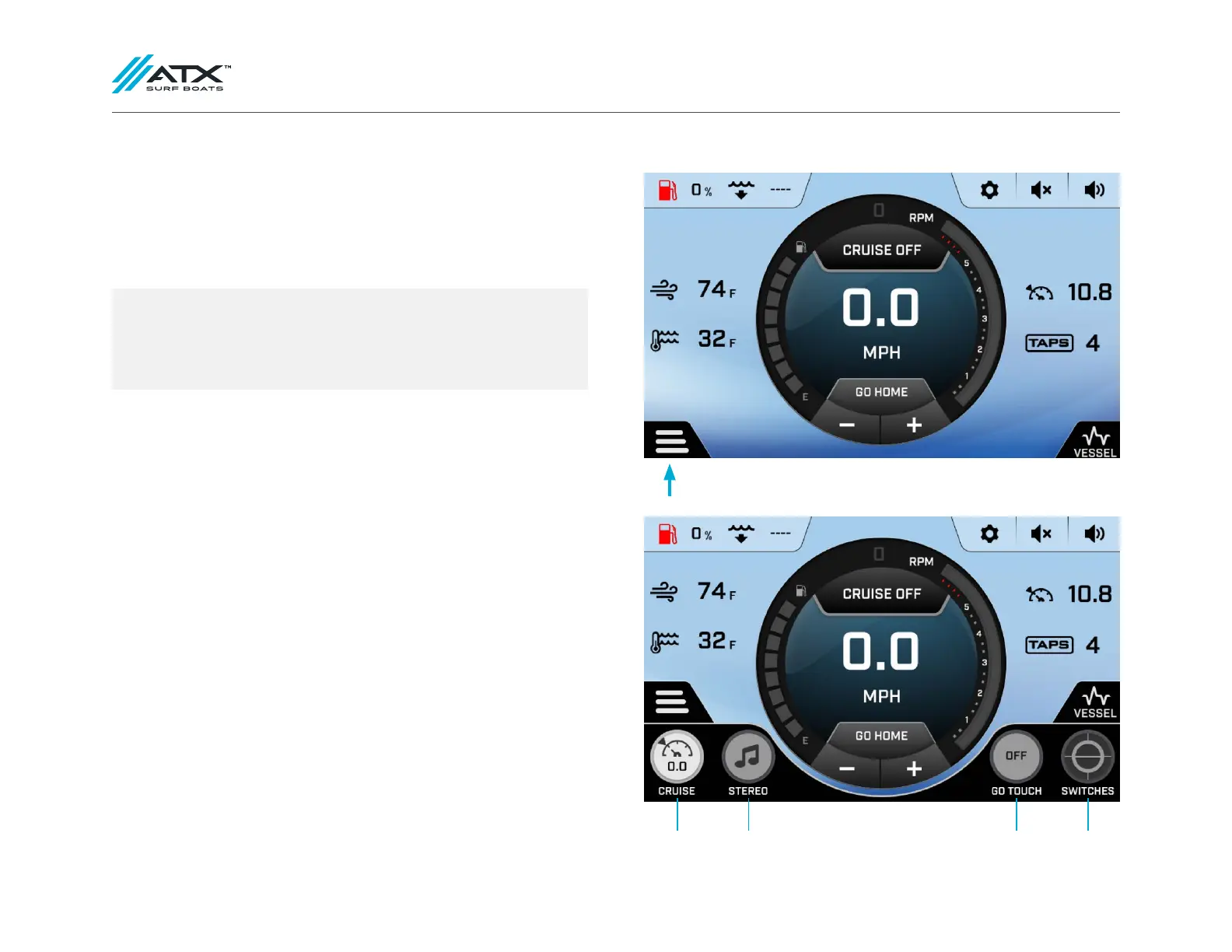
Press the menu button in the lower left hand corner on any screen to switch
between the Cruise, Stereo, Go Touch and Switches screens.
CRUISE STEREO GO TOUCH SWITCHES
We continually strive to bring you the highest quality, full-featured
products. As a result, you may find that your actual display screens may
be slightly different than what is represented in this manual at the time
of printing.



 To Next Page