TOUCH SCREENS
|
57
FIRST PAGE: MAIN/HOME SCREENS
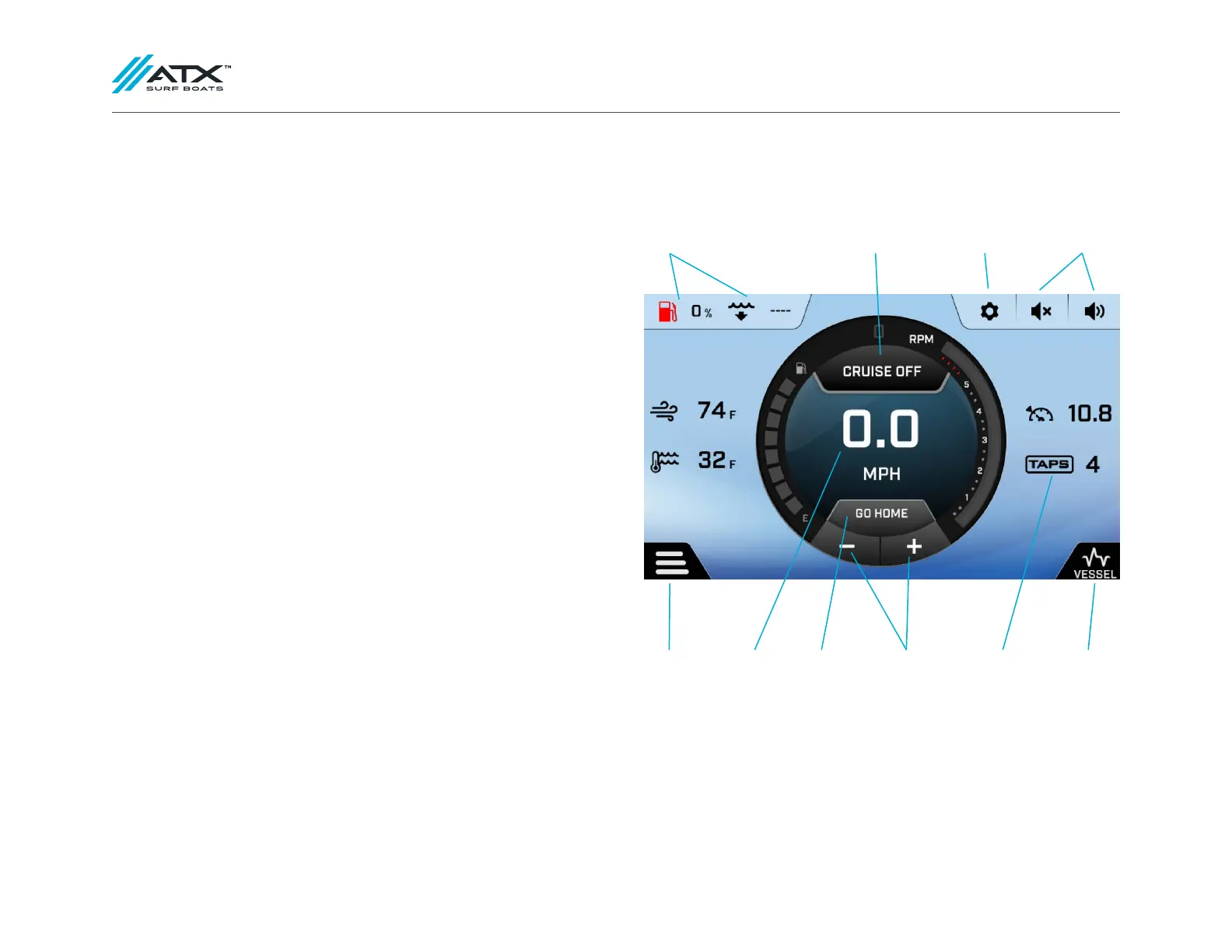
When the screen is powered on, the cruise control screen will pop up by default.
This screen contains the following information and controls:
• Paddlewheel Cruise Control Settings
(ZeroOff GPS Cruise Control available as an option)
• Configurable settings (Persists on all pages)
• Fuel Level (Persists on all pages)
• Water Depth (Persists on all pages)
• Air and Water Temperature (Persists on all pages except stereo)
• Volume level and mute button (Persists on all pages)
• Current speed
• Go Home Button
• Cruise Control Set Speed (Persists on all pages except stereo)
• TAPS Position (Persists on all pages except stereo)
• Screen menu button (Persists on all pages)
• Vessel information (Oil Pressure, Engine Temp, Battery Voltage(s),
and Engine Hours) (Persists on all pages)
CRUISE CONTROL
The cruise control can be toggled off using the Cruise On/Off button. The button
displays the current state of the cruise control. To adjust the set speed, use the +/-
buttons below the speedometer.
SCREEN
MENU BUTTON
FUEL LEVEL AND
DEPTH
CRUISE
ON/OFF
CONFIGURABLE
SETTINGS
VOLUME
CONTROLS
CURRENT
SPEED
GO HOME
BUTTON
PADDLEWHEEL
CRUISE CONTROL
SETTINGS
TAPS
POSITION
VESSEL
INFORMATION



 To Next Page