TOUCH SCREENS
|
58
SECOND PAGE: STEREO SCREEN
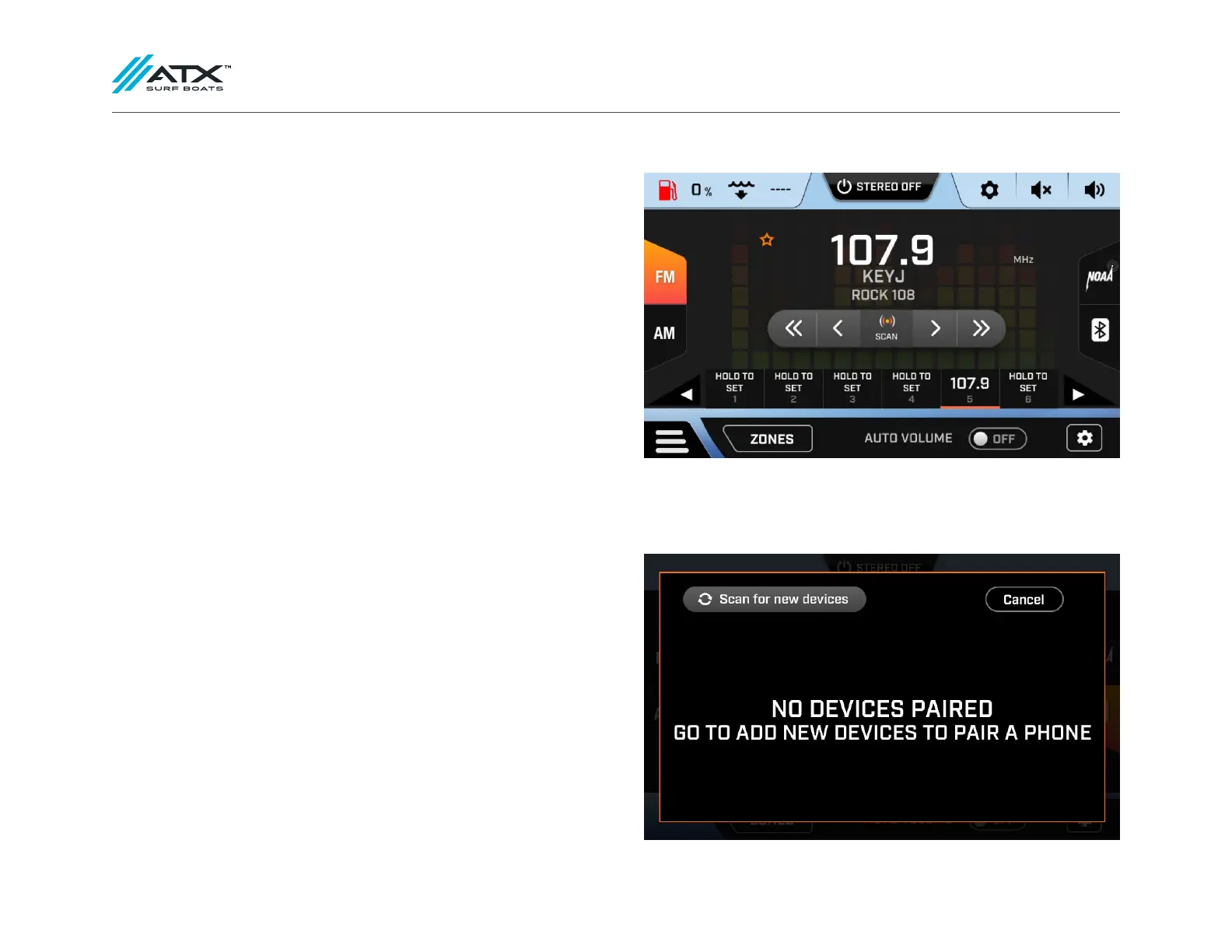
To turn on your stereo, navigate to the stereo screen through the screen menu
button and press the stereo on/off button at the top of the screen.
The ATX stereo can play music from a Bluetooth device, AM/FM Radio, or NOAA
weather radio. The sources are selectable by pressing the appropriate button on
the edges of the screen.
AM/FM Radio
AM/FM radio stations can be saved as favorites. To do this, tune to the station
of your choice, and press and hold the number you would like to associate with
that station.
Bluetooth
To pair a Bluetooth device, turn on the stereo and select the Bluetooth input on
the right side of the screen. Press the “Connect a Device” button in the center of
the screen. Either choose a device from the list of previously paired devices, or
scan for a new device. If you are pairing a new device, make sure you have the
Bluetooth settings open on the device and it is discoverable. When the screen
finds your device, press the + button next to its name, then press pair on your
device when prompted.
Devices can be forgotten from the same list where they are added. Simply press
the X next to the devices name to forget it.



 To Next Page