13
Getting Ready
Using Main Menu
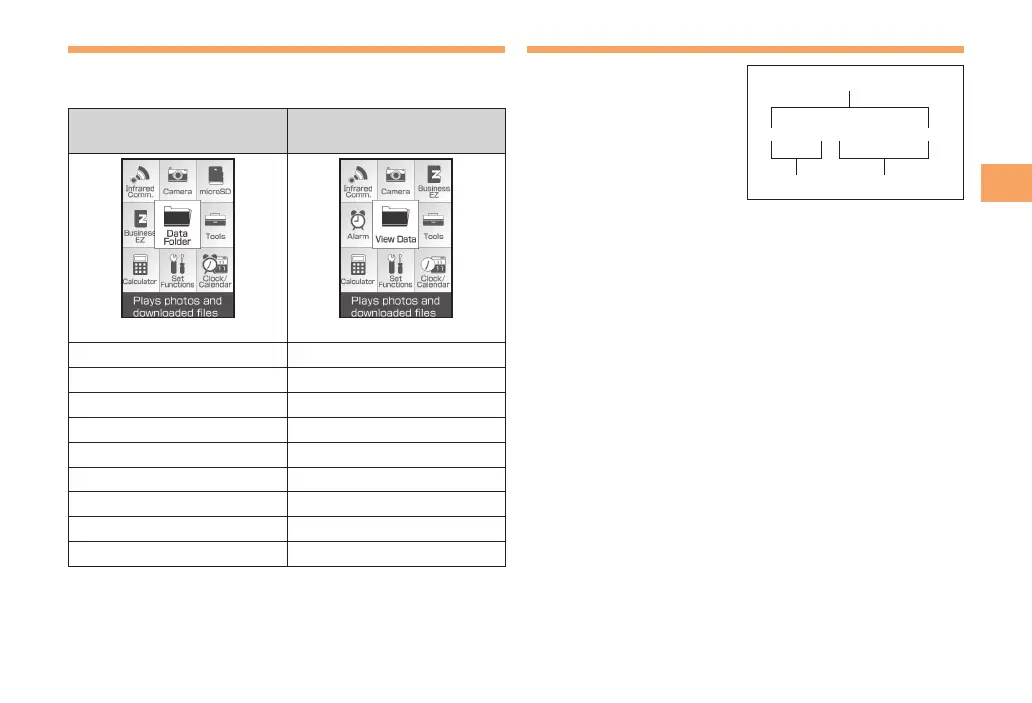
You can access various functions from the Main menu.
Each Menu pattern has a different set of items.
Normal Mode
(Standard, Metal)
Simple Mode
(Standard)
(Screen for Standard)
Infrared Comm. Infrared Comm.
Camera Camera
microSD Business EZ
Business EZ Alarm
Data Folder View Data
Tools Tools
Calculator Calculator
Set Functions Set Functions
Clock/Calendar Clock/Calendar
Changing Your E-mail Address
You can change the account
name of your e-mail address.
When the standby screen is displayed, press L.
Use ➡ j to select E-Mail Setup and then press
c (Select).
Use ➡ j to select Change Adr / Other and then
press c (Select).
The cell phone connects to the server.
Use ➡ j to select
Eメールアドレスの変更
(Change
E-mail Address) and then press c (Select).
Use ➡ j to select the entry box, press c (Edit),
enter your security code, and then press c (OK).
Your security code is the four-digit number you wrote •
on your subscription form.
If the security code is incorrectly entered three times •
consecutively during a single day, the e-mail address
change operation will be disabled until the next day.
Use ➡ j to select
送信
(Send) and then press
c (Select).
△△△@ezweb.ne.jp
Account name Domain name
E-mail address



 To Next Page