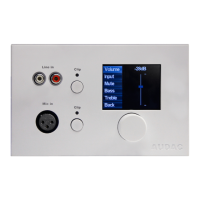
An unique address should be selected for every connected wall panel. The address for a wall panel
always starts with the letter “W”. When only one wall panel is connected, the most logical way is
to start with address “W001”, and increase the address number for every subsequent wall panel.
(“W002” for wall panel 2, “W003” for wall panel 3, ...)
After the desired address is selected, click the “Set address” button. A message will start blinking on
all the MWX65 wall panels connected in your system. When the function selection dial on the wall
panel is pressed, the selected address will be assigned to the corresponding wall panel.
Now the zone, which should be controlled and the selectable inputs need to be selected. The zone can
be selected by the dropdown list
This can be done in the user interface with the two dropdown lists. When the zone or input is selected,
it automatically appears inside the listbox. To remove a zone or input from the listbox, select the
desired zone or input in the listbox, and click the “Remove Zone” or “Remove Input” button.
Next to the listboxes you can find several selection & checkboxes whereby some presets / restrictions
can be made to the corresponding wall panel. After the settings are made, click the “Save to
Wallpanel” button on the bottom of the window, and your changes will be uploaded to the wall panel.
Your wallpanel is now ready for operation.



 To Next Page