3. Connecting to a Network
3.1 Wireless Network
The VHC2 is compatible with a wireless network.
To set up a wireless connection:
1. From the home screen of the VHC2 unit, click the red network connection icon
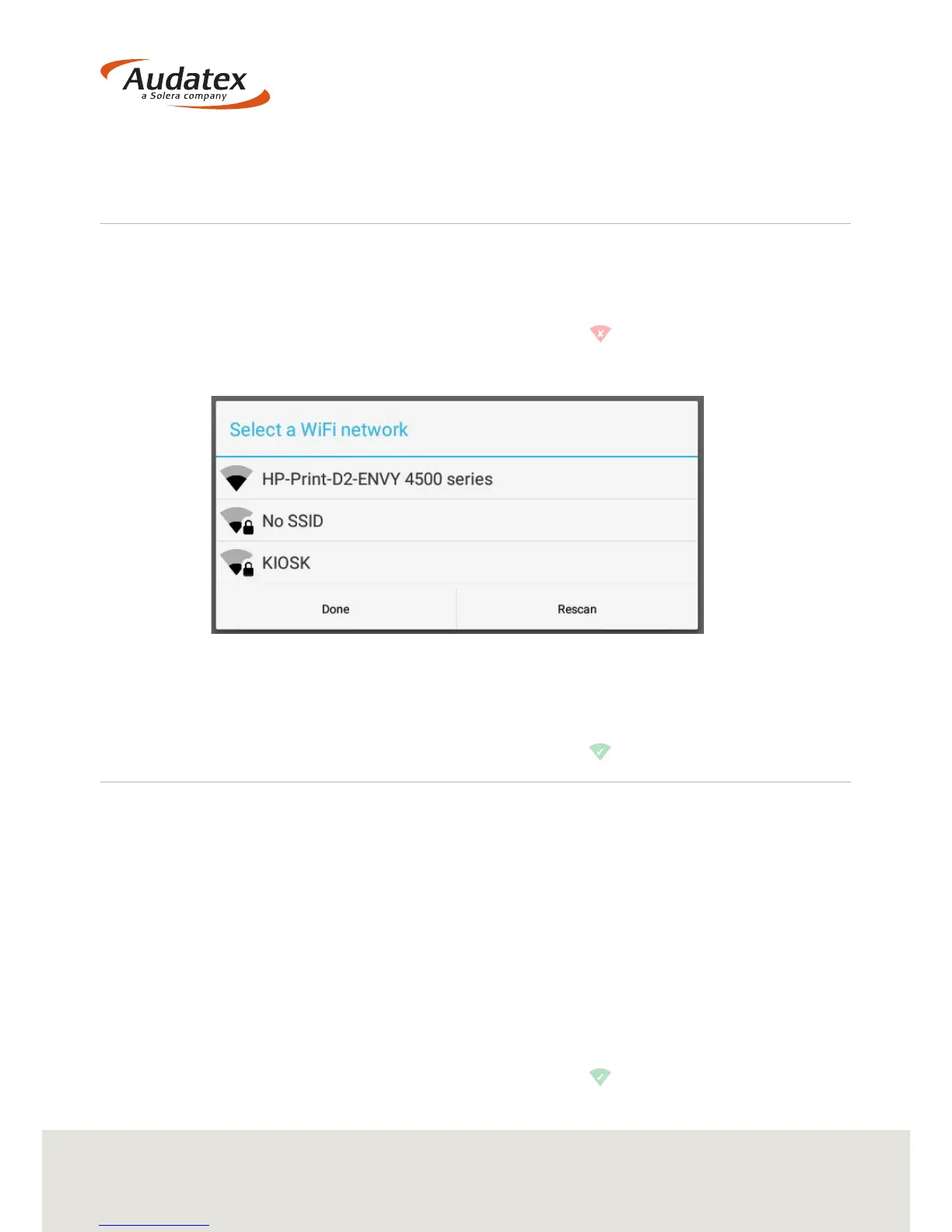
2. When prompted select the Wi-Fi network that you would like to connect to
3. If your network is password protected you will now be instructed to input the
password
4. Once the connection has been made you will be returned to the VHC2 home screen
and the network connection icon will now be green.
3.2 Wired (Ethernet) Network
The VHC2 is also compatible with a wired internet connection.
1. To set up a wired connection: Connect the network adapter to the VHC2 unit
(an Ethernet cable is supplied with the VHC2 unit)
2. Connect your Ethernet cable into the adapter
3. If your network is password protected you will now be instructed to input the
password
4. Once the connection has been made you will be returned to the VHC2 home screen
and the network connection icon will now be green.


 To Next Page