symbol appears in the display . The symbol's
appearance might be different in some mod-
els.
The speed warning system has
two warning
thresholds
that function independently of
each other and that have somewhat different
purposes:
Speed warning 1
You ca n use speed warn ing 1 to set the maxi-
mum speed while you are driving. This sett ing
will rema in in effect until you turn off the igni-
tion, assuming that you have not changed or
reset the setting.
The speed warning symbo l . (USA mode ls)/
• (Canada models) in the warning 1 display
appears when you exceed the maximum
speed. It goes out when the speed falls below
the stored maximum speed.
The speed warning symbo l will also go out if
the speed
exceeds the stored maximum speed
by more than about 25 mph (40 km/h) for at
least 10 seconds. The stored maximum speed
is deleted .
Setting speed warning 1
~
page 2 7 .
Speed warning 2
Storing warn ing 2 is recommended if you al-
ways
want to be reminded of a certain speed ,
for example when you are traveling in a coun-
try that has a general maximum speed limit,
or if you do not want to exceed a specified
speed for winter tires.
The speed warning 2 symbol, . (USA mod-
els)/ . (Canada mode ls) appears in the dis-
play when you exceed the stored speed limit.
Unlike warning 1, it will not go out until the
vehicle speed drops below the stored speed
limit.
Setting speed warning 2
~
page 2 7.
@ Tips
Even though you r vehicle is equipped with
a speed warning system, you should sti ll
watch the speedometer to make sure you
are not driving faster than the speed limit.
Driver information display 2 7
Speed warning 1: setting a speed limit
Warning threshold 1 is set by the ISETI but-
ton .
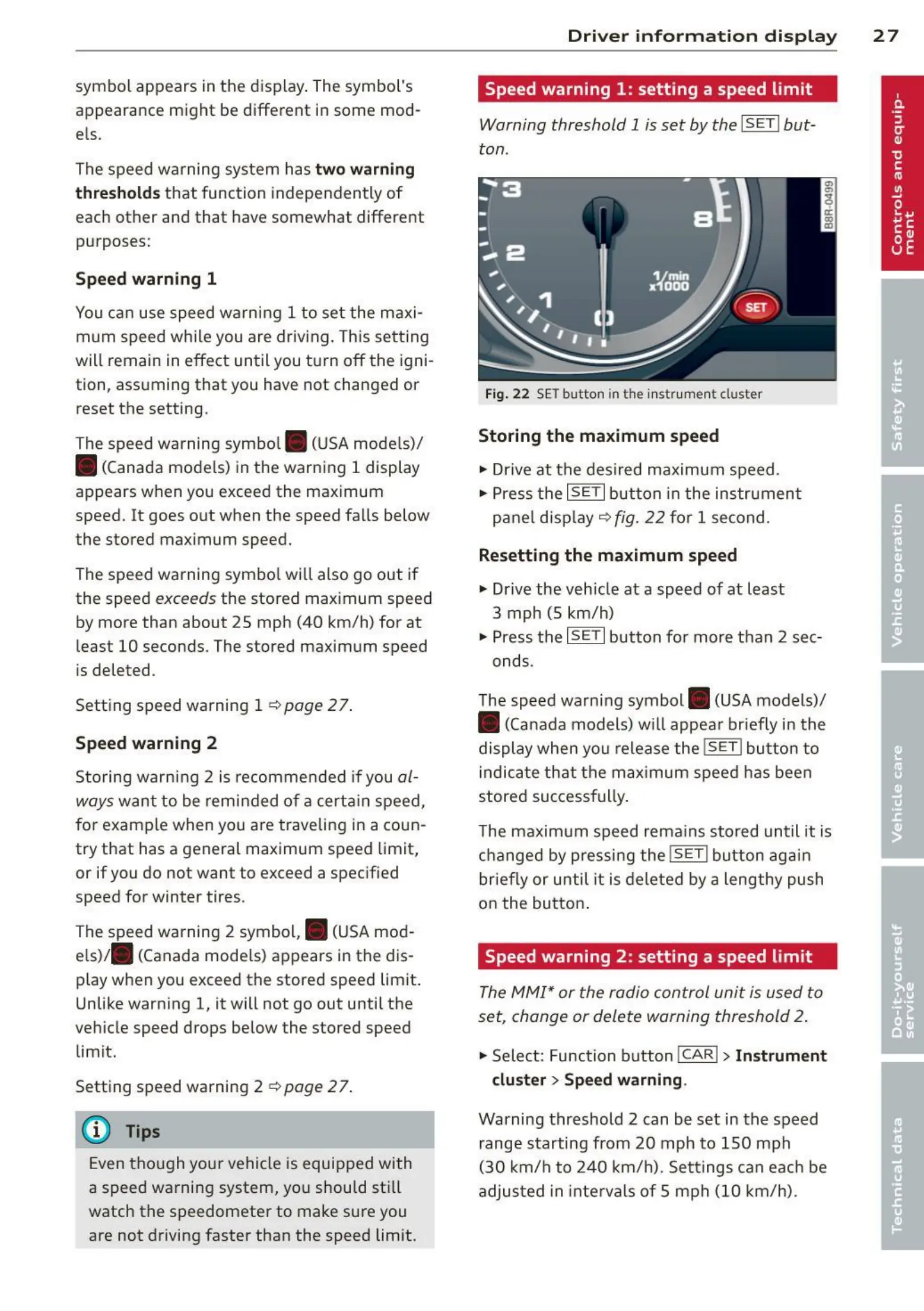
Fig. 22 SET button in t he instrume nt cluster
Storing the maximum speed
.,. Drive at the desired maximum speed .
.,. Press the
ISETI button in the instrument
pane l disp lay ¢
fig. 22 for 1 second .
Resetting the maximum speed
.,. Drive the veh icle at a speed of at least
3 mph (5 km/h)
.,. Press th e
ISETI button for more than 2 sec-
onds.
The speed warn ing symbol . (USA models)/
• (Canada models) will appear briefly in the
display when you release the
ISET! button to
indicate that the max imum speed has been
stored successfully .
The maximum speed remains stored until it is
changed by pressing the
ISET! button agai n
briefly or until it is deleted by a lengthy push
on the button .
Speed warning 2: setting a speed limit
The MMI* or the radio control unit is used to
set, change or delete warning threshold 2.
.,. Select: Function button !CAR!> Instrument
cluster> Speed warning.
Warning threshold 2 can be set in the speed
range starting from 20 mph to 150 mph
(30 km/h to 240 km/h). Settings can each be
adjusted in interva ls of 5 mph (10 km/h) .



 To Next Page