CD
CD
....
N
"
N
......
0
0
"' 'SI'
@ Tips
The M MI switches off automatically if the en-
gine is not running and the battery is low.
MMI operation
Selecting and confirming a function
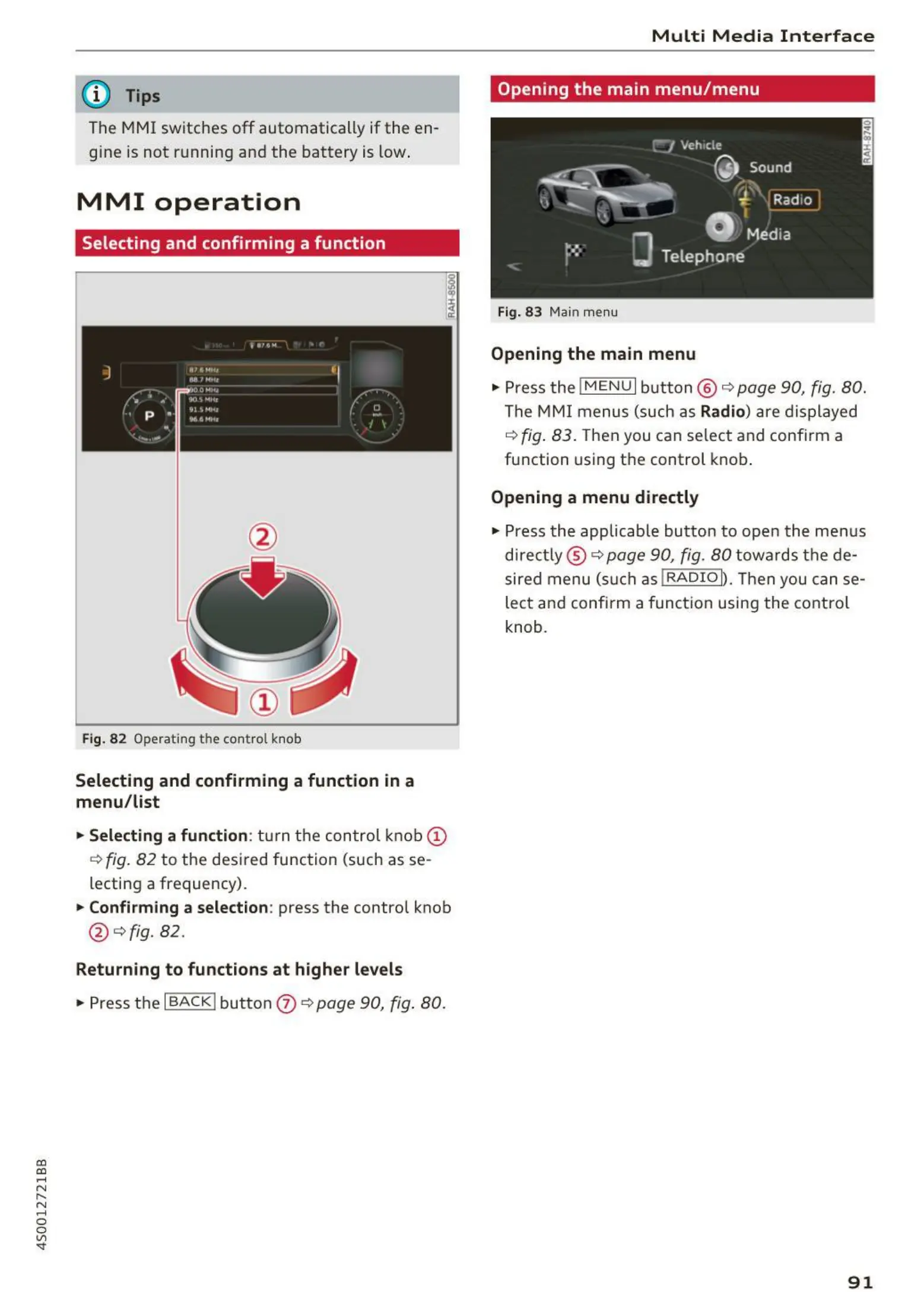
Fig. 82 Operating the cont ro l knob
Selecting and confirming a function in a
menu/list
"'Selecting a function : tu rn the control knob (!)
<=>fig. 82 to the desired function (such as se-
lecting a frequency) .
"'Confirming a selection : press the control knob
@ ¢f ig. 82.
Returning to functions at higher levels
"' Press the I BACK I button 0 <=> page 90, fig. 80.
Multi Media Interface
Opening the main menu/menu
Fig. 83 Main menu
Opening the main menu
"' Pressthe lMENUlbutton @ ¢ page90, fig. 80.
The MMI menus (such as Radio) are displayed
¢ fig. 83. Then you can se lect and confirm a
function using the control knob.
Opening a menu directly
"' Press the applicable button to open the menus
direct ly ® ¢ page 90, fig . 80 towa rds the de -
sired menu (such as !RADIOI). Then you can se-
lect and confirm a function using the control
knob.
91



 To Next Page