"'
"'
....
N
"
N
....
0
0
Vl
'<f
Operating
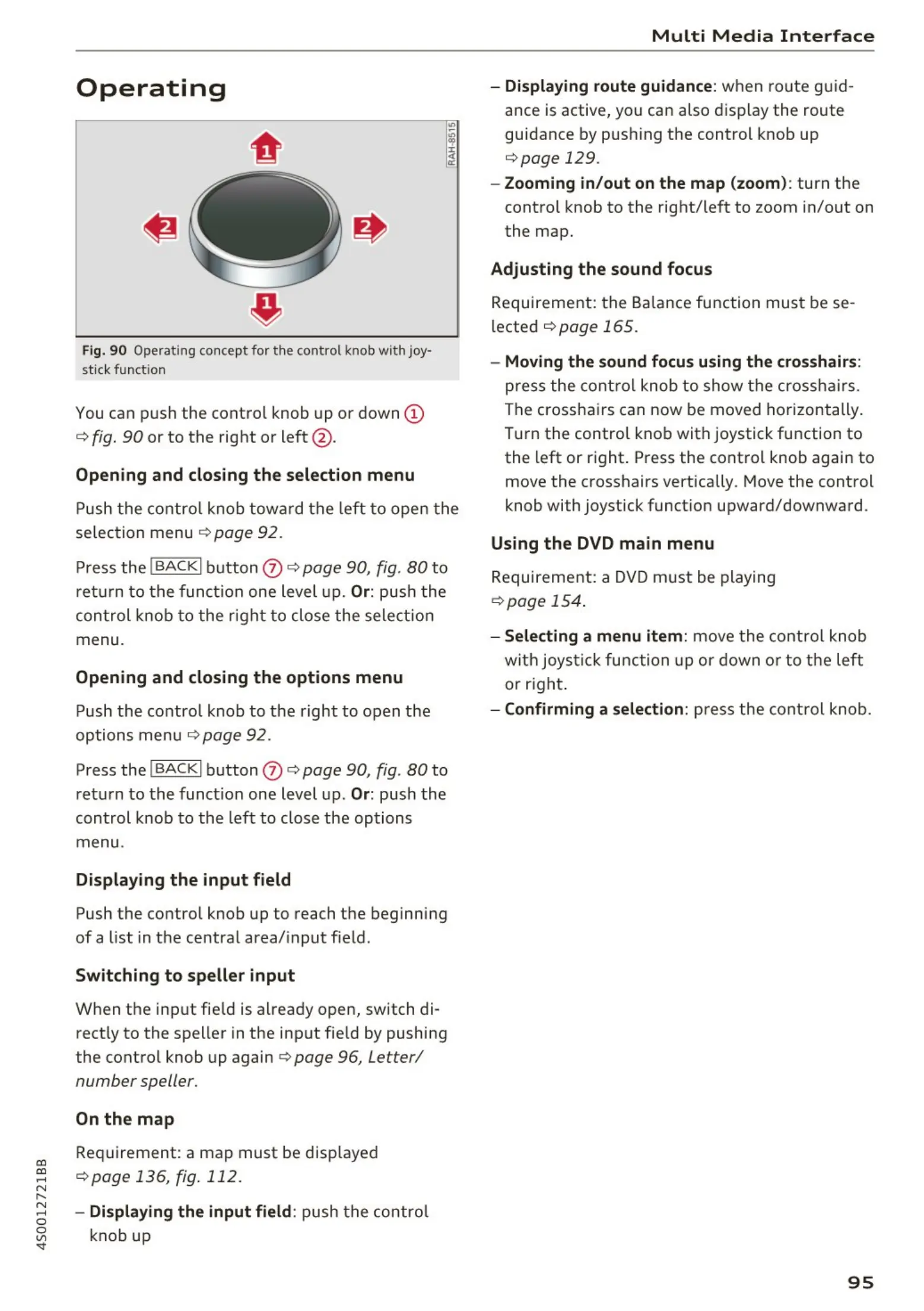
Fig. 90 Operating concept for t he control knob with j oy·
st ick function
You can push the control knob up or down @
c:> fig. 90 or to the right or left @ .
Opening and closing the selection menu
Push the control knob toward the left to open the
se lection menu
c:> page 92 .
Press the I BACKI button (J) c:> page 90, fig. 80 to
return to the function one level up .
Or: push the
control knob to the right to close the selection
menu .
Opening and closing the options menu
Push the control knob to the right to open the
options menu
c:> page 92.
Press the
I BACKI button (J) c:> page 90, fig . 80 to
return to the funct ion one level up.
Or: push the
control knob to the left to close the options
menu .
Displaying the input field
Push the contro l knob up to reach the beginning
of a list in the central area/ input f ield.
Switching to speller input
When the input fie ld is already open, switch di-
rect ly to the speller in the input field by pushing
the control knob up again
c:> page 96, Letter/
number speller.
On the map
Requirement: a map must be disp layed
<=:>page 136, fig . 112 .
- Displaying the input field : push the control
knob up
Multi Media Interface
- Displaying route guidance: when route guid-
ance is active, you can also display the route
guidance by push ing the control knob up
c:> page 129.
- Zooming in/out on the map (zoom) : turn the
control knob to the right/left to zoom in/out on
the map.
Adjusting the sound focus
Requirement: the Balance function must be se-
lected
c:> page 165.
- Moving the sound focus using the crosshairs:
press the control knob to show the crosshairs .
The crosshairs can now be moved horizontally.
Turn the control knob with joystick function to
the left or right . Press the control knob again to
move the crosshairs vertically. Move the control
knob with joystick funct ion upward/downward.
Using the DVD main menu
Requirement: a DVD must be playing
<=:>page 154.
- Selecting a menu item: move the control knob
with joystic k function up or down or to the left
or right.
- Confirming a selection: press the control knob.
95



 To Next Page