Dr ive r inf o rm a ti o n sy st e m
- If your vehicle is stationary or if you are driv-
ing at very low speeds, the temperature dis-
played may be s light ly higher than the ac-
tual temperature outside due to the heat
radiating from the engine.
- At temperatures below 41 °F (+S
0
(), a
snowflake symbol appears in front of the
temperature display ¢ ,& .
Multifunction steering
wheel plus
Overview
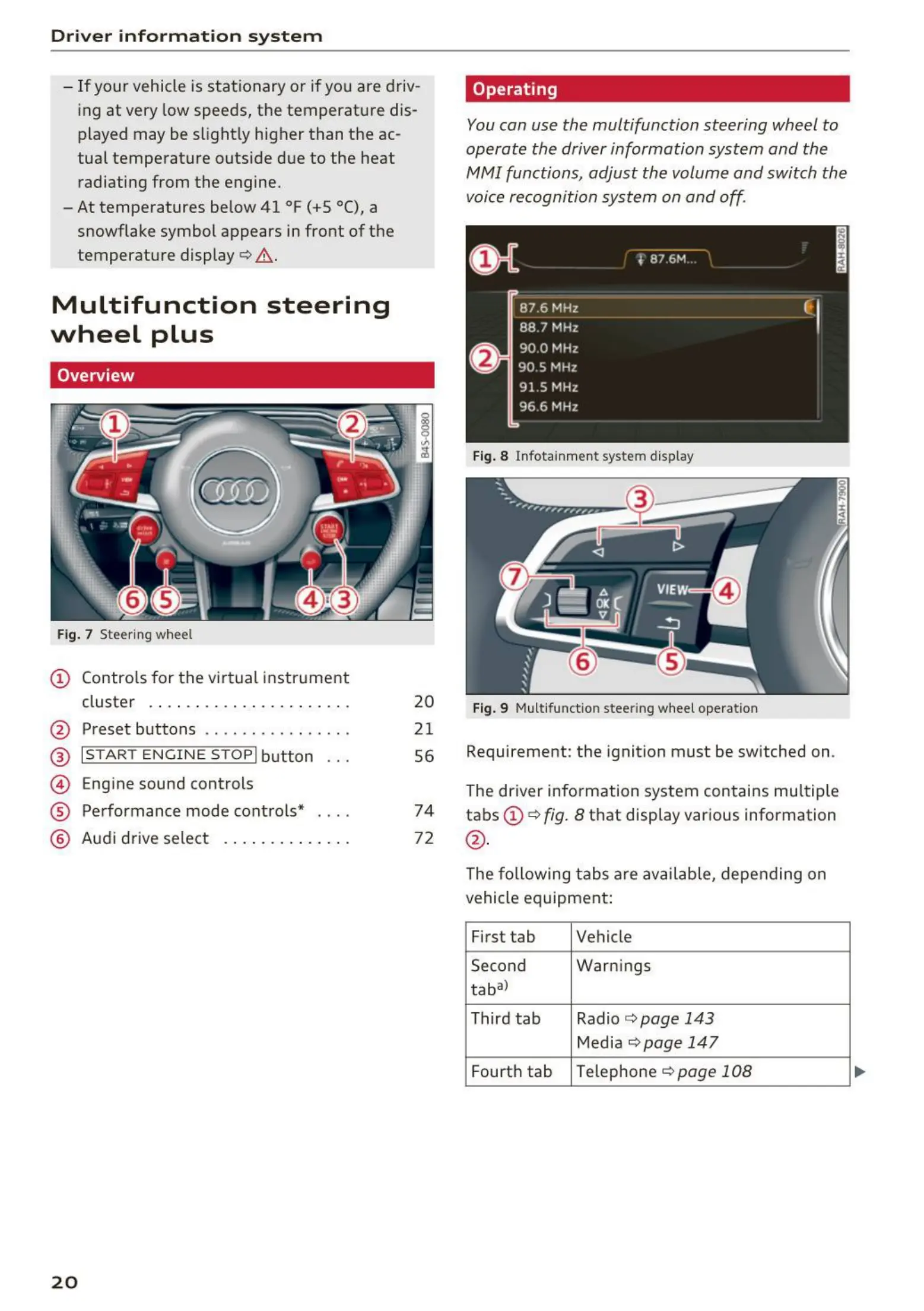
Fig. 7 Steering wheel
CD Contro ls for the virtual instrument
cluster . . . . . . ..... . .... . . . .. .
@ Preset buttons .. . ... . ... . .. . . .
@ I START ENGINE STOPI button
© Engine sound controls
® Performance mode controls*
@ Audi drive select ... . .... . . . . . .
20
20
21
56
74
72
Operating
You can use the multifunction steering wheel to
operate the driver information system and the
fv1fv1I functions, adjust the volume and switch the
voice recognition system on and off.
Fig. 8 Infota inment system display
Fig. 9 Mult ifunct ion steering wheel operation
Requirement: the ignition must be switched on .
The driver info rmation system contains multiple
tabs CD¢
fig. 8 that display various information
@.
The following t abs are available, depending on
vehicle equipment:
First tab Vehicle
Second Warn ings
tabal
Third tab Radio ¢
page 143
Media ¢ page 147
Fourth tab
Telephone ¢ page 108



 To Next Page