Multi Media Interface
Opening the selection/
options menu with the
control knob
Applies to: vehicles with joystick function
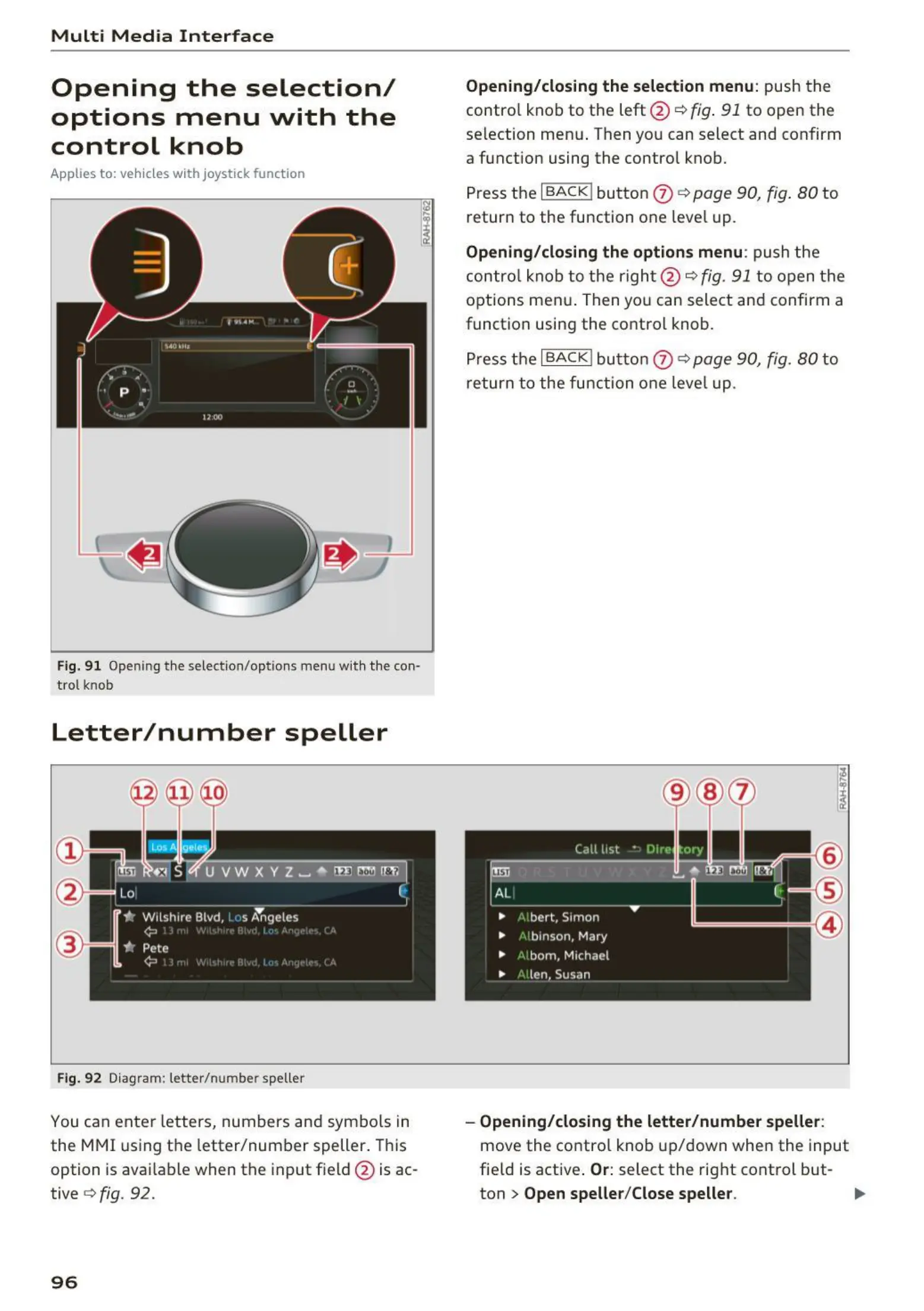
Fig. 91 Opening the selection/options menu w ith the con·
trot knob
Letter/number speller
Fig. 92 Diagram: letter/number speller
You can ente r letters, numbers and symbo ls in
the MMI using the letter/number speller. This
option is available when the input field @ is ac-
tive
Q fig. 92.
96
Opening/closing the selection menu : push the
contro l knob to the left @ ¢
fig. 91 to open the
selection menu . Then you can select and confirm
a function using the control knob.
Press the
I BACK ! button 0 ¢ page 90, fig. 80 to
return to the function one level up.
Opening/closing the options menu : push the
control knob to the right @ ¢
fig . 91 to open the
options menu. Then you can select and confirm a
function using the control knob .
Press the
I BACK I button 0 ¢ page 90, fig. 80 to
return to the function one leve l up .
- Opening/closing the letter/number speller:
move the contro l knob up/down when the input
field is active .
Or: select the right control but-
ton
> Open speller/Close speller. II>



 To Next Page