→
Set selector switch to position Remote control (REMOTE).
➥
Now, it is possible to operate the actuator via remote control, via operation
commands (OPEN, STOP, CLOSE) or analogue setpoints (e.g. 0 – 20 mA).
Information
For actuators equipped with a positioner, it is possible to change over between OPEN
- CLOSE control (Remote OPEN-CLOSE) and setpoint control (Remote SET-
POINT). For further information, refer to chapter <Change-over between OPEN -
CLOSE control and setpoint control>.
3.3. Menu navigation via push buttons (for settings and indications)
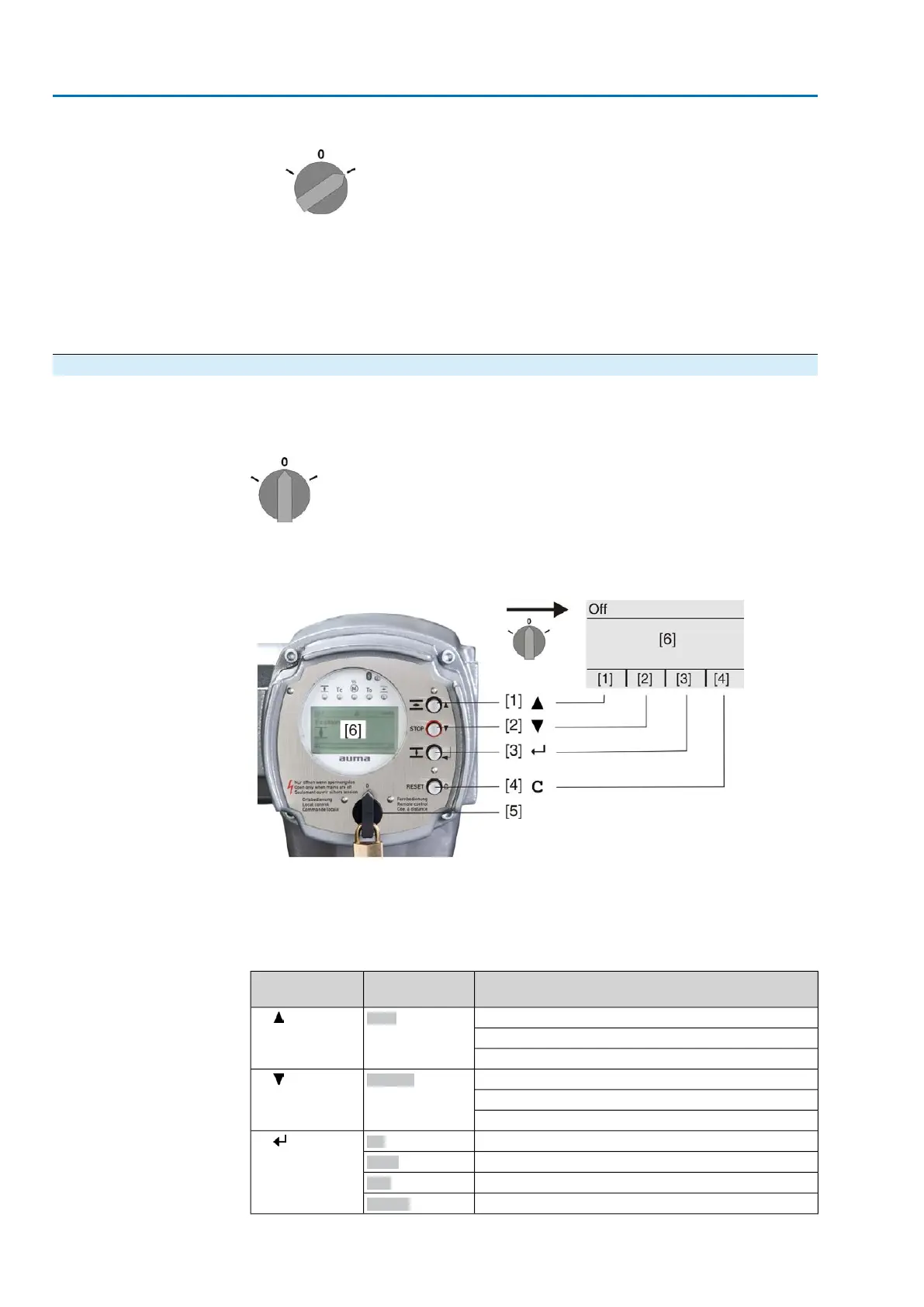
Menu navigation for display and setting is made via the push buttons [1 – 4] of the
local controls.
Set the selector switch [5] to position 0 (OFF) when navigating through the menu.
The bottom row of the display [6] serves as navigation support and explains which
push buttons [1 – 4] are used for menu navigation.
Figure 5:
[1–4] Push buttons or navigation support
[5] Selector switch
[6] Display
Table 3: Important push button functions for menu navigation
FunctionsNavigation sup-
port on display
Push buttons
Change screen/selection
Up ▲
[1]
Change values
Enter figures from 0 to 9
Change screen/selection
Down ▼
[2]
Change values
Enter figures from 0 to 9
Confirm selection
Ok
[3]
Save
Save
Enter <Edit> menu
Edit
Display more details
Details
14
Actuator controls
Operation ACV 01.2/ACVExC 01.2



 To Next Page
 Loading...










