EasyManua.ls Logo

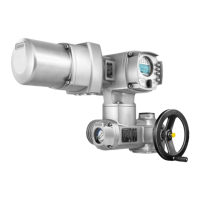
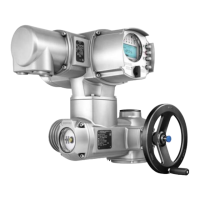
AUMA SAEx 16.2 - User Manual

AUMA SAEx 16.2
116 pages
Print Icon
To Next Page IconTo Next Page
Loading...
Control
Parallel
Profibus DP
Profinet
Modbus RTU
Modbus TCP/IP
Foundation Fieldbus
HART
Multi-turn actuators
SAEx 07.2 SAEx 16.2
SAREx 07.2 SAREx 16.2
Control unit - electromechanical
with actuator controls
ACExC 01.2 Intrusive
Assembly and commissioningOperation instructions

Table of Contents

Other manuals for AUMA SAEx 16.2

Questions and Answers

  • E
    erika61Jul 25, 2025
    Why does my AUMA SAEx 16.2 display 'Phase fault'?
    • E
      Erica SchwartzJul 25, 2025
      The 'Phase fault' error on your AUMA Controller indicates that one phase of the power supply is missing, meaning the controls are not receiving mains voltage. To resolve this, test and connect all phases of the power supply.
  • K
    kburgessJul 29, 2025
    What to do if AUMA SAEx 16.2 shows 'Incorrect phase seq'?
    • I
      isaachaleJul 29, 2025
      If your AUMA Controller displays 'Incorrect phase seq', it means the phase conductors L1, L2, and L3 are connected in the wrong sequence. To fix this, correct the sequence by exchanging two of the phases.
  • C
    Carrie TorresAug 3, 2025
    What to do if AUMA SAEx 16.2 displays 'Torque fault CLOSE Torque fault OPEN'?
    • N
      Nicole FrankAug 3, 2025
      The 'Torque fault CLOSE Torque fault OPEN' error on your AUMA controller indicates a torque fault in the CLOSE or OPEN directions, or simultaneously in both. Try executing an operation command in the opposite direction. Also, verify the torque switching setting and check for any foreign objects preventing the valve from closing. There may also be problems with the valve itself.
  • D
    Danielle CruzAug 7, 2025
    What does 'Wrn controls temp' mean on my AUMA SAEx 16.2 Controller and how to fix it?
    • K
      Kevin WongAug 7, 2025
      The 'Wrn controls temp' warning on your AUMA Controller indicates that the temperature inside the controls housing is too high, exceeding the specified temperature range. Allow the controls to cool down. Check the service conditions. You can view the current temperature display under Diagnostic M0022>Device temperatures M0524>Temp. controls.
  • S
    Sara MillerAug 11, 2025
    How to resolve 'Thermal fault' on AUMA SAEx 16.2?
    • B
      Brian LongAug 11, 2025
      The 'Thermal fault' on your AUMA Controller is caused by the motor protection tripping. To resolve this, allow the system to cool down and wait.
  • J
    Jamie KingAug 16, 2025
    What does 'IE 24 V AC' mean on my AUMA Controller and how to fix it?
    • D
      duane79Aug 16, 2025
      The 'IE 24 V AC' error on your AUMA Controller indicates a fault in the internal 24 V DC power supply, meaning the safety-relevant part of the controls is without power. Check the power supply to resolve this issue.
  • M
    Michael DavisAug 20, 2025
    What does 'Wrn range act.pos.' mean on AUMA SAEx 16.2?
    • C
      cookvickiAug 20, 2025
      The 'Wrn range act.pos.' warning on your AUMA Controller means the current position feedback signal range is outside the permissible range, or both limit switches (OPEN and CLOSED) are operated simultaneously. This can also indicate a defect in the actuator mechanics. Verify the reduction gearing settings within the actuator.

Summary

Safety Instructions

Prerequisites for Safe Product Handling

Essential conditions for safe product handling and installation, adhering to regulations.

Range of Application

Defines permitted uses and operational environments for the actuators.

Warnings and Notes

Highlights critical safety warnings (DANGER, WARNING, CAUTION, NOTICE) and symbols.

References and Symbols

Explains symbols and references used throughout the manual for clarity.

Short Description

Name Plate Information

Transport and Storage

Transport Guidelines

Guidelines for safely moving the product to the installation site, including lifting precautions.

Storage Instructions

Instructions for proper storage conditions to maintain product integrity and prevent damage.

Assembly Procedures

Mounting Position

Specifies acceptable orientations for product installation and lubrication considerations.

Handwheel Fitting

Procedure for attaching the handwheel for manual operation prior to commissioning.

Mounting Actuator to Valve

Step-by-step guide for connecting the actuator to the valve, including output drive types.

Assembly Accessories

Details on optional accessories used during the assembly process, like stem protection tubes.

Electrical Connection

Basic Electrical Information

Fundamental safety and connection principles for electrical setup.

AUMA Electrical Connections Overview

Summary of various electrical connection types offered by AUMA.

KT;KM Electrical Connection

Specific details for KT/KM electrical connection types.

KP;KPH Electrical Connection

Specific details for KP/KPH electrical connection types.

KES Electrical Connection

Specific details for KES electrical connection types.

External Earth Connection

Instructions for establishing a proper external earth connection.

Electrical Connection Accessories

Lists optional accessories for electrical connection setups.

Operation

Manual Operation Procedures

How to operate the actuator manually for setup or emergencies.

Motor Operation

Procedures for operating the actuator via its electric motor.

Menu Navigation via Push Buttons

Guide to navigating the device's menu using local controls.

User Level and Password Management

Information on user access levels and password management.

Display Language Settings

Instructions for changing the display language.

Indications and Displays

Indications During Commissioning

Displays and indicators relevant during the initial setup phase.

Indications in the Display

General overview of information shown on the device display.

Local Control Indication Lights

Explanation of status lights on the local control interface.

Optional Indications

Details on additional, non-standard display indications.

Signals and Outputs

Status Signals via Output Contacts

How to use digital outputs for status signaling.

Analogue Signals (Outputs)

Information on using analogue outputs for position feedback.

Commissioning Basic Settings

Setting the Type of Seating

Configuration of valve seating type (limit or torque).

Configuring Fieldbus Interface Parameters

Setting Modbus RTU address, baud rate, parity, and monitoring time.

Opening the Switch Compartment

Procedure for safely opening the switch compartment for settings.

Setting Torque Switching

Adjustment of torque limits for overload protection.

Setting Limit Switching

Configuration of end position limit switches.

Setting Intermediate Positions

Setting intermediate travel positions for actuators.

Performing Test Runs

Procedures for verifying actuator operation after setup.

Closing the Switch Compartment

Steps to securely close the switch compartment after configuration.

Commissioning Optional Equipment Settings

EWG 01.1 Electronic Position Transmitter Setup

Setup for the EWG 01.1 electronic position transmitter.

Potentiometer Configuration

Configuration of the potentiometer used as a travel sensor.

RWG Electronic Position Transmitter Setup

Setup for the RWG electronic position transmitter.

Setting the Mechanical Position Indicator

Adjusting the mechanical indicator for valve position.

Corrective Action and Troubleshooting

Faults During Commissioning

Troubleshooting common issues encountered during initial setup.

Fault and Warning Indications

Understanding and interpreting fault and warning messages.

Fuse Information and Replacement

Information on fuse types, locations, and replacement procedures.

Servicing and Maintenance

Preventive Measures for Safe Operation

Recommended checks for safe operation and preventative maintenance.

Disconnecting from the Mains

Procedures for safely disconnecting the device from the power supply.

General Maintenance Guidelines

General maintenance guidelines, intervals, and lubrication.

Disposal and Recycling

Environmental guidelines for product disposal and recycling.

Technical Data

Technical Data: Multi-Turn Actuators

Detailed specifications for the multi-turn actuators.

Technical Data: Actuator Controls

Detailed specifications for the actuator control units.

Tightening Torques for Screws

Torque values for various screw sizes during assembly and maintenance.

Spare Parts

Spare Parts: Multi-Turn Actuators

List of spare parts for SAEx/SAREx multi-turn actuators.

Spare Parts: Actuator Controls ACExC 01.2 KT;KM

List of spare parts for ACExC 01.2 KT/KM actuator controls.

Spare Parts: Actuator Controls ACExC 01.2 KP;KPH

List of spare parts for ACExC 01.2 KP/KPH actuator controls.

Spare Parts: Actuator Controls AUMATIC ACExC 01.2 KES

List of spare parts for ACExC 01.2 KES actuator controls.

AUMA SAEx 16.2 Specifications

General IconGeneral
BrandAUMA
ModelSAEx 16.2
CategoryController
LanguageEnglish

Related product manuals