EasyManua.ls Logo

AUMA SA 16.2 - User Manual

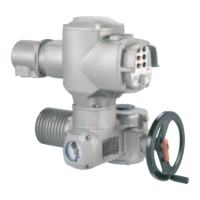
AUMA SA 16.2
108 pages
Print Icon
To Next Page IconTo Next Page
Loading...
Control
Parallel
Profibus DP
Profinet
Modbus RTU
Modbus TCP/IP
EtherNet/IP
Foundation Fieldbus
HART
DeviceNet
Multi-turn actuators
SA 07.2 SA 16.2
SAR 07.2 SAR 16.2
Control unit: electronic (MWG)
with actuator controls
AC 01.2 Non-Intrusive
Assembly and commissioningOperation instructions

Table of Contents

Other manuals for AUMA SA 16.2

Questions and Answers

  • K
    Kristi RamirezJul 25, 2025
    Why does my AUMA Controller display 'Phase fault'?
    • T
      Tricia GrossJul 25, 2025
      The 'Phase fault' error on your AUMA Controller indicates that one phase of the power supply is missing, meaning the controls are not receiving mains voltage. To resolve this, test and connect all phases of the power supply.
  • K
    Kimberly CrawfordJul 29, 2025
    What to do if AUMA SA 16.2 Controller shows 'Incorrect phase seq'?
    • S
      Sharon BryanJul 29, 2025
      If your AUMA Controller displays 'Incorrect phase seq', it means the phase conductors L1, L2, and L3 are connected in the wrong sequence. To fix this, correct the sequence by exchanging two of the phases.
  • K
    kwaltersAug 2, 2025
    What to do if AUMA SA 16.2 Controller displays 'Torque fault CLOSE Torque fault OPEN'?
    • K
      Kara RamosAug 3, 2025
      The 'Torque fault CLOSE Torque fault OPEN' error on your AUMA controller indicates a torque fault in the CLOSE or OPEN directions, or simultaneously in both. Try executing an operation command in the opposite direction. Also, verify the torque switching setting and check for any foreign objects preventing the valve from closing. There may also be problems with the valve itself.
  • D
    Dale BurkeAug 6, 2025
    What does 'Wrn controls temp' mean on my AUMA Controller and how to fix it?
    • A
      Amy GarzaAug 7, 2025
      The 'Wrn controls temp' warning on your AUMA Controller indicates that the temperature inside the controls housing is too high, exceeding the specified temperature range. Allow the controls to cool down. Check the service conditions. You can view the current temperature display under Diagnostic M0022>Device temperatures M0524>Temp. controls.
  • V
    Vincent ChambersAug 11, 2025
    How to resolve 'Thermal fault' on AUMA SA 16.2?
    • V
      Valerie JacobsonAug 11, 2025
      The 'Thermal fault' on your AUMA Controller is caused by the motor protection tripping. To resolve this, allow the system to cool down and wait.
  • K
    Kim GeorgeAug 15, 2025
    What does 'IE 24 V AC' mean on my AUMA Controller and how to fix it?
    • T
      Tammy ParkAug 15, 2025
      The 'IE 24 V AC' error on your AUMA Controller indicates a fault in the internal 24 V DC power supply, meaning the safety-relevant part of the controls is without power. Check the power supply to resolve this issue.
  • D
    Deanna ThorntonAug 20, 2025
    What does 'Wrn range act.pos.' mean on AUMA SA 16.2?
    • K
      Kelly HarringtonAug 20, 2025
      The 'Wrn range act.pos.' warning on your AUMA Controller means the current position feedback signal range is outside the permissible range, or both limit switches (OPEN and CLOSED) are operated simultaneously. This can also indicate a defect in the actuator mechanics. Verify the reduction gearing settings within the actuator.

Summary

1. Safety instructions

1.3. Warnings and notes

Explains signal words (DANGER, WARNING, CAUTION, NOTICE) and symbols used in the manual.

5. Assembly

5.3. Mount actuator to valve

Provides instructions and warnings for mounting the actuator to the valve.

6. Electrical connection

7. Operation

8. Indications

8.2.1. Feedback signals from actuator and valve

Details feedback signals like valve position, torque, and operation commands.

10. Commissioning (basic settings)

10.1. Type of seating: set

Guides on setting the type of seating (limit or torque) to match the valve.

10.2. Torque switching: set

Details setting the torque switching limits for overload protection of the valve.

10.3. Limit switching: set

Provides instructions for setting limit switching for end positions, including safety warnings.

10.5. Test run

10.5.1. Direction of rotation at mechanical position indicator: check

Guides on checking the direction of rotation at the mechanical position indicator.

11. Commissioning (settings;options in the actuator)

12. Corrective action

12.2. Fault indications and warning indications

Explains fault and warning indications displayed on the device and their causes.

12.3.2. Fuse replacement

Details the procedure for testing and replacing fuses F1/F2 and F3/F4.

12.3.3. Motor protection (thermal monitoring)

Explains motor protection features, thermal monitoring, and troubleshooting.

13. Servicing and maintenance

14. Technical data

14.1. Technical data Multi-turn actuators

Lists technical specifications for multi-turn actuators, including duty types, motors, and protection.

14.2. Technical data Actuator controls

Details technical specifications for actuator controls, including power supply and current consumption.

Commands and signals of the fieldbus interface

Explains commands and signals exchanged via the fieldbus interface.

15. Spare parts

15.1. Multi-turn actuators SA 07.2 - SA 16.2;SAR 07.2 - SAR 16.2

Provides a visual breakdown and list of spare parts for multi-turn actuators.

15.2. AC 01.2 actuator controls with SJ electrical connection

Shows a visual breakdown of spare parts for AC 01.2 actuator controls with SJ connection.

AUMA SA 16.2 Specifications

General IconGeneral
BrandAUMA
ModelSA 16.2
CategoryController
LanguageEnglish

Related product manuals