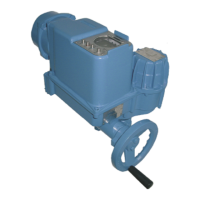
3.3 Fitting the cover After connection:
.
Insert the socket carrier (51.0) into the plug cover (50.0) and fasten it with
screws (51.01).
.
Clean sealing faces at the plug cover and the housing.
.
Check whether O-ring is in good condition.
.
Apply a thin film of non-acidic grease (e.g. Vaseline) to the sealing faces.
.
Replace plug cover (50.0) and fasten bolts (50.01) evenly crosswise.
.
Fasten cable glands with the specified torque to ensure the required
enclosure protection.
6
Actuator controls AUMA MATIC AM/ AMExB/ AMExC
Profibus DP Short instructions bus connection
Figure B-3: Connection board (for overvoltage protection)
from previous / to next
Profibus DP device
channel 1
S1
Bus termination
channel 1
S2
Bus termination
channel 2
x1 x2
X1
1234
Figure B-4: Connection for overvoltage protection
Profibus
cable
AUMA
labelling at the
connection
SUB-D 9 plug pin
(for other
Profibus devices)
Colour
A N/A 8 green
B P/B 3 red
Table 3: Assignment of Profibus cable



 To Next Page
 Loading...