EasyManua.ls Logo

AUMA SAREx 07.2 - User Manual

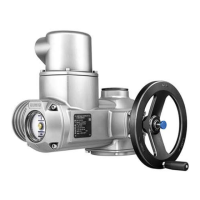
AUMA SAREx 07.2
116 pages
Print Icon
To Next Page IconTo Next Page
Loading...
Control
Parallel
Profibus DP
Profinet
Modbus RTU
Modbus TCP/IP
Foundation Fieldbus
HART
Multi-turn actuators
SAEx 07.2 SAEx 16.2
SAREx 07.2 SAREx 16.2
Control unit - electromechanical
with actuator controls
ACExC 01.2 Intrusive
Assembly and commissioningOperation instructions

Table of Contents

Other manuals for AUMA SAREx 07.2

Questions and Answers

  • A
    Anna PotterJul 25, 2025
    Why does my AUMA SAREx 07.2 display 'Phase fault'?
    • S
      sean78Jul 25, 2025
      The 'Phase fault' error on your AUMA Controller indicates that one phase of the power supply is missing, meaning the controls are not receiving mains voltage. To resolve this, test and connect all phases of the power supply.
  • I
    igarciaJul 30, 2025
    What to do if AUMA SAREx 07.2 Controller shows 'Incorrect phase seq'?
    • J
      Jenny StewartJul 30, 2025
      If your AUMA Controller displays 'Incorrect phase seq', it means the phase conductors L1, L2, and L3 are connected in the wrong sequence. To fix this, correct the sequence by exchanging two of the phases.
  • A
    Anna MitchellAug 2, 2025
    What to do if AUMA Controller displays 'Torque fault CLOSE Torque fault OPEN'?
    • T
      Thomas BrooksAug 2, 2025
      The 'Torque fault CLOSE Torque fault OPEN' error on your AUMA controller indicates a torque fault in the CLOSE or OPEN directions, or simultaneously in both. Try executing an operation command in the opposite direction. Also, verify the torque switching setting and check for any foreign objects preventing the valve from closing. There may also be problems with the valve itself.
  • O
    osmithAug 7, 2025
    What does 'Wrn controls temp' mean on my AUMA SAREx 07.2 and how to fix it?
    • D
      Destiny RamosAug 7, 2025
      The 'Wrn controls temp' warning on your AUMA Controller indicates that the temperature inside the controls housing is too high, exceeding the specified temperature range. Allow the controls to cool down. Check the service conditions. You can view the current temperature display under Diagnostic M0022>Device temperatures M0524>Temp. controls.
  • A
    Adam JenningsAug 11, 2025
    How to resolve 'Thermal fault' on AUMA Controller?
    • M
      Michael MoralesAug 11, 2025
      The 'Thermal fault' on your AUMA Controller is caused by the motor protection tripping. To resolve this, allow the system to cool down and wait.
  • K
    Kyle AyalaAug 15, 2025
    What does 'IE 24 V AC' mean on my AUMA Controller and how to fix it?
    • M
      Melissa KellyAug 15, 2025
      The 'IE 24 V AC' error on your AUMA Controller indicates a fault in the internal 24 V DC power supply, meaning the safety-relevant part of the controls is without power. Check the power supply to resolve this issue.
  • K
    kmitchellAug 20, 2025
    What does 'Wrn range act.pos.' mean on AUMA Controller?
    • M
      Mary SmithAug 20, 2025
      The 'Wrn range act.pos.' warning on your AUMA Controller means the current position feedback signal range is outside the permissible range, or both limit switches (OPEN and CLOSED) are operated simultaneously. This can also indicate a defect in the actuator mechanics. Verify the reduction gearing settings within the actuator.

Summary

Safety Instructions

Prerequisites for Safe Handling

Ensures user or contractor meets all legal requirements and directives for assembly, electrical connection, commissioning, and operation.

Warnings and Notes

Explains safety-relevant symbols (DANGER, WARNING, CAUTION, NOTICE) and their hazard levels.

Assembly

Electrical Connection

Basic Information

Provides essential information regarding electrical connections, including warnings about hazardous voltage and required qualifications.

Operation

Manual Operation

Details how to operate the actuator manually for setting and commissioning purposes, engaging an internal change-over mechanism.

Motor Operation

Provides instructions for motor operation, including a notice about potential valve damage due to incorrect basic settings.

Operating the Actuator from Local Controls

Explains how to operate the actuator using the local control push buttons on the actuator controls.

Actuator Operation from Remote

Describes how to operate the actuator remotely via fieldbus, with a caution regarding immediate operation when switching on.

Indications

Feedback Signals from Actuator and Valve

Explains how valve position and direction of operation are indicated, requiring a position transmitter for display.

Signals (Output Signals)

Commissioning (Basic Settings)

Type of Seating: Set

Guides on setting the type of seating (limit or torque) to match the valve, with warnings about incorrect settings.

Torque Switching: Set

Explains how to set the torque switches for overload protection of the valve, with a warning about excessive tripping torque limits.

Limit Switching: Set

Guides on setting limit switches to record valve travel and operate switches at preset positions, including end position adjustments.

Corrective Action

Faults During Commissioning

Lists common faults encountered during commissioning, their causes, and remedies, such as setting gear stages or checking switches.

Servicing and Maintenance

Technical Data

Technical Data Multi-turn Actuators

Provides detailed technical specifications for multi-turn actuators, including type of duty, motors, mains voltage, and motor protection.

Technical Data Actuator Controls

Lists technical data for actuator controls, covering explosion protection, power supply, current consumption, and fieldbus interfaces.

AUMA SAREx 07.2 Specifications

General IconGeneral
Communication ProtocolsModbus
Protection ClassIP65
Operating Temperature-40°C to +60°C
Type of controlModulating
Output speed4 to 180 rpm

Related product manuals