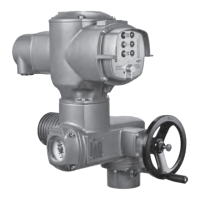
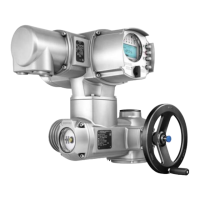
Need help?
Do you have a question about the AUMA SAREx 14.2 and is the answer not in the manual?
Details requirements for safe handling, including standards, staff qualifications, and hazards.
Defines a multi-turn actuator and its basic operational characteristics.
Details the information found on the actuator's identification plate.
Explains the data presented on the actuator controls name plate.
Identifies the product and is crucial for support and documentation.
Describes the components and characteristics of output drive type A.
Step-by-step guide for mounting the actuator with output drive type A.
Provides an overview of different electrical connection types like KT/KM, KP/KPH, and KES.
Critical procedure for setting the valve's seating type (limit or torque).
Critical procedure for setting the torque limit for overload protection.
Critical procedure for setting the actuator's end positions (CLOSED and OPEN).
Detailed steps for setting the CLOSED end position.
Detailed steps for setting the OPEN end position.
Instructions for performing a test run after configuration.
Procedure to verify the direction of rotation using the mechanical indicator.
Procedure to verify rotation direction via the hollow shaft or stem.
Critical procedure for setting the measuring range of the position transmitter.
Procedure for setting the measuring range of the RWG transmitter.
Troubleshooting guide for faults encountered during initial setup.
Explains how faults and warnings are indicated on the display.
Details status codes for faults and warnings in the display.
Lists warnings and out-of-spec conditions with causes and remedies.
Details faults like config errors, torque faults, phase issues, and communication errors.
Procedure for replacing fuses F1/F2 and F3/F4.
Detailed steps for replacing fuses F1/F2 in specific connection types.
Instructions for testing and replacing fuses F3/F4.
Explains motor protection mechanisms and troubleshooting motor faults.
Procedures for safely disconnecting the device from the mains.
Steps to disconnect the mains for KT/KM electrical connections.
Steps to disconnect the mains for KP/KPH and KES electrical connections.
Covers general maintenance tasks, intervals, and important notes.
Provides detailed specifications for multi-turn actuators.
Lists detailed specifications for the actuator control units.
Lists spare parts for multi-turn actuators SAEx/SAREx 07.2-16.2 KT/KM.
Lists spare parts for actuator controls ACExC 01.2 KT/KM.
Lists spare parts for actuator controls ACExC 01.2 KP/KPH.
Lists spare parts for actuator controls AUMATIC ACExC 01.2 KES.
 General
| Brand | AUMA |
|---|---|
| Model | SAREx 14.2 |
| Category | Controller |
| Language | English |


 To Next Page