10 11
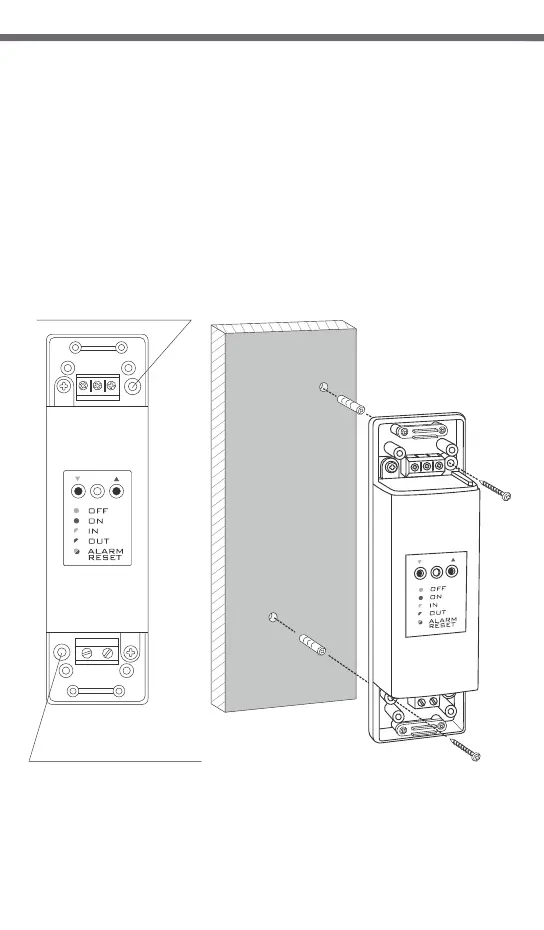
To fasten the AURATON RTH receiver to the wall:
1) Remove protective covers from the lower and upper part of the regulator.
(See chapter: “Fastening the RTH receiver”).
2) On the wall, mark the location of holes for fastening screws.
3) In marked places, drill holes of a diameter corresponding to the bundled
wall plugs (5 mm).
4) Insert wall plugs into the drilled holes.
5) Screw in the RTH receiver to the wall with screws, making sure they hold the
receiver securely.
Fastening the RTH receiver to the wall
NOTE: If the wall is wooden, there is no need to use wall plugs. In such a case,
drill two holes 2.7 mm in diameter instead of 5 mm, and screw
the screws directly into the wood.
AURATON RTH
hole for fastening
the receiver to the wall with a screw
NOTE: The RTH receiver cannot be placed in metal containers
(e.g. an assembly box, a metal enclosure of a heater) in order to not to
interfere with its operation.
hole for fastening
the receiver to the wall with a screw
3. A properly completed pairing process is signalled by the LED on the AURATON
RTH receiver no longer flashing green and the receiver reverting back to normal
operation.
In the event of an error during the pairing process, repeat steps 1 and 2. Should
more errors occur, deregister all devices by executing the RESET function of the RTH
receiver (see “RESET - Deregistering all devices paired with the RTH receiver”)
and attempt to pair the device again.
NOTE: One receiver can have only one temperature regulator assigned.
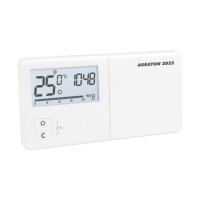
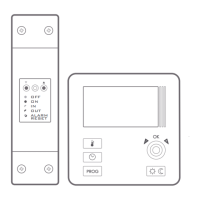
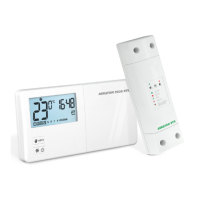
Pairing the AURATON 2030 RTH wireless
temperature regulator with the RTH receiver
1. The process of pairing the 2030 RTH regulator with
the RTH receiver is initiated by pressing the left
pairing button (marked with a green triangle - )
on the RTH receiver and holding it for at least
2 seconds, until the LED starts flashing green,
and then releasing the button.
The AURATON RTH receiver waits for pairing
for 120 seconds. After that time, it automatically
returns back to normal operation.
2. On the AURATON 2030 RTH regulator, press the button and hold it for
5 seconds until the transmission symbol ( ) appears on the display. Release
the button - the regulator transmits the pairing signal for 5 seconds.
PROG
radio
Deregistering the regulator from the RTH receiver
1. Deregistering the 2030 RTH regulator from the RTH
receiver is initiated by pressing the right deregistering
button (marked with a red triangle - ) on the
RTH receiver and holding it for at least 2 seconds, until
the LED starts flashing red, and then releasing
the button.
The AURATON RTH receiver waits for deregistering for
120 seconds. After that time, it automatically returns
back to normal operation.
....
NOTE: The AURATON 2030 RTH wireless temperature regulator sold with the
AURATON RTH receiver is already paired. Devices sold separately
require “pairing”.
LED
LED


 To Next Page