16
5. Repeat the procedure for consecutive programs.
Confirm selection by pressing the button.[okok]
17
3. Assigning temperature to the program :
Press the butto n to assign
temperature to the program.
The icon will start flashing,
prompting for setting the temperature.
Set the desired temperature, using the‚
buttons.
Confirm the setting by pressing the
button.
The icon and the number of
currently edited program will start
flashing on the display again.
4. Assigning starting time to the program:
Press the button. The icon will
start flashing, prompting for setting the
time.
Set the desired starting time for the
program, using the‚ buttons.
Confirm the setting by pressing
the button.
The icon and the number
of currently edited program will start
flashing on the display again.
[T]
[set]
[updo]
[okok]
[set]
[cl] [set]
[updow]
[okok]
[set]
NOTES:
1) Programs with the same program numbers, but assigned to other days of
week can have completely different settings.
E.g.: program 1 on Saturday can start at 08:00, and program 1 on Sunday can
start at 10:00.
2) Days from to (from Monday to Friday) have the same programs.
3) On the same day of week, the next program should start at least a minute
after the start of the previous one. Otherwise the regulator will renumber
the programs in order to preserve the chronology of temperature setpoints.
4) For the selected day of week, the period of temperature programming
cannot exceed 24 hours – the last program can start no later than a minute
after the first one.
5) When all programs are inactive, the regulator remains turned off.
(1) (5)
DELETING A PROGRAM:
To delete a selected program, set “dashes” in the
temperature field.
2. Assigning a day to the program :
Press the button to select days to
be assigned to the program. A segment
with days of week will start flashing in the
top part of the display.
Using the, buttons, you can
assign:
– for week days
– for Saturday
– for Sunday
Confirm selection by pressing the
button .
The icon and the number of
currently edited program will start
flashing on the display.
[1---7]
[updo]
[okok]
[SET]
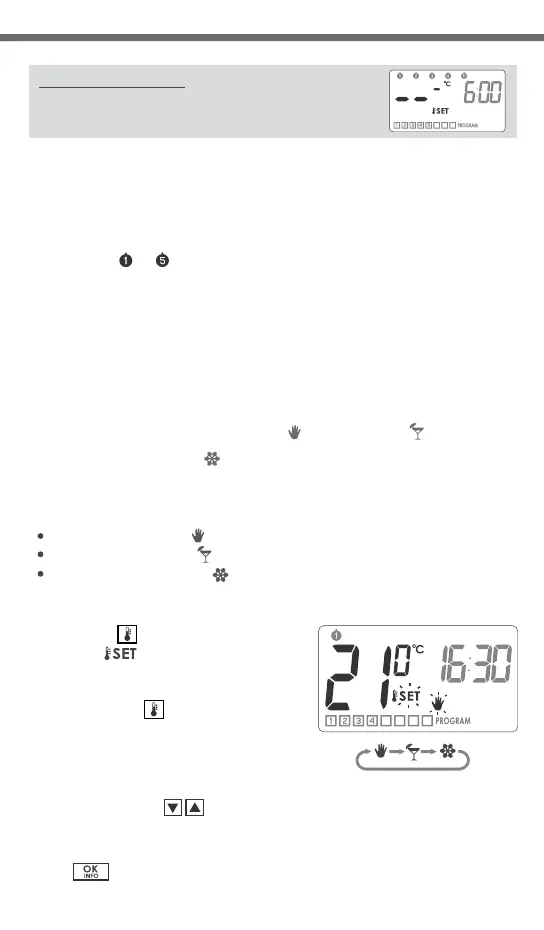
1. Press the button and wait until
flashing icon is displayed with
the symbol of the currently edited kind
of temperature.
2. Pressing the button again will
toggle the currently edited kind of
temperature.
[Te]
[SET]
[Te]
3. Set the desired temperature value in
the currently edited kind of tempe-
rature, using the‚ buttons.
4. After setting all temperature kinds,
confirm the setting by pressing
the button.
[updo]
[okok]
Programming the manual , vacation
and anti-freezing temperature.
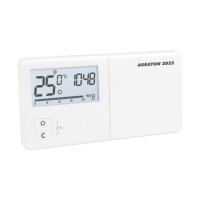
The AURATON 2030 / AURATON 2030 RTH regulator allows for setting three
kinds of temperature:
manual temperature ( ) – within the range from 5°C to 30°C,
vacation temperature ( ) – within the range from 5°C to 30°C,
anti-freeze temperature ( ) – within the range from 4°C to 10°C.
To set one of the above mentioned temperatures:


 To Next Page