AFW 2 A1
GB
│
IE
│
NI
│
23 ■
Changing the radio channel
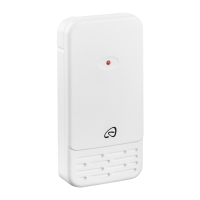
Changing the radio channel on outdoor sensor
You can select between 3 radio channels. Channel 1 is preset.
♦ Open the battery compartment a on the rear of the device
by removing the battery compartment cover s.
♦ Select a radio channel by pushing the channel selector p
to CH1, CH2 or CH3.
♦ Press and hold the
–
/CH button 6 until the reception
signal
flashes on the outdoor temperature panel 3.
♦ Press the TX button o to manually initiate the outdoor sensor
radio signal. If reception is successful, the temperature and
moisture on the outdoor temperature sensor 3 will now
be displayed on the new radio channel.
♦ Close the battery compartment a again.
Changing the radio channel display on the weather
station
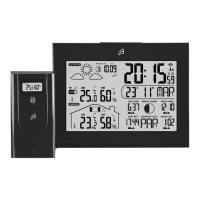
If the weather station is receiving the outdoor sensor radio signal,
it will automatically display the appropriate channel.
However, you can also manually set the display of various radio
channels.
♦ Press the
–
/CH button 6 repeatedly to switch between the
displays CH1 (only display channel 1), CH2 (only display
channel 2), CH3 (only display channel 3) and
(display
all channels alternately in a loop).











 To Next Page