31
2.2.1 Functionality Description
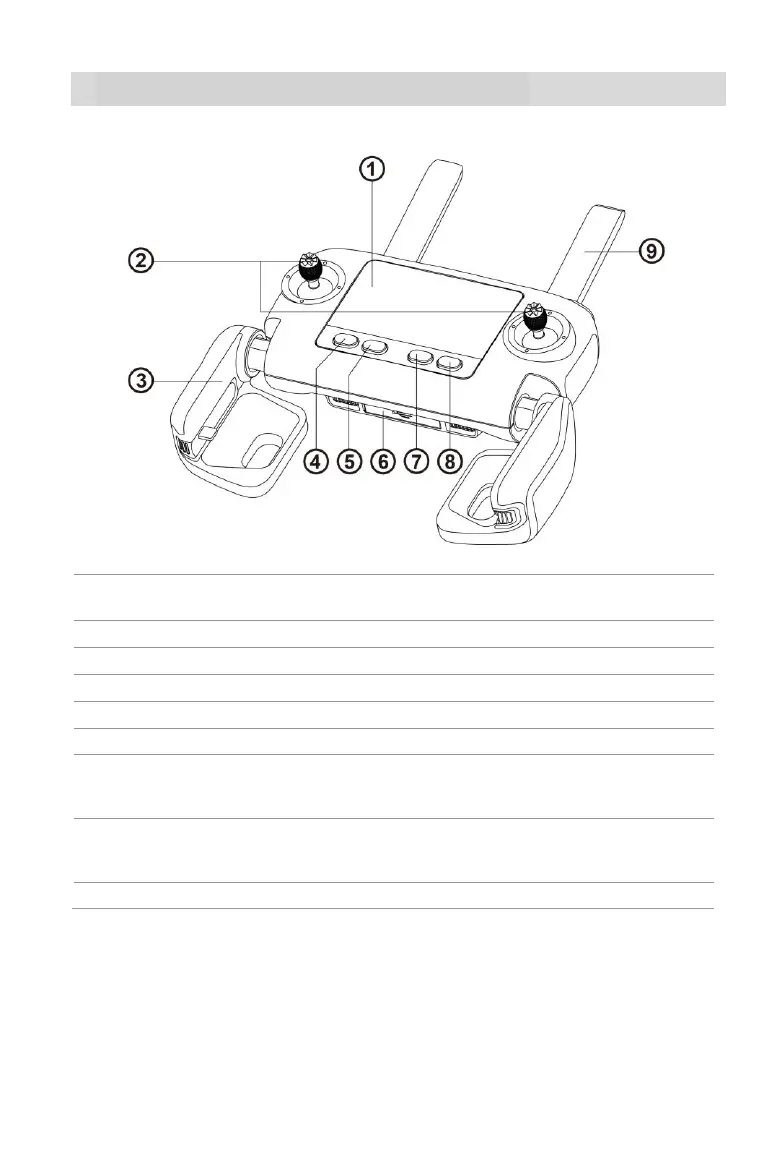
Flight Information Panel
Displays the flight status, warning messages and
live video feed
Control the orientation and movement of the aircraft
With a built-in USB connector and adjustable holder
Take-off/Landing Button
Commands the aircraft to take off or land
Commands the aircraft to return to the home point
Used for charging or connecting to a mobile device
Tells the aircraft to pause autonomous flight operations
and hover in place, or resume autonomous flight
operations
Screen Navigation Button
When the mobile device is disconnected, press this
button for 1 second to enter/exit the Image
Transmission screen on the remote control
Communicate with the aircraft at 900 MHz or 2.4 GHz



 To Next Page