32
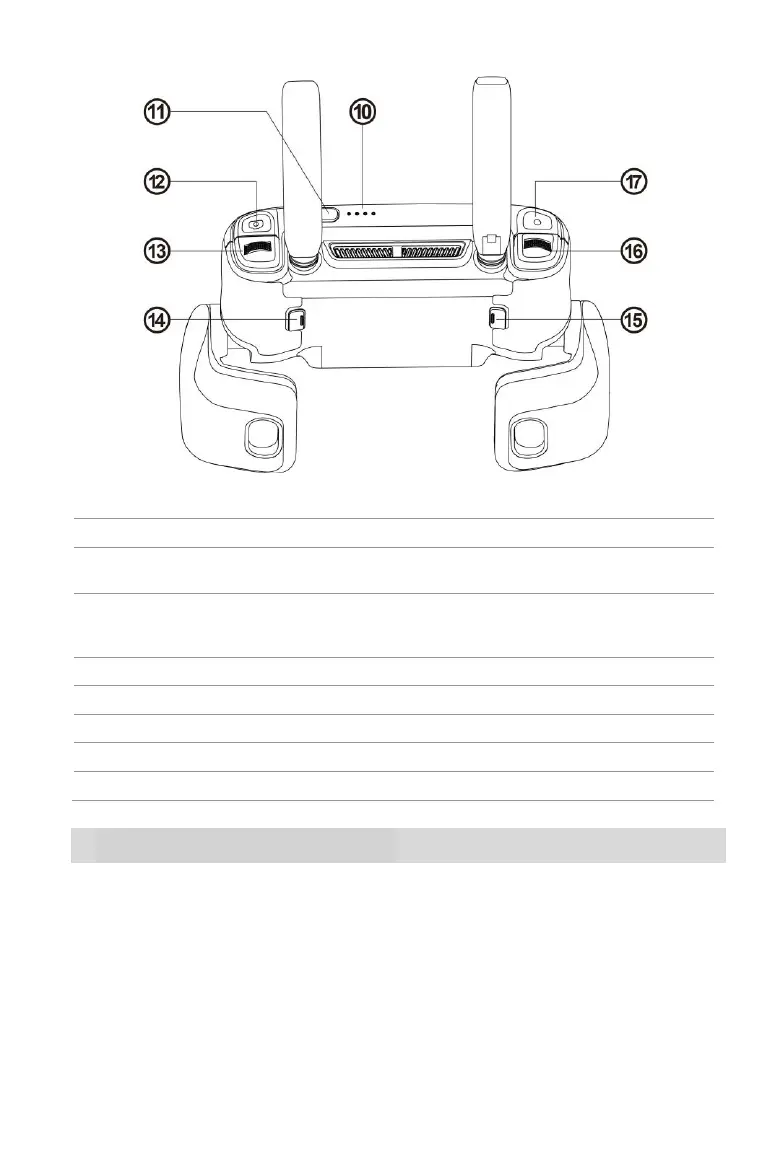
⑩ Battery Level Indicators
Indicate the remote control’s remaining battery level
Press and hold for 2 seconds to power on/off the
remote control
Takes photos. When Burst Mode is turned on,
several images will be taken with one press. For
details, see the App Manual.
Scrolls through the OLED screen
Function can be set using the Autel Explorer™ app
Function can be set using the Autel Explorer™ app
Controls the pitch angle of the camera gimbal
Starts or stops recording video
2.2.2 Live View Panel
Flight Information Panel
When the video link has been connected, the main interface will appear as below.



 To Next Page