10
The XI-5A Camera Gimbal has two working modes:
Stabilized Mode: The gimbal’s orientation stays aligned with the aircraft’s
nose, but keeps the horizon even as the aircraft tilts.
FPV Mode: The gimbal is continually synchronized with the aircraft’s
movement — including rotation and tilt — to create a rst-person viewing
experience during the ight.
Camera
EVO’s 4K UHD camera supports a variety of shooting modes, including:
Single Shot
Burst Shooting
AEB
Time-lapse
The camera saves photos in DNG or JPG formats, and records videos in MOV or
MP4 formats. A high-denition live feed from the camera can be displayed on your
remote control’s screen, or with improved image quality on your mobile device
using the mobile app.
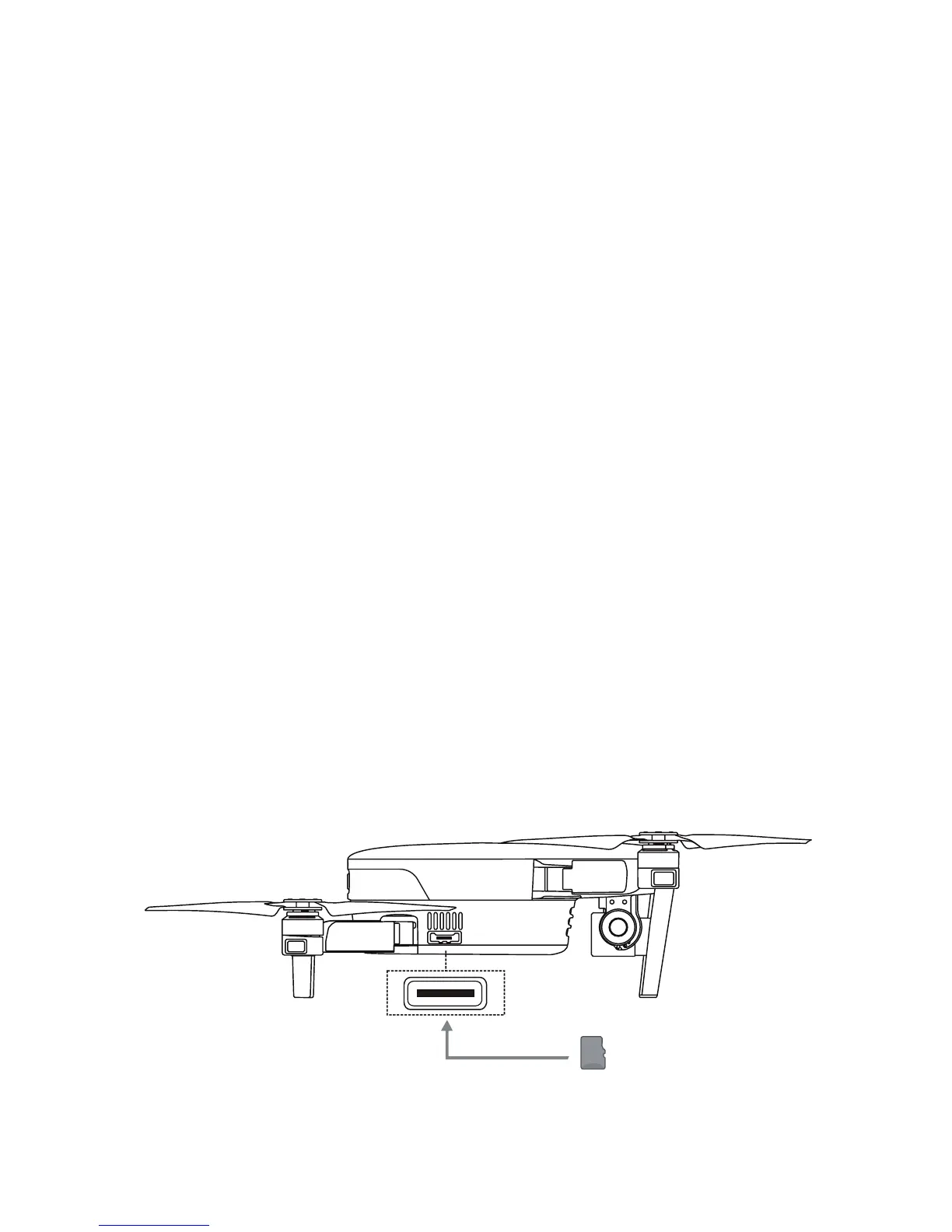
Using a Micro SD Card
Before turning on the aircraft, insert a micro SD card into the port illustrated below.
EVO supports SD card capacity up to 128GB. If you plan to shoot HD video, we
recommend using a Class 10 or UHS-1 micro SD card.



 To Next Page