22
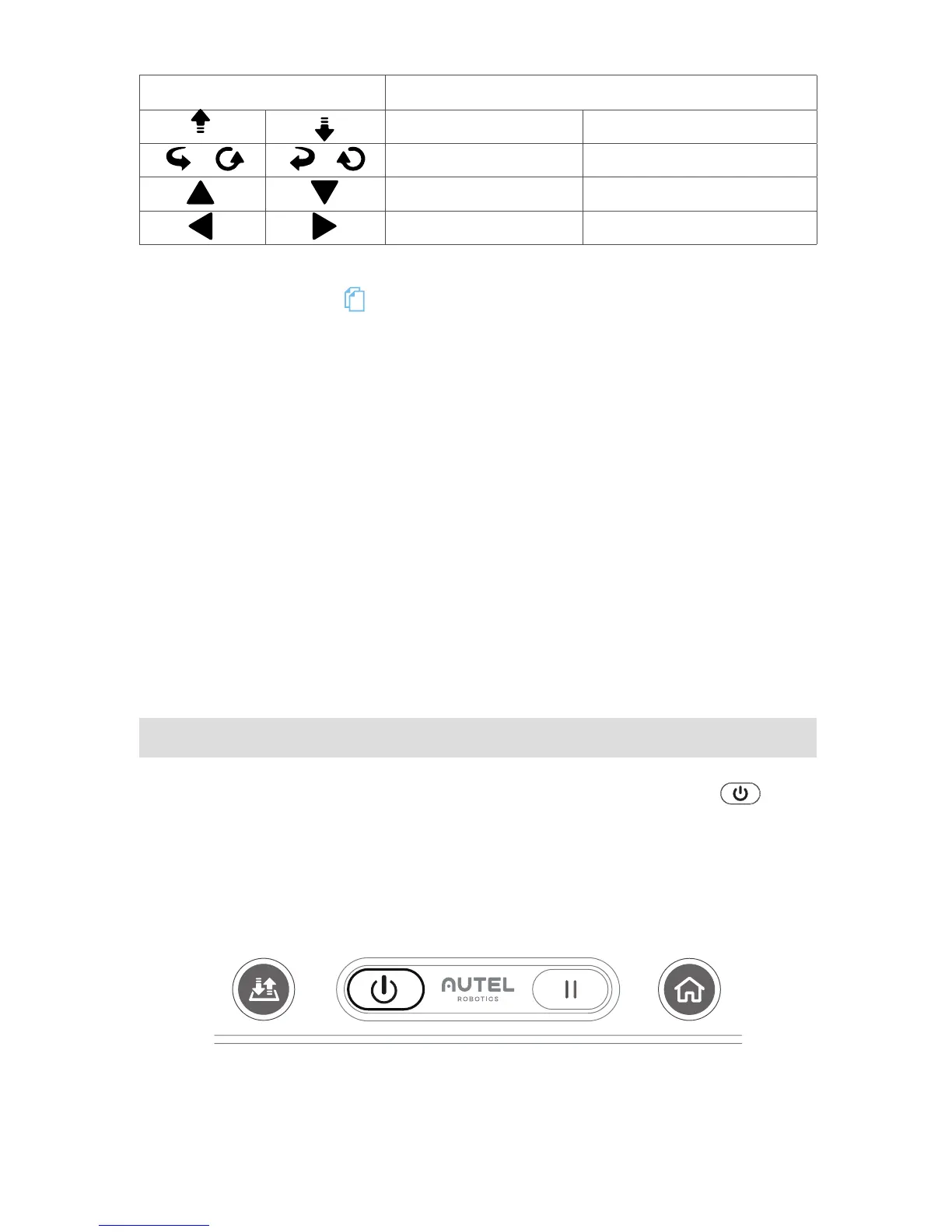
Indicator Icons Aircraft Movement
Ascend Descend
/ / Nose rotates left Nose rotates right
Move forward Move backward
Move left Move right
2. Remote Control Calibration
Refer to Section 3.2.3 ( 27) for detailed calibration instructions.
Vision Settings
Access these settings to turn Visual Obstacle Avoidance on/off and select
Show Radar Map.
General Settings
1. Language: Select the displayed language.
2. Units: Choose the unit of measurement displayed in Flight Control Settings:
Metric (m/s) or Imperial (mph).
3. Gimbal Mode: Choose Stabilized Mode or FPV Mode.
4. Format SD Card: Use this to ensure that your SD card is in an acceptable
format.
5. Reset Camera: Use this to restore all the camera settings to default.
2.2.3 Indicator Lights
A single LED indicator is located under the remote’s Power Button ( ).
●
Solid Light
R
Red Light
◎
Flashing Light
G
Green Light
○
No Lights
Y
Yellow Light
Example: “R-●” SOLID RED light



 To Next Page