2.2 Specifications
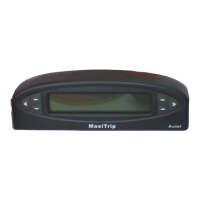
1) Display: Backlit, 2 lines * 16 character display
2) Operating Temperature: 0 to 60°C (32 to 140 F°)
3) Storage Temperature: -20 to 70°C (-4 to 158 F°)
4) Power: 8 to 16 volts provided via vehicle battery
5) Dimensions:
Length Width Height
140 mm (5.51”)*43.6 mm (1.72”)*26.6 mm (1.05”)
6) NW: 0.2kg (0.44lbs) GW: 0.5kg(1.11lb)
2.3 Accessories
1) User’s manual -- Instructions on tool operations
2) OBD2 cable -- Provides power to tool and communicates
between the tool and vehicle.
3) USB cable -- Connects the tool to a computer for software
updates.
4) CD software -- Contains update tool, DTC lookup software
and etc.
5) Sticker -- Used to attach the tool to the position you have
chosen in your vehicle.
2.4 Navigation Characters
Characters used to help navigate the auto computer are:
1) “►or◄” -- Indicates the button next to it can be used and
presses it to do what is displayed next to it.
2) “
or ”-- Indicates more information is available on
previous/next screens.
3) “Pd” -- Identifies a pending code when viewing DTCs.
4) “←”-- Moves to previous digit.
5) “→”-- Moves to next digit; Indicates an option is selected.
6) “+”-- Increase digit value.
7) “-”-- Decrease digit value.
8) “∮” -- Indicates average speed and fuel economy.
9) “
” -- Indicates fuel volume.
10) “---” -- Indicates invalid data or an item is not supported.
3


 To Next Page