28
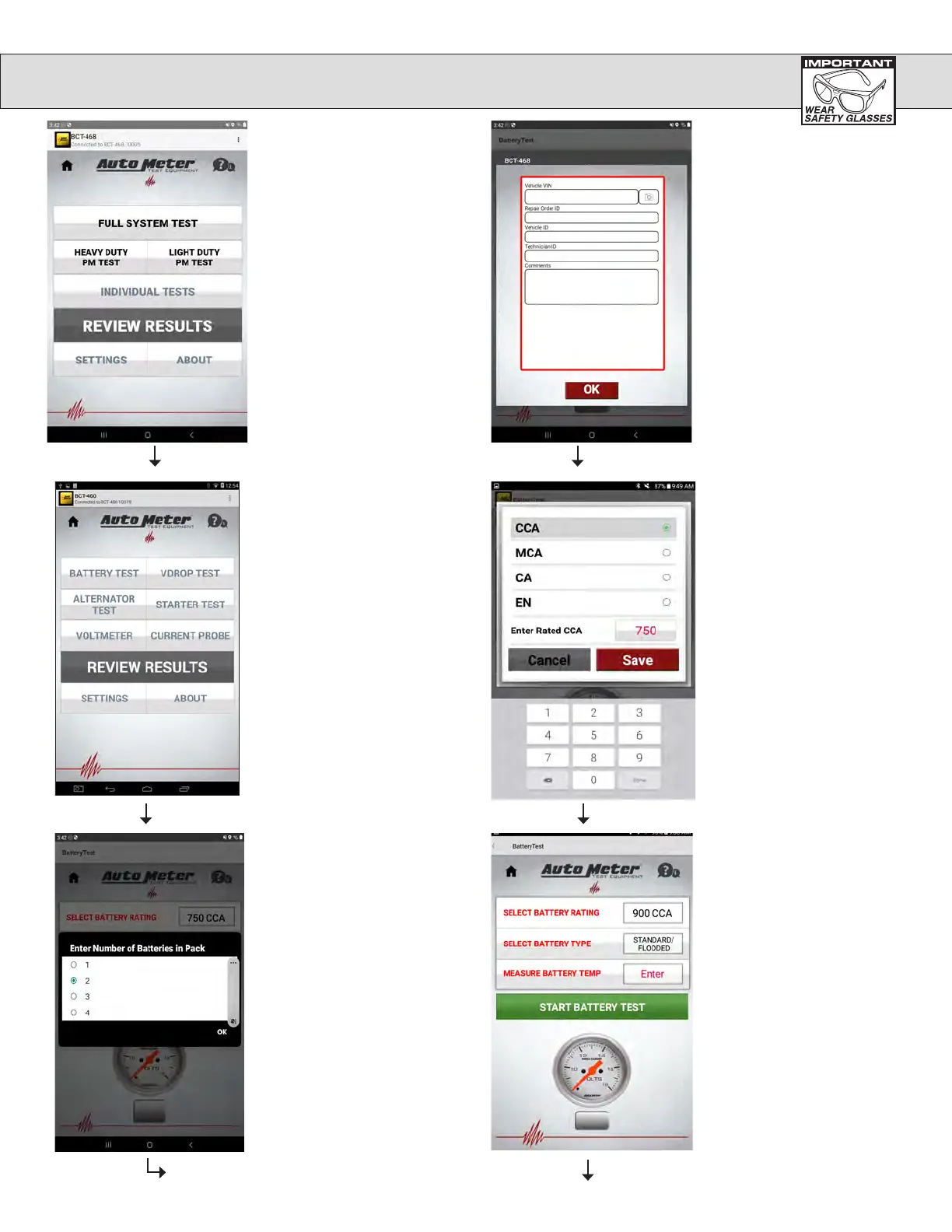
Select Individual Tests
from the main menu. Then
select battery test.
Select battery test.
The following
screen will appear
with default values for the the
battery rating, type and
temperature. These can be
changed by pressing the button
on the right for the value you want
to change. Press the Start
Battery Test when all the entries
are correct and you are ready to
test the battery.
When the Select
Battery Rating
area is pressed, the battery rating
type can be changed by tapping
on the rating type you need. The
rating can be changed by pressing
Enter, then a keyboard will
appear and the rating can be typed
in. Press save to go back to the
Battery Test screen.
Enter number of batteries in pack
then touch OK.
INDIVIDUAL TESTS (BATTERY TEST)


 To Next Page