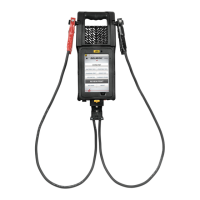
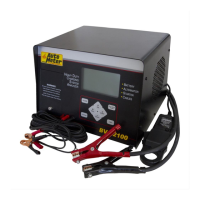
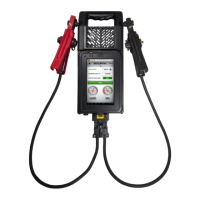
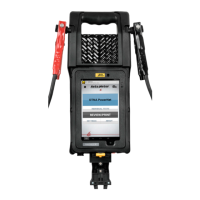
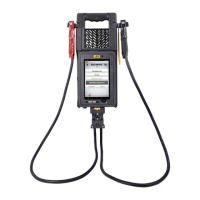
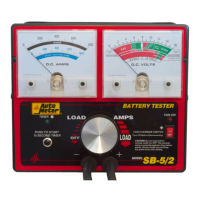
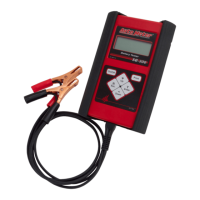
The Auto Meter BVA-360/360P is a sophisticated hand-held electrical system analyzer designed for professional use in the automotive industry. Its primary function is to provide accurate load testing and system analysis for vehicle batteries, as well as the starting and charging systems. This device is engineered for portability, offering a comprehensive suite of diagnostic capabilities in a compact form factor.
Function Description:
The BVA-360/360P serves as an all-in-one diagnostic tool for a vehicle's electrical system. It performs a "Digital Pulse Load" test, which is a professional method for assessing battery health and capacity. Beyond just the battery, it can analyze the starting system to check the performance of the starter motor and related components, and the charging system to evaluate the alternator and voltage regulator. The device is designed to quickly identify bad batteries and provide detailed "Next Steps" advice based on the test results, guiding the user through the necessary repairs or replacements. The BVA-360P version also includes a built-in printer for immediate hard copies of test results.
Usage Features:
The BVA-360/360P is user-friendly, featuring a menu-driven interface displayed on a back-lit touch screen. The device guides the user through each test procedure, making it accessible even for those with varying levels of experience.
- Power Management: To power on, the user presses and holds the power button for one second. For sleep mode, the button is held for about two seconds until "Sleep" flashes, and the screen goes dark. In sleep mode, the power button flashes green every three seconds. To wake up, the button is pressed for one second. To power off completely, the button is held for five to six seconds until "Off" once flashes.
- Navigation: The main menu presents several testing options: "Full System Test," "Battery Test," "Starting Test," "Charging Test," "Other Tests," and "Review Results." Users navigate by touching the desired option on the screen.
- Connection: The device connects to the battery using red and black clamps. The red clamp connects to the positive terminal, and the black to the negative. The tester will prompt the user if the leads are not connected or if contact is poor. It also warns if the clamps are reversed with an audible beep and a message on the LCD. For dual post batteries, it's crucial to check which post the system is attached to, and AutoMeter offers side post adapters (AC-74) for proper connections.
- Battery Testing: For a battery test, the user inputs the CCA (Cold Cranking Amps) rating found on the battery label. If the battery lacks a CCA rating, the user can change the unit of battery rating (e.g., to MCA or CA). The device then performs the load test and displays results such as measured CCA, voltage, state of charge (SoC), state of health (SoH), and reserve capacity. It provides "Next Steps" advice, such as "Run Starter and Charging Tests" or "Charge and Retest."
- Starting System Testing: Before starting this test, the engine must be off. The tester will prompt the user to start the engine and may ask for the number of engine cylinders (4, 5, 6, or 8) and whether the engine is gas or diesel for more accurate results. The test assesses beginning voltage, minimum cranking volts, cranking current, and cranking RPM.
- Charging System Testing: For this test, the engine must be running. The device waits for voltage to stabilize before proceeding. It evaluates voltage regulation, diodes, and charging current.
- Full System Test: This comprehensive test combines battery, starting, and charging system analyses in one sequence.
- Review Results: The device stores up to 1,000 test results, which can be reviewed by touching the "Review Results" icon. Users can scroll through past tests and view detailed information for each.
- New Battery Reset: For vehicles with smart charging systems (e.g., late model Ford Trucks, BMW, Mini Cooper), the BVA-360/360P can perform a new battery reset. This requires connecting the R3-D Battery Reset Adapter to the tester's USB port and the vehicle's OBD II port. The tester guides the user to turn on the ignition (but not start the engine) and then initiates the reset procedure.
- Voltmeter: A simple voltmeter mode is available under "Other Tests" to measure battery voltage up to 30V.
- Flashlight: A momentary touch of the flashlight icon on the screen activates a flashlight on the back of the unit.
- Temperature Measurement: An infrared thermometer on the back of the tester allows for measuring battery temperature.
- Printing (BVA-360P only): The BVA-360P allows users to print test results immediately. The printer compartment is accessed by lifting a tab, and new paper rolls are simply dropped in. A paper feed button is available for manual paper advancement.
- AMPNET & WiFi: The BVA-360/360P can connect to Wi-Fi (2.4 GHz with WPA2 authentication) to receive over-the-air firmware updates. It can also optionally send test results to AutoMeter's AMPNET cloud data management services for storage and analysis, requiring an AMPNET account and location code. Wi-Fi settings (SSID, password) are configured on the "Settings" screen.
- Settings: The "Settings" screen allows users to view tester information (model, serial number, firmware revision, date & time), configure store details (number, address, phone), set temperature units and language, and manage Wi-Fi and AMPNET settings. Users can change specific settings by tapping on them.
Maintenance Features:
Proper maintenance ensures the longevity and accuracy of the BVA-360/360P.
- Clamp and Lead Maintenance: Both jaws of each clamp must firmly engage the battery terminal for accurate readings. The clamps should be kept clean and in good repair. Damaged clamps, loose wires, or corrosion can affect test results.
- Clamp/Lead Replacement: Over time, the battery clamps and leads may need replacement due to excessive damage, corrosion, or frayed wires. The leads connector can be detached from the tester by squeezing two locking tabs and pulling it out. Replacement clamps and leads are offered as a complete set (Auto Meter model number AC-124). To install, the new connector is plugged into the tester until the locking tabs click, ensuring the black connectors are on top and red on the bottom.
- Charging the Tester: The BVA-360/360P has a rechargeable internal battery. It should be stored on the optional charging dock (AC-122) or plugged into the wall outlet charger (AC-140) when not in use. The power button flashes red while charging and green when fully charged.
- Printer Paper Replacement (BVA-360P only): If the printer status light blinks twice quickly, it indicates that the paper has run out or is incorrectly inserted. The printer door can be opened to clear old paper or debris and drop in a new paper roll, ensuring the paper end comes out from underneath the roll and closest to the screen.
- General Care: The manual emphasizes wearing eye protection when working around batteries, avoiding sparks, flames, or cigarettes near batteries, and keeping hair, hands, and clothing away from moving parts. It also advises against load testing or charging a battery below 20 degrees Fahrenheit and warns against connecting the BVA-360 to a battery already connected to another tester or charging unit to prevent damage. Adequate ventilation is recommended to remove car exhaust.

 Need help?
 General

 To Next Page