EasyManua.ls Logo

Auto Meter BCT-468 - Advanced Module Functions; Firmware Updates and Battery Status; Review Results and About Screen

Auto Meter BCT-468
47 pages
Print Icon
To Next Page IconTo Next Page
To Previous Page IconTo Previous Page
Loading...
8
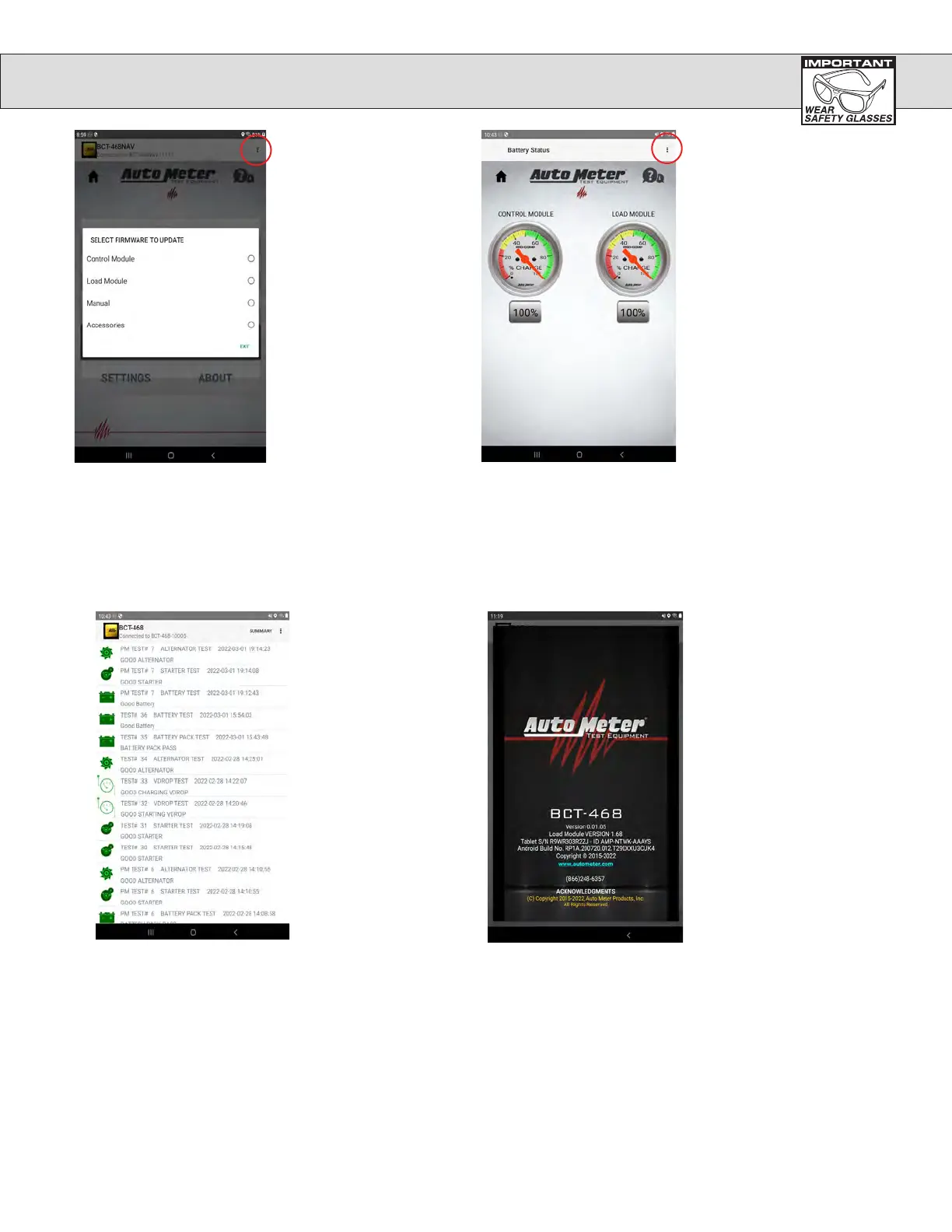
The About screen give
user the information
about the applications
version and how to
contact AutoMeter.
Touch Review Results
screen which shows a
list of the tests that have
been done and allows
the user to view all the
details of the test.
Touch the 3 dots at upper
right corner, then touch
Check for Update which
allows the user to update
both the Control modules
application or the Load
module firmware.
Touch the 3 dots at
upper right corner,
then touch Battery
Status to show the
state of charge of the
batteries in the Control
module and the Load
module.
CONTROLS AND FUNCTIONS cont.

Related product manuals