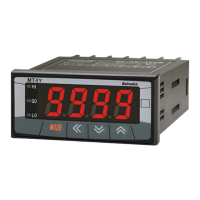
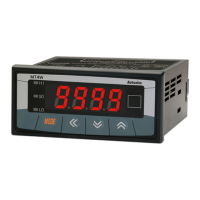
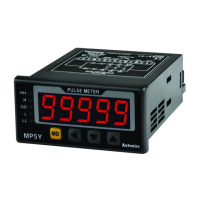
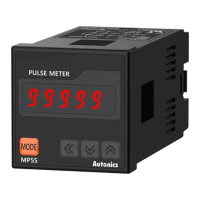
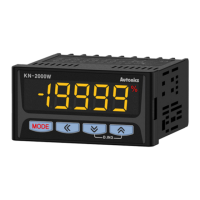
Features
• LCD display with easy-to-read white PV characters
• Isolated input and power modules allow powering of multiple units using a single
power supply
• Compact, space-saving design (rear-length: 20 mm)
: reduced rear-length size by 80 % compared to same DIN size panel meters (MT4W)
• Various input options (by model)
- Input options: DC / AC voltage, DC / AC current
•
• Display range: -9999 to 9999
• High / low-limit display scale function
• AC frequency measurement (range: 0.100 to 1200 Hz)
• Preset output: OUT1, OUT2 (NPN / PNP open collector output)
• Power factor display / output function
: displays analog outputs (1 - 5 V, 4 - 20 mA) from power factor converters as -0.50 to
1.00 to 0.50
• Various functions
: peak display value monitoring, display cycle delay, zero-point adjustment, peak
display value correction, etc.
•
TCD210071AA
LCD Multi Panel Meters
MX4W Series
PRODUCT MANUAL
For your safety, read and follow the considerations written in the instruction
manual, other manuals and Autonics website.
improvement. Some models may be discontinued without notice.
Safety Considerations
• Observe all ‘Safety Considerations’ for safe and proper operation to avoid hazards.
•
Failure to follow instructions may result in serious injury or death.
01.
02.
03.
04.
05.
06. Do not disassemble or modify the unit.
Failure to follow instructions may result in injury or product damage.
01.
AWG 24 (0.20 mm
2
2
failure.
02.
03.
04.
into the unit.
• Follow instructions in ‘Cautions during Use’.
Otherwise, It may cause unexpected accidents.
• Power supply should be insulated and limited voltage / current or Class 2, SELV power
supply device.
• Install a power switch or circuit breaker in the easily accessible place for supplying or
disconnecting the power.
• Keep away from high voltage lines or power lines to prevent inductive noise.
power line and shielded wire at input signal line.
Do not use near the equipment which generates strong magnetic force or high
frequency noise.
Connection with the varistor
HI
LOW
HI
LOW
• This unit may be used in the following environments.
- Altitude max. 2,000 m
- Pollution degree 2
- Installation category II

 Need help?
 General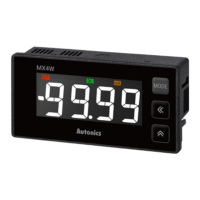

 To Next Page