Need help?
Do you have a question about the AVA WEIGH 334BS150T and is the answer not in the manual?
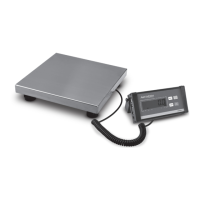
The AvaWeigh Digital Receiving Bench Scale with Tower Display is a precision instrument designed for accurate weighing in commercial environments. It is available in two models, 334BS150T and 334BS330T, with different weight capacities. This user manual provides comprehensive instructions for unpacking, assembly, operation, settings, communication, and troubleshooting to ensure safe and effective use of the scale.
The primary function of the AvaWeigh Digital Receiving Bench Scale is to provide accurate digital weight measurements. It features a tower display for easy reading and a robust platform suitable for receiving various items. The scale operates in multiple modes, including normal weighing, accumulation, and counting, making it versatile for different commercial applications. It also includes a hold function to retain weight readings even after the load is removed.
To begin using the scale, ensure it is placed on a stable foundation capable of supporting its weight plus the maximum load. The scale is designed for use in dry environments and should not be operated in hazardous areas or conditions with heavy vibration or airflow. After unpacking and assembly, which involves securing the post to the scale base, attaching the indicator bracket, and connecting the load cell cable, the scale is ready for use. It is recommended to allow sufficient warm-up time (up to 2 minutes) for internal components to stabilize before weighing.
Power on the scale by pressing the ON/OFF key. If the display stabilizes but does not show zero, press the ZERO key to set a new zero point. Place the objects at the center of the platform to avoid overloading individual load cells. The weight will be displayed on the indicator. The scale can toggle between kilograms (Kg) and pounds (Lb) using the UNIT/COUNT key. Data can be sent to a PC or printer via the serial port by pressing the PRINT/HOLD key. To power off, press and hold the ON/OFF key for 4 seconds.
If the display shows a non-zero reading when no object is on the platform, press the ZERO key to re-zero the scale. This function is crucial for accurate measurements. The zero function is unavailable if the displayed reading is outside the zero range, indicated by error messages like "888888" or "888888," signifying an over or under-range condition.
The tare function allows users to weigh items in a container without including the container's weight. First, zero the scale. Then, place an empty container on the platform and press the TARE key. The display will return to zero, and the "NET" indicator will light up. Place the material to be weighed into the container, and the net weight will be displayed. To exit tare mode, remove all weight from the scale, which will show a negative weight, then press the TARE key again to return the display to zero.
The hold function is useful for retaining a weight reading on the display even after the object has been removed. To activate, press and hold the PRINT/HOLD key for 4 seconds while the scale is under load. The "HOLD" indicator will appear, and the weight will remain saved. To deactivate, press and hold the PRINT/HOLD key again for 4 seconds.
For counting multiple identical items, enter counting mode by pressing and holding the UNIT/COUNT key for 4 seconds in normal weighing mode. The display will show "588888." Place a sample of items on the scale and press the TARE key to confirm. The display will flash, then show "800000." Use the ↑ and → keys to input the exact quantity of samples and press the TARE key to confirm. If an error occurs, the scale will display "588688," requiring re-entry of the quantity. Once confirmed, adding more parts to the scale will display the total number of pieces (pcs). To return to normal weighing, press and hold the UNIT/COUNT key.
The accumulation mode allows the scale to sum up multiple weight or quantity readings. In normal weighing or counting mode, when the reading is stable, press the ACC/TOTAL key to accumulate the current value into memory. The "TOTAL" indicator will blink for 2 seconds. Remove the weight, allow the scale to return to zero, and place a second weight. Press ACC/TOTAL again to add the new value. To review the accumulated total, press and hold the ACC/TOTAL key for 4 seconds. The scale will display the total weight or quantity, with "TOTAL" displayed. After 2 seconds, the scale will revert to normal weighing or counting mode. It's important that the scale returns to zero or a negative number before adding another sample.
The scale offers various user-configurable parameters to customize its operation. These include auto-off time, hold/print function settings, RS232/USB communication settings (baud rate, format), resolution, division select, decimal point in calibration, calibration unit, weighing units enabled, power-on zero-point range, zero range for the ZERO key, data as current power-on zero point settings, zero tracking range, data filter intensity, check weight stability range, overload limit range, backlight ON/OFF mode, and LCD contrast level. These parameters can be accessed and adjusted by pressing and holding the ZERO and UNIT/COUNT keys for 3 seconds until "56888" is displayed.
The scale supports bi-directional RS232 and USB (Virtual RS232) communication for data transfer to external devices like PCs or printers. Parameter P4.x controls the RS232/USB function, allowing users to select various output formats, including single output of displayed data, gross/tare/net weight, continuous output, or bi-directional communication. The baud rate and communication format can also be configured via parameters P5.x and P6.x.
Regular calibration is essential to maintain the accuracy of the scale. Before calibrating, ensure you have a known KG weight. To enter calibration mode, press and hold the ZERO and TARE keys in normal weighing mode when the scale is at zero. The process involves confirming the division, calibrating the zero-point (removing all weight), and then loading known standard weights (e.g., 50%FS and 100%FS) to set the span. The indicator will guide you through the steps, displaying error messages like "680Er" or "888888" if issues occur, prompting re-calibration.
The manual provides a detailed troubleshooting guide for common issues. For example, if the display shows "Ad88888," it indicates a cable connection problem or a damaged indicator. Solutions include checking connections, returning the scale for repair, or replacing the indicator and performing calibration. If the weight reading exceeds or falls below the power-on zero limit, ensure the platform is empty, perform zero calibration, or reduce the weight. If the weight signal is unstable, it may require returning the scale for repair. A "LobAE8" message indicates a low battery, requiring battery replacement.
To ensure longevity and accuracy, avoid extended exposure to extreme heat or cold. Operate the scale at normal room temperature. Keep the scale away from cell phones, radios, computers, and other electronic devices that emit radio frequencies, as these can cause unstable readings. The scale platform is heavy, so use appropriate lift equipment during installation or relocation. Regularly check for objects stuck between the load cell and the scale base, as these can affect readings.
 General
| Overload Indicator | Yes |
|---|---|
| Low Battery Indicator | Yes |
| Capacity | 150kg |
| Accuracy | 50g |
| Auto Power Off | Yes |


 To Next Page