8. Then, the
WEIGHT
window will display “USb.dFt” (data format), the
TOTAL PRICE
window will display
data format xxx. Use
1, 2, 3
key to select data format:
1—8N1 8 bits data, no odd or even , 1 start bit, 1stop bit
2—7O1 7 bits data, 1 even , 1 start bit, 1stop bit
3—7E1 7 bits data, 1 odd, 1 start bit, 1stop bit,
Press
ENTER
key to confirm the input and go to the next step, or use
ON/OFF
key to exit this mode.
Then, the
UNIT PRICE
window will display “D.CODE”, the
TOTAL PRICE
window will display the
department code. Use the numeric keys
0-9
to input the code (00-99). Press
ENTER
key to confirm the
input and go to the next step, or use
ON/OFF
key to exit this mode.
Then, the
UNIT PRICE
window will display “B.PRT.FT” (format of barcode for prinng), the
TOTAL PRICE
window will show the barcode. Use the numerical keys
0, 1, 2, 3
to select which format will be used.
D:
Department Code
I:
Item Code
S:
Check-sum for price (4 digits)
S:
Check-sum for price (5 digits)
T:
Check-sum for weight (4 digits)
T:
Check-sum for weight (5 digits)
P:
Total Price (If the
WEIGHT
window displays zero, it will be unit price)
W:
Weight
C:
Check-sum for all characters
Press
ENTER
key to confirm, press
ON/OFF
key to exit.
NOTE:
if the price, weight or code is not in the range, there will be a mistake when prinng the labels.
12.
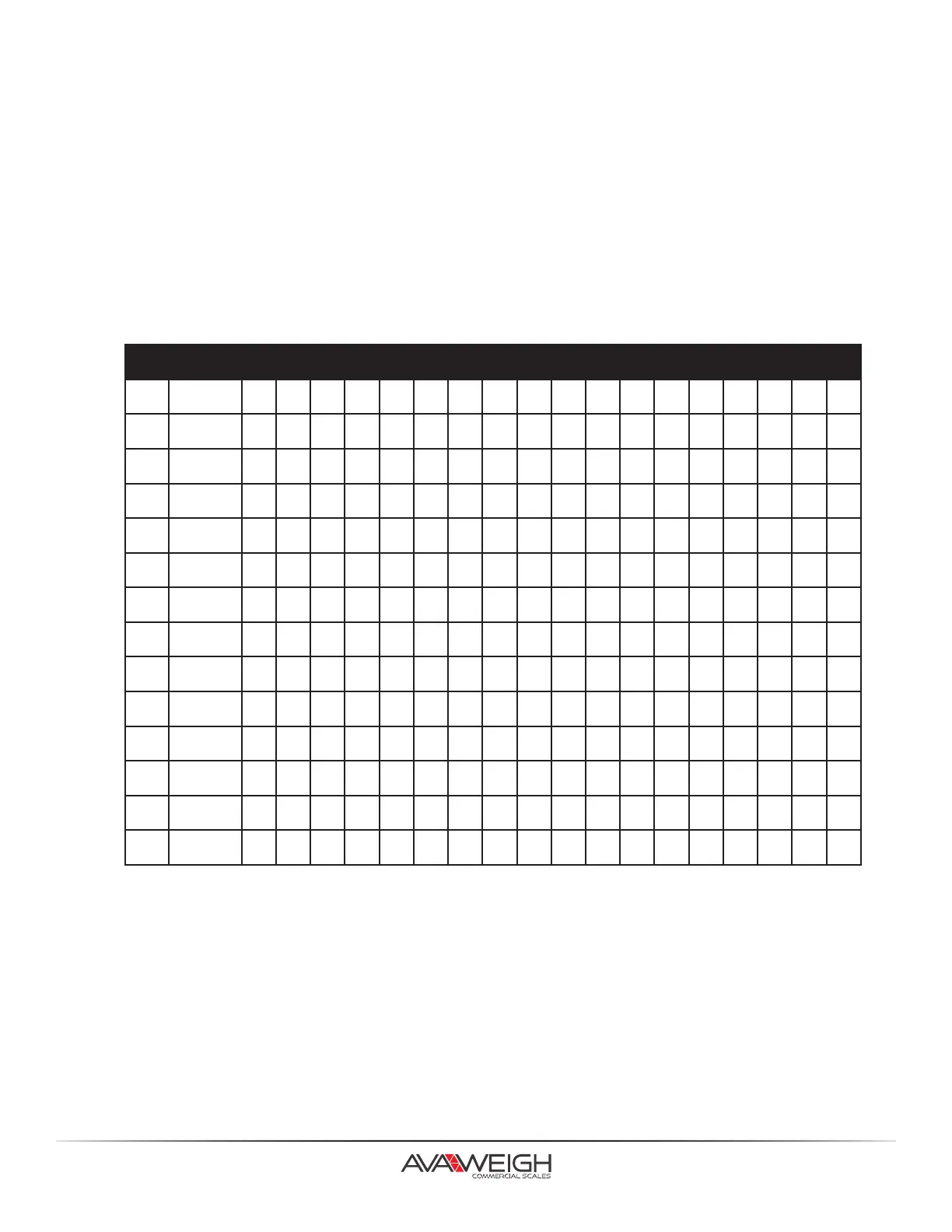
NO TYPE 01 02 03 04 05 06 07 08 09 10 11 12 13 14 15 16 17 18
0 EAN13 D D I I I I I S P P P P C
1 EAN13 D D I I I I S P P P P P C
2 EAN13 D D I I I I I I P P P P C
3 EAN13 D D I I I I I P P P P P C
4 EAN13 D D I I I I P P P P P P C
5 EAN13 D D I I I P P P P P P P C
6 EAN13 D D I I P P P P P P P P C
7 EAN13 D D I P P P P P P P P P C
8 EAN13 D D I I I I I T W W W W C
9 EAN13 D D I I I I T W W W W W C
10 EAN13 D D I I I I I I W W W W C
11 EAN13 D D I I I I I W W W W W C
12 EAN13 D D I I I I W W W W W W C
13 I2OF5 D D I I I I W W W W W P P P P P P C



 To Next Page