HT4186
User Manual
EN
The NB16T earbuds canbeusedindependentlyasregularBluetoothheadphones.
Visit avantree.com/4186/video if you’d prefer to watch a video guide on this process.
Power o the transmitter by sliding the switch to the OFF position.
STEP 1
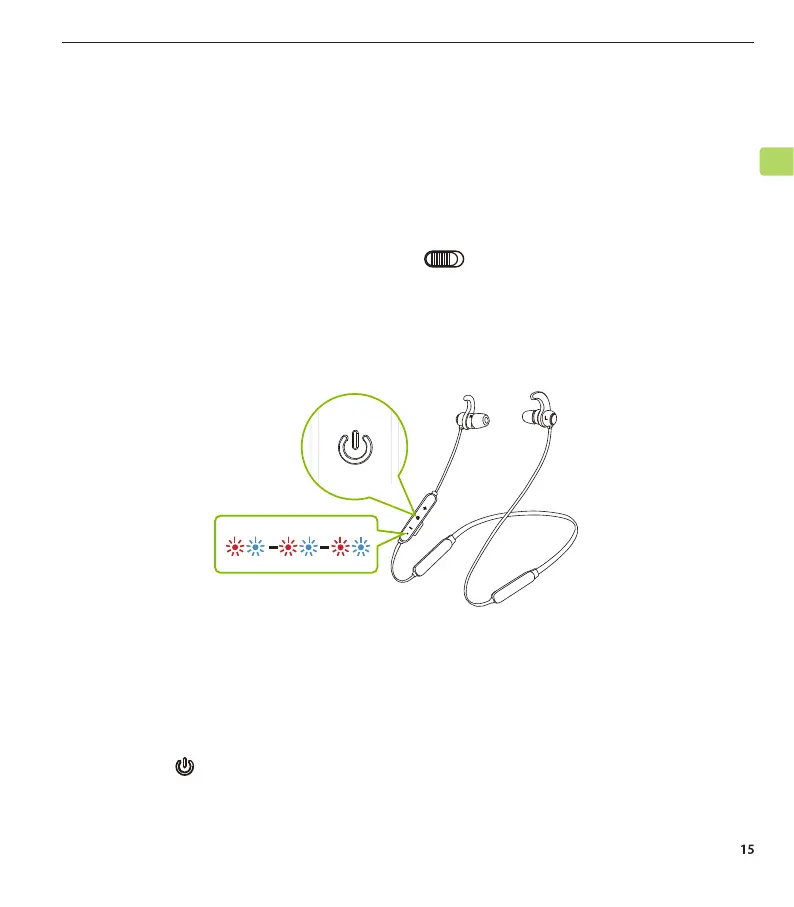
EntertheNB16Tearbudsintopairing mode by pressing and holding the
power button for 5 seconds.
STEP 2
TurnonBluetoothonyourmobiledevice.Select“Avantree NB16T” from your
phone’s Bluetooth menu.
IFor subsequentuse,youcanmanuallyinitiatereconnectionby tapping the
earbuds’ buttononceorselecting“AvantreeNB16T”inyourdevice’s
Bluetooth menu. Make sure thetransmitteristurnedobeforedoingso.
STEP 3
Advanced Features
Using the Earbuds with a Phone



 To Next Page